-
Need help using touchpad in laptop running Knoppix 6.2.0
Hello. I use Knoppix 6.2 from an usb flash drive in my acer aspire 5739g laptop (which came preinstalled with Windows Vista Home Premium OS ). Everything is satisfactory till date (  i am new to Linux and so would need some time to feel at home), but the touchpad of my laptop does not seem to be completely compatible with Knoppix. I can move the cursor around but cannot tap to select or double tap to double click. The scroll-zone on the touch pad is also not working. Can anybody suggest me how to enable these touchpad actions while using Knoppix ?
If i change the wallpaper of the Knoppix desktop, then after rebooting(from usb flash drive) at a later time is it (the wallpaper) supposed to reset back to what it was in the first run ?

-
Re: Need help using touchpad in laptop running Knoppix 6.2.0
Hey-
I use the DVD version, copied to the hard drive (NT partition) with a permanent /home as well; should actually perform much the same as using a USB flash drive. Using a Gateway MX6214 with a Synaptics touchpad, I can't tap or scroll, either, but the hard buttons work fine.  I believe one can use Dolphin (on the System Tools menu, up from the Main icon) to modify:
(root) /etc/X11/xorg.conf to fiddle those things around. Hope this helps!
-Krishna
p.s. I'd like to be able to turn "mouse gestures" off; they drive my lady crazy! Anybody know how?

Originally Posted by
Muntakem
Hello. I use Knoppix 6.2 from an usb flash drive in my acer aspire 5739g laptop (which came preinstalled with Windows Vista Home Premium OS ). Everything is satisfactory till date (
i am new to Linux and so would need some time to feel at home), but the touchpad of my laptop does not seem to be completely compatible with Knoppix. I can move the cursor around but cannot tap to select or double tap to double click. The scroll-zone on the touch pad is also not working. Can anybody suggest me how to enable these touchpad actions while using Knoppix ?
If i change the wallpaper of the Knoppix desktop, then after rebooting(from usb flash drive) at a later time is it (the wallpaper) supposed to reset back to what it was in the first run ?
-
click the button that would be 'start' then 'preferences' then 'compizconfig settings manager'
in the 'desktop' section uncheck the box by 'Expo' that disables the thing that happens when your mouse hits the top left corner of the screen
and under 'window management' uncheck the box by 'scale' which is the top-right of screen action.
i still haven't figured out how/where to enable 'touchpad tapping' or that scroll/pan that happens when you click the mouse wheel.
my laptop's touchpad's scroll zone is working though, without doing anything.
-
Originally Posted by
jeditalian
click the button that would be 'start' then 'preferences' then 'compizconfig settings manager'
in the 'desktop' section uncheck the box by 'Expo' that disables the thing that happens when your mouse hits the top left corner of the screen
and under 'window management' uncheck the box by 'scale' which is the top-right of screen action.
i still haven't figured out how/where to enable 'touchpad tapping' or that scroll/pan that happens when you click the mouse wheel.
my laptop's touchpad's scroll zone is working though, without doing anything.
AFAIK, the linux driver for synaptics mouse pads will not do "tapping" at all. Perhaps someone who's clever with using Windows drivers in Linux can help us get it going.
 Krishna
p.s. Thanks for the tip on compiz setup!
-
Junior Member
registered user
Tap-to-click works on Ubuntu Netbook Remix, w/ some kind of Synaptic driver. No idea what they've done to get it going...
-
Originally Posted by
garaden

Tap-to-click works on Ubuntu Netbook Remix, w/ some kind of Synaptic driver. No idea what they've done to get it going...
What's an appropriate forum for Ubuntu support that we could use to get that info? Maybe you're even a member...
-
For tap to click try typing the following in the terminal:
synclient TapButton1=1
For vertical scroll try:
synclient VertEdgeScroll=1
-

Brilliant. It worked. Thank you
-
Senior Member
registered user
Use of synclient does indeed make the touchpad tap and scroll work.
However it seems to need doing every session. That is, it does not store the configuration change in the persistence image file.
Any advice on how to get it to store changes or where to stick a script that can be run on startup every time?
Similar Threads
-
By tbrendel in forum Laptops
Replies: 2
Last Post: 08-01-2006, 01:30 AM
-
By mapmatthew in forum Hardware & Booting
Replies: 0
Last Post: 09-21-2005, 03:05 PM
-
By johnfila in forum MS Windows & New to Linux
Replies: 2
Last Post: 06-15-2005, 12:54 PM
-
By oneeyedelf1 in forum Laptops
Replies: 4
Last Post: 05-30-2005, 12:36 AM
-
By ramu_asm in forum Hardware & Booting
Replies: 1
Last Post: 03-14-2005, 09:25 PM
 Posting Permissions
- You may not post new threads
- You may not post replies
- You may not post attachments
- You may not edit your posts
-
Forum Rules

Lot of 10pcs Brocade 57-1000012-01 8Gbps SWL 850nm SFP+ Optical Transceivers
$19.00
Cisco Meraki MA-SFP-1GB-SX 1000BASE-SX SFP Transceiver Module
$24.99
Cisco GLC-FE-100LX 100BASE-LX SFP Transceiver Module
$15.59
Cisco GLC-FE-100LX-RGD 100BASE-LX SFP Transceiver Module
$17.99
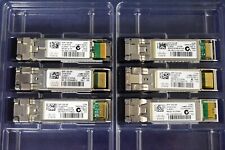
Genuine Cisco SFP-10G-SR V03 10GBASE-SR SFP+ Transceiver Module 10-2415-03
$8.00
SFP-10G-SR Original Cisco 10GBASE-SR SFP+ V02 Multi mode Transceiver 10-2415-02
$5.00

Brand New Cisco GLC-LH-SMD 1000BASE-LX/LH SFP Module 1310nm 10km SMF LC
$13.89
Lot of 10 - HP 10Gb SR SFP+ Transceiver 455883-B21 455885-001 456096-001 850nm
$23.99

New Cisco GLC-LH-SMD 1000BASE-LX/LH SFP Module 1310nm 10km SMF LC
$14.49
LOT OF 20 Genuine Cisco SFP-10G-SR V03 10GBASE-SR SFP+ Transceiver Module
$89.00



 Reply With Quote