-
Junior Member

Removing lxde
I prefer Gnome. I installed gdm and gnome. Then I removed lxde and openbox. When booting/rebooting openbox tries to reboot, fails and shuts down X, which then immediately restarts. This is an endless loop.
How do I set gdm as the default?
-
Since the cheatcodes say
Code:
knoppix desktop=kde|gnome|icewm
and you've installed gdm, I suggest trying
Code:
knoppix desktop=gdm
to start with; once it's proven, I think you can use the System config in the Preferences menu to set it permanently.
Cheers!
Krishna 
-
Junior Member
Thank you for the reply. I should have said I have installed knoppix to hd. The opening screen allowing the entry of cheat codes does not come up.
I assume that the cheat codes are stored in a file somewhere. I could possibly edit that file to "desktop=gnome" None of this may be of any use. The 6.2 cheat code wiki says that "gnome" is not a valid variable for desktop.
-
Senior Member
registered user
I would suggest the creation of a file /etc/sysconfig/desktop with the line /etc/init.d/knoppix-startx reads that file and uses its content to select the gnome desktop environment. Edit: I think there should be quotation marks around gnome. But how do I enter those in this forum? Every time I tried I got the HTML &"
Last edited by klaus2008; 05-17-2010 at 08:31 PM.
-
Junior Member

Originally Posted by
klaus2008

I would suggest the creation of a file /etc/sysconfig/desktop with the line
/etc/init.d/knoppix-startx reads that file and uses its content to select the gnome desktop environment. Edit: I think there should be quotation marks around gnome. But how do I enter those in this forum? Every time I tried I got the HTML &"
Klaus, that was the solution. Thanks a bunch.
-
Originally Posted by
klaus2008
I think there should be quotation marks around gnome. But how do I enter those in this forum? Every time I tried I got the HTML &"
I find that "gnome" will work. Where are you puttiing that in, Code block like this one?
Maybe it's okay because I'm on a Mac in Opera at the moment.
Krishna
-
Junior Member
[code]SESSION=gnome[/code|
worked just fine without the ""
I still seem to be using openbox however. Is there a config file I can edit to change to gdm?
 Posting Permissions
- You may not post new threads
- You may not post replies
- You may not post attachments
- You may not edit your posts
-
Forum Rules


Commodore Amiga 2000HD Vintage Personal Computer A2000
$599.99

Framethrower, Amiga HDMI output via a PiStorm A500 A2000
$40.00

Pi1541 Zero with Epyx Fastload Hat, Case & 16gb SD for Commodore 64 and 128
$84.99

DKB MegAChip for Amiga 2000/500 2MB Chip Ram expansion with 8375 Agnus Tested
$285.00

Commodore Amiga A1200 Vintage Computer Power Supply Mouse Bundle - Tested
$999.99
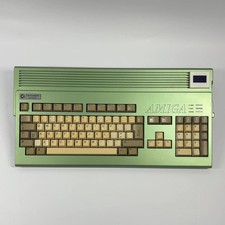
AMIGA Commodore A1200
$899.99
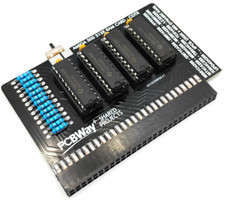
Commodore Amiga 500 Ram Expansion 512KB + Switch - Fast USA Seller
$24.99
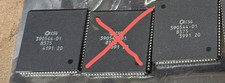
Amiga Fat Agnus 2MB PAL 390544-01 8375
$125.00

Microbotics Starboard 2MB + SCSI Sidecar for Amiga 1000 Vintage Computer READ
$219.00

ZuluSCSI Compact RP2040 - an affordable SCSI-2 (and 1) emulator w/ USB-C
$45.00



 Reply With Quote