-
How do I boot commands?
My Dell 400 notebook freezes when booting 6.2.1 from a USB drive right after Runlevel5 is displayed. A 1/2 page of text is displayed, followed by a garbled graphic and then the screen goes to black. In the documentation it suggests some things to try, but I can not find instructions on how, when or where to enter the boot commands.
The documentation says:
You type them into the boot screen and press enter/return. The format is "kernel option option option ...". Usually "knoppix" is the right selection for the "kernel". You can type more than one cheatcode before pressing enter. Also note that some options can take on values.
Example: "knoppix xvrefresh=60 noscsi floppyconfig"
My issue is that when I turn the machine on, there is no time or place for me to type the commands in. The machine never stops, is there a key sequence that I am to enter that is not mentioned?
What I plan to try is listed below unless others have suggestions.
Tips&Tricks
If you are unable to boot Knoppix (i.e. the screen goes blank, you see a kernel panic message, the screen flickers, you are dropped into a minimal shell, Knoppix simply freezes while booting, etc.), try these boot commands in order:
- boot: knoppix vga=0
- boot: knoppix acpi=off pnpbios=off noapic noapm Helpful for laptops
- boot: knoppix vga=0 debug -b 3 Using this boot command will cause Knoppix to pause at various stages in the boot process. Just type 'exit' at each shell prompt to move on to the next stage. You will know that you are at the final stage when typing 'exit' does not do anything. If you get that far, type 'init 5' to go into graphics mode.
- boot: failsafe debug -b 3 That will do the same as the previous boot command, except turn off most of the hardware detection.
If you still have issues, please post in the
Hardware & Booting forum, tell us which of the above boot commands you tried, and how far in the boot process you were able to get.
-
How, when and where do I enter the boot: commands?
My issue is that when I turn the machine on, there is no time or place for me to type the commands in. The machine never stops, is there a key sequence that I am to enter that is not mentioned? Like Cmd C ???
-
Senior Member
registered user
Your notebook has Intel 855 video chipset . The problem is not in Knoppix it is in the new xserver-xorg-video-intel driver introduced in Knoppix 6.2.1
I had exactly the same issue with my laptop IBM X40 with the same chipset. Your options are to use:
knoppix xmodule=vesa or fbdev. I recommend vesa as it provides 24 and 32 bit color depth to the desktop and some applications are complaining about 16 bit color depth which fbdev provide.
Option 2 is to downgrade the entire xserver-xorg section which is a bit difficult. The last working intel driver with 855 GM chipset is xserver-xorg-video-intel 2.9.1-1 with xserver-xorg-core 1.6.5-1.
Option 3 is to download Knoppix 6.2 which has the older driver and works perfectly with 855 GM
Any of this 3 options will solve your problem. If you decide to use knoppix xmodule=vesa or fbdev you will not have direct hardware rendering.
Hope this solves your problem
Last edited by mecho; 07-18-2010 at 08:11 PM.
-
Senior Member
registered user
I forgot to mention. You enter the commands at boot.When you see the big Knoppix logo displaying the version underneath.You have something like 3 seconds to enter your boot commands
-
thanks. Will try the older version.
-

Originally Posted by
mecho

I forgot to mention. You enter the commands at boot.When you see the big Knoppix logo displaying the version underneath.You have something like 3 seconds to enter your boot commands
The way I think of it is, you have about 3 seconds to strike ANY key. If it's not the right one (usually "k"), then you have plenty of time to erase and carefully type whatever you need to type. It puts more of an edge of urgency on it if you say the "command" has to be typed in.
Cheers!
Krishna 
-
Administrator
Site Admin-
F2 or F3 are great keys to use for this, they halt the boot process and also give you help scrrens that you can see many of the more common boot options.
---
Verifying of md5 checksum and burning a CD at slow speed are important.
-
Senior Member
registered user
mecho
There is another way to avoid the black screen of death with the latest intel driver. Use of the following bootcode make the driver work without the need for vesa or fbdev.
i915.modeset=1
This alters the size of the framebuffer used when in terminal mode. If you prefer the old VGA like display then use the following bootcode as well:
video=640x480
-
Senior Member
registered user
Thank you very much for the tip ICPUG.
I avoided Knoppix 6.2.1 just because of this  you should have told me about it long ago. Unfortunately I don't have a copy of 6.2.1 right now to try it, and I am sorry for misleading KOTIS on this issue.
I have customized 6.2 way too much to my liking to start over with a fresh copy of 6.2.1.
If KOTIS reads this and is going to try i915.modeset=1
Please post the result
I can see now that even i915-kms.conf can be included in /etc/modprobe.d for permanent change
Last edited by mecho; 07-19-2010 at 09:05 PM.
-
Originally Posted by
ICPUG
video=640x480
I had not heard of this, but I thought I'd try it. It didn't work for me. I have used
Code:
knoppix screen=800x600
successfully, but the 640x480 version was not correct; it looked like a 640x480 piece of the 800x600 screen. I'm curious, more than anything - no big deal, just something to think about.
Cheers!
Krishna
 Posting Permissions
- You may not post new threads
- You may not post replies
- You may not post attachments
- You may not edit your posts
-
Forum Rules

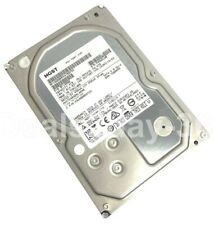
HITACHI HUS724040ALA640 4TB 7200RPM 64MB SATA 6.0Gb/s 3.5" HARD DRIVE ZERO HOURS
$52.00

Seagate ST8000NM0045 8TB 7.2k SATA 6Gbps 3.5" 4Kn Format Hard Drive Open Box New
$84.99
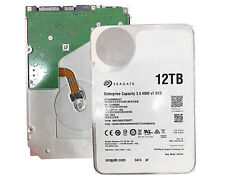
Seagate ST12000NM0127 12TB SATA 6Gb/s 256MB 7200RPM 3.5" Enterprise Hard Drive
$99.99
Seagate ST1000VM002 1TB 64MB SATA6Gb/s 3.5" (Low Power) Hard Drive -PC, CCTV DVR
$24.99
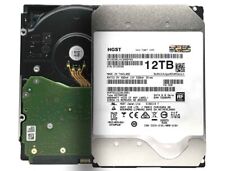
HGST Ultrastar DC HC520 12TB SATA 6Gb 256MB 3.5" Enterprise HDD- HUH721212ALE601
$82.99

HGST Ultrastar HE10 10TB SATA 6.0Gb/s 7200 3.5" Datacenter HDD - HUH721010ALE601
$79.99
Seagate ST12000NM0127 12TB 256MB 7200RPM 3.5" SATA 6.0Gb/s Enterprise Hard Drive
$87.99
WD Ultrastar DC HC530 14TB SATA 6G 3.5" 7200RPM Enterprise HDD - WUH721414ALE604
$110.00
Seagate ST8000NM0055 8TB 7200RPM 256MB SATA 6.0 Gb/s 3.5" Enterprise Hard Drive
$34.29
WD 5TB Certified Refurbished Elements, External Hard Drive - RWDBU6Y0050BBK-WESN
$78.99



 Reply With Quote