-
Senior Member
registered user
Self-Contained Backup for Persistent-Store
.
The following is offered as a 'proof of principle' example for
prospective future modification of, or inclusion into Knoppix.
This idea has been employed with satisfactory outcome by me for
some time. This idea builds upon an already available feature
of the current Knoppix distribution.
Back-up & restore for 2 GB Knoppix 6.4.4 LiveUSB Persistent-store
0. When making a LiveUSB from the Knoppix LiveCD, allow 850 Mb for
persistent store; this leaves 350 Mb in /mnt-system for a com-
pressed persistent-store backup, update.tar.gz. Save the LiveCD.
If more than 1200 Mb is available and useful, then just preserve
a 2.5:1 ratio of persistent:compressed storage allotments.
1. Occasionally, while the LiveUSB is in active use, make a
compressed copy of the filesystem /KNOPPIX-DATA, name this
update.tar.gz, and then save* it in the /mnt-sytem/ directory,
or replace an older update.tar.gz there with a newer one.
*Hint: use or invent something like /etc/backup, see below.
2. When needed to restore the previous persistent-store info,
assuming the non-Live USB is at sdb1, use a LiveCD to move* what
now appears as
/media/sdb1/update.tar.gz one level to
/media/sdb1/KNOPPIX/update.tar.gz, then dismiss the LiveCD
and reboot the modified LiveUSB.
*Hint: using the LiveCD's PCManFM to drag & drop is the easy way.
3. After rebooting the modified LiveUSB & before shut-down, move*
/mnt-system/KNOPPIX/update.tar.gz back one level to
/mnt-system/update.tar.gz for safe-keeping until the next time
a restore is needed. Don't leave it in the /KNOPPIX directory.
*Hint: use the LiveUSB's PCManFM to drag & drop this time.
4. Back to step 1.
__________________________________________________ ______________
#!/bin/bash
#
# /etc/backup Note: make this root:root and executable
#
echo 'Saving update.tar.gz to /mnt-system.'
echo -e 'Patience; this may take a little time..\c'
#
cd /
tar -cf /tmp/update.tar KNOPPIX-DATA
cd /tmp
gzip update.tar
mv update.tar.gz /mnt-system
#
echo '..Done.'
#
exit 0
 Posting Permissions
- You may not post new threads
- You may not post replies
- You may not post attachments
- You may not edit your posts
-
Forum Rules


Dell Poweredge R630 2x Xeon E5-2680 v3 2.5ghz 24-Cores / 64gb / Raid / 2x 1Tb
$374.99

Dell EMC PowerEdge R440 Xeon silver 4215 2.5GHz 16 GB ram 2x 550W PSU No HDD
$275.00

Dell PowerEdge R730XD 28 Core Server 2X Xeon E5-2680 V4 H730 32GB RAM No HDD
$378.93

Dell PowerEdge R530 2x E5-2630v4 H330 iDRAC8 Port Card Riser No PSU/RAM/HDD
$99.99

Dell Poweredge R630 2x Xeon E5-2680 v3 2.5ghz 24-Core | HBA330 | No RAM or HDD
$149.99
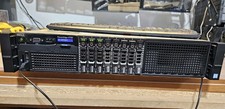
Dell PowerEdge R730xd 12Bay3.5, 7x3tb w Trays, 32Gb, 2x12c V4, H730
$500.00

Dell Poweredge R730xd 12LFF 2*2660v4 4*1Gbe h730 2x 750W Server CTO
$248.00

Dell PowerEdge C4130 1U AI GPU Server | 2x E5-2690 v3 | 64gb Ram | 2x 1600W
$524.99

Dell Poweredge R630 2x Xeon E5-2680 v3 2.5ghz 24-Cores | 32gb | HBA330 | 2x 1...
$324.99
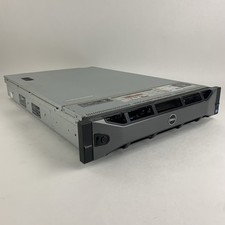
Dell PowerEdge R720 Server 2x Xeon E5-2670 2.6 GHz 64 GB RAM No OS No HDD Read-
$239.95



 Reply With Quote