-
Senior Member
registered user
[FIX] KNOPPIX not showing correct language / Timezone fix
This fix should allow ALL applications to show the correct language (the language you specify at boot by the lang= cheatcode). This behavior shows up most often in things that are executed through kdesu or gksu.
First lets backup your /etc/init.d/knoppix-autoconfig. From a terminal window issue this command as root:
Code:
cp /etc/init.d/knoppix-autoconfig /etc/init.d/knoppix-autoconfig-BACKUP
Youll need to edit your /etc/init.d/knoppix-autoconfig as follows.
In a Terminal Window:
Code:
sudo kwrite /etc/init.d/knoppix-autoconfig
Find the section that looks like:
Code:
### localization
# Allow language specification via commandline. The default language
# will be overridden via "lang=de" boot commandline
# Default is now US
LANGUAGE="$(getbootparam lang 2>/dev/null)"
[ -n "$LANGUAGE" ] || LANGUAGE="us"

# The default language/keyboard to use. This CANNOT be autoprobed.
# Most of these variables will be used to generate the KDE defaults
# and will be inserted into /etc/sysconfig/* below.
case "$LANGUAGE" in
de)
# German version
COUNTRY="de"
LANG="de_DE@euro"
KEYTABLE="de-latin1-nodeadkeys"
XKEYBOARD="de"
KDEKEYBOARD="de(nodeadkeys)"
CHARSET="iso8859-15"
# Additional KDE Keyboards
KDEKEYBOARDS="us,fr"
TZ="Europe/Berlin"
;;
Youll notice that this section contains every lang= cheatcode that knoppix understands... Add this line towards the end of the section where youll find the following lines:
Code:
*)
# American version
LANGUAGE="us"
COUNTRY="us"
LANG="C"
KEYTABLE="us"
XKEYBOARD="us"
KDEKEYBOARD="us"
CHARSET="iso8859-1"
# Additional KDE Keyboards
KDEKEYBOARDS="de(nodeadkeys),fr"
TZ="America/New_York"
;;
esac

# Export it now, so error messages get translated, too
export LANG COUNTRY CHARSET
insert this line just below the last line shown above. (right below " export LANG COUNTRY CHARSET ")
Code:
# Write the chosen language to default (/etc/default/locale) to be sure that the system selects your chosen
# Language for all applications
update-locale LANG=$LANG 2>/dev/null
Thats it!  all fixed.
While we are at it we'll make the lang= cheatcode alittle more efficient by making the timezone configurable through /etc/sysconfig/timezone. This is needed for alot of people because the timezone is reset at every boot and the default timezone for a given locale might not suit everyone. For instance lang=us defaults to the New York timezone... so we will make it settable through the file /etc/sysconfig/timezone
Right below the last line we added.... add the following:
Code:
# Since the Default Timezone for a given locale may not suit every ones needs we will check to see if we can read
# it from sysconfig again to make it more user configurable
if [ -f /etc/sysconfig/timezone ]; then
  TZ=$(cat /etc/sysconfig/timezone)
  export TZ
fi
Save and quit... all done!
Now if the /etc/sysconfig/timezone file exists the timezone will be set by the value contained in this file.... mine looks like this for the Central US Timezone:
Code:
onemyndseye@exodus:~$ cat /etc/sysconfig/timezone
America/Chicago
Hope this helps
-Justin
One Mynds Eye
-
Change <language> hd installed <from - to> Ex: q
Hey,
I have everything in english from a hd install except for, "Qparted".
KISS <Keep it simple su>:
reverend@knoppix:~$ su
Password:
root@knoppix:/home/reverend# cat /etc/default/locale
# File generated by update-locale
LANG=de_DE@euro
root@knoppix:/home/reverend# pico /etc/default/locale
root@knoppix:/home/reverend# cat /etc/default/locale
# File generated by update-locale
LANG=LANG=en_US
root@knoppix:/home/reverend# exit
exit
reverend@knoppix:~$
Begin/w an...
Open Shell
Su
Enter Password
cat /etc/default/locale
pico /etc/default/locale
Change:
LANG=de_DE@euro
to
LANG=LANG=en_US
ctrl+shift O ...not numeric
enter
ctrl x
Bare Bones:
replace <de_DE@euro> with <LANG=en_US> or <your choice of language> after LANG=
qparted to <your LANG=
It works!
Best Regards,
Reverend Hamer
Similar Threads
-
By tr in forum Customising & Remastering
Replies: 1
Last Post: 10-10-2005, 11:25 AM
-
By pavel7nl in forum Hdd Install / Debian / Apt
Replies: 3
Last Post: 06-11-2005, 09:57 PM
-
By olivers in forum Hdd Install / Debian / Apt
Replies: 2
Last Post: 10-24-2004, 10:07 PM
-
By el_supremo in forum General Support
Replies: 3
Last Post: 08-18-2004, 10:19 PM
-
By alex+ in forum General Support
Replies: 3
Last Post: 12-26-2003, 06:14 PM
 Posting Permissions
- You may not post new threads
- You may not post replies
- You may not post attachments
- You may not edit your posts
-
Forum Rules


IBM 4262 SYSTEM x3200 Tower - HDD Wiped, NO OS
$80.00

IBM QRadar xx29 2x Xeon E5-2650v4 2x 900W PSU M5120 12x 3.5" Bay Server No RAM
$149.99

IBM 7915 AC1 M4 E27R704 Server Intel 2650V2 32GB RAM NO HDD w/ 2x 750w PSU
$200.00

IBM QRadar xx29 M4 2x Xeon E5-2670 2.6GHz 16-Cores | 64gb | M5120 RAID
$349.99
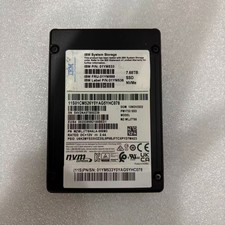
IBM 01YM588 01YM536 MZWLJ7T6HALA-000M3 PM1733 MZ-WLJ7T60 7.68TB NVME SSD
$1950.99

IBM POWER8 8286-42A S824 16-Core 128GB RAM 4.8TB SAS Fedora Linux Server PowerVM
$750.00

IBM Power S822 POWER8 1x CPU 32GB DDR4 RAM 2U Rack Server No HDD.
$629.99

IBM Power S922 9009-22A Power9 DDR4 10GbE 6X SFF Barebone Server
$999.95

IBM System x3755 M3 2U Rackmount Server – No Drives or Trays
$150.00

IBM X3650 M4 Server System Board 00MX553 00AM209 00Y8499 00Y8457 00D2888 00W2671
$230.00



 Reply With Quote