
I noticed by default it loads with 100hz, but im unsure if this is ok for it. It works fine, but when i had windows my max refresh was 85 with the correct monitor drivers. Can I keep it on 100 cause i dont feel like damaging the monitor?


I noticed by default it loads with 100hz, but im unsure if this is ok for it. It works fine, but when i had windows my max refresh was 85 with the correct monitor drivers. Can I keep it on 100 cause i dont feel like damaging the monitor?
Refresh rates matter on the size of your Desktop also (the resolution, is this a the same size, or smaller) it also veries by the Verticle (sorry, can't spell very well), and Horizontal. The monitor is what determines the specs, you should google your monitor (perference is in windows since it wouldn't hose it) or you can try to find out by using the program Power Strip, if you can't get it on-line (since it reads what the Device sends, but not all monitors have that info).
 Posting Permissions


(New) AMD Ryzen 7 5700X 8 Core 16 Thread AM4 Unlocked 3.4 GHz CPU OEM Tray
$174.99

SGIN 17.3" Laptop Intel Quad-Core Up to 2.4 GHZ 8GB RAM 256GB SSD HD
$229.99
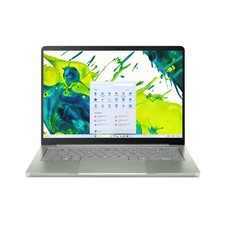
$600.00
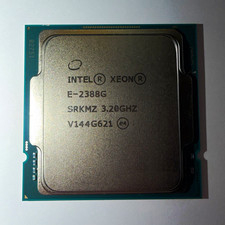
Intel Xeon E-2388G 8-Core 3.20GHz CPU Processor LGA 1151 SRKMZ
$799.99

Intel Xeon E5 - 2667V2 / SR19W 3.30GHz 25MB 8-Core CPU Socket LGA2011
$30.00

AMD Ryzen 7 9800X3D 8-Core 16-Thread AM5 CPU Processor Brand New Unused
$395.95

AMD FX 8350 8-CORE 4.00GHz CPU FD8350FRW8KHK SOCKET AM3+ *QTY
$39.99

AMD Ryzen 7 9700X 8-Core 16-Thread 40MB Cache Socket AM5 9000 Series Processor
$245.99

Dell OptiPlex 5070 SFF i7-9700 (8-Core) 3.0GHz 16GB 256 SSD Windows 11
$250.00

Dell T7810 Workstation 8-Core 2.40GHz E5-2630 v3 No RAM GPU HDD OS
$259.98

 Reply With Quote