-
Linksys WPC11 Strange Behavior
I'm using a linksys WPC11 PCMCIA v3 wireless card on a Dell Inspiron 7000. With Knoppix 3.4
I've gotten Knoppix to see the card and connect to my AC, as I can ping internal and external address. I can pull up www.apple.com...once.
The strange thing is that after I ping a few places, or try to follow one of the links on www.apple.com the connection quality drops from 86/90 to 8/90.
Doing a 'cardctl reset' resets the connection. After I do this, the connection qulaity is restored and I can ping a few sites and pull up www.apple.com again, but then the same thing happens after I try to access another link.
I can never access anything via Mozilla or Konquerer. Its starts to pull up the page and then dies about 25% of the way through.
I've tried changing channels, turning off WEP, etc.
I've also tried doing iwconfig eth0 frag xxx and rts xxx, but those numbers doing stick. When I do another iwconfig, there set to off. Commit doesn't work either.
Signal levels go from -143 to 4/153 ... don't know what this means.
Noise levels go from -145 to 116/153 ... again don't know what this means.
I've search around and found this thread: http://www.knoppix.net/forum/viewtop...742&highlight= but its all about 3.3 and none of the suggested changes worked.
I'm sure I've missed some setting, but which one?
-
Same exact issue with 3.3
-
flaky WPC11
I think you have a bad card or, less likely, pcmcia socket. I have the identical setup (Inspiron 7000 with WPC11) which works with both 3.3 and 3.4.
The only problems I had are regarding editing certain config files (see http://weblog.nohair.net/current/#000484 for this) and the fact that the connection breaks when kdm loads. Once I've logged into kde, I must run "ifup eth0" to restart the connection.
-
Socket works with a regular wired pcmcia nic card and the Linksys card works fine in Windows...
There must be something I'm missing.
Could you describe the process, once more, that you do to get it working? Is it the same for 3.4?
-
I followed the tips from the link you posted above as well as your other thread. But I get the same response.
I haven't tested the card within the last week or so with Windows, so maybe it is broken?
I'm missing a hard drive for the laptop, but that should be here early next week so when that gets here, I'll throw 2000 on and see if it works with the card.
-
I did have similar problems with dropped connections earlier. That appeared to be due to problems between my router and DSL modem. Once the modem was in true bridge mode and the pppoe was being handled by the router, the problem went away. I do not know your network setup, but perhaps you are running more than one dhcp server or this is misconfigured. I use static ip on my network. You could try turning off the dhcp server on the router and and use static ip on the laptop.
There are also a number of threads regarding problems with various versions of the card - check with these. I think that there may have been a change in the chipset at one time. Perhaps another module is needed for support? Anyway, my identical laptop worked right out of the install after I did the steps outlined previously, before I messed with any of the modules or rebuilt the kernel.
Similar Threads
-
By dbk-gravity in forum Hardware & Booting
Replies: 0
Last Post: 05-31-2005, 10:37 AM
-
By sgs9198 in forum General Support
Replies: 0
Last Post: 07-02-2004, 11:15 PM
-
By PAlvarez in forum Networking
Replies: 6
Last Post: 02-02-2004, 11:47 PM
-
By cgoodier in forum Networking
Replies: 11
Last Post: 10-13-2003, 01:07 AM
-
By zirey in forum Networking
Replies: 2
Last Post: 07-20-2003, 02:31 AM
 Posting Permissions
- You may not post new threads
- You may not post replies
- You may not post attachments
- You may not edit your posts
-
Forum Rules


SK Hynix 64B PC4-2933Y Server Memory DDR4 RAM HMAA8GR7MJR4N-WM
$499.99

Dell EMC PowerEdge R440 Xeon silver 4215 2.5GHz 16 GB ram 2x 550W PSU No HDD
$275.00

VMware vCenter Server 8 STANDARD Perpetual License Key VC-STD-C (Legacy Pack)
$1599.95

Dell Poweredge R630 2x Xeon E5-2680 v3 2.5ghz 24-Core | HBA330 | No RAM or HDD
$169.99

SK Hynix Server Memory 32GB (1x32GB) RAM DDR4 2400MHz HMA84GR7MFR4N Lot of 12
$1599.99

Dell Poweredge R730xd 12LFF 2*2660v4 4*1Gbe h730 2x 750W Server CTO
$308.00

Dell PowerEdge C4130 1U AI GPU Server | 2x E5-2680 v3 | 32gb Ram | 2x 1600W
$409.99
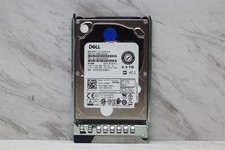
Dell 2.4TB 10K SAS 2.5" F9NWJ 12Gbps HDD AL15SEB24EQY Hard Drive w/ Caddy
$324.99
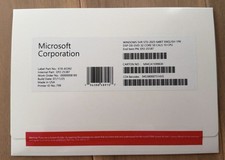
Microsoft Windows Server 2025 Standard 64bit 32 Core-50 CALs DVD With Key Sealed
$95.99
RDS Remote Desktop Service For Server 2025, RDS 2025 50 User/Device Connections
$69.00



 Reply With Quote