

 Reply With Quote
Been pulling my hair out on this one.
Now I just have to figure out how to get it to use my NetGear Wireless PCMCIA NIC.


I am a complete newbie to linux, and let me say that knoppix is a fantastic alternative to having to install a distro.
I was having allot of problems getting my WSXGA display working, like many others I kept getting black borders around the screen. However everything is perfect now....
In the Knoppix boot menu 'F2' I entered 'knoppix xmodule=fbdev fb1680x1050'
1680x1050 being my native screen resolution, to tell you the truth I am not exactly sure what it does, besides using frame buffers, but it works like a charm. Hope this will help other newbies such as myself.
Been pulling my hair out on this one.
Now I just have to figure out how to get it to use my NetGear Wireless PCMCIA NIC.
 Posting Permissions


(New) AMD Ryzen 7 5700X 8 Core 16 Thread AM4 Unlocked 3.4 GHz CPU OEM Tray
$174.99
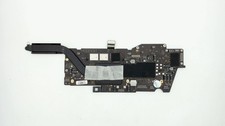
Apple Macbook Pro 13" A2338 M1 8-core CPU, 8-core GPU, 16GB, 1TB Logic Board
$295.00

Clear Touch Interactive Module CTI PCMOD PC55 ST i5 6core,8GB DDR4,256GB SSD NEW
$225.00

Intel Core i9-9900 SRG18 3.10GHz 16MB 8-Core LGA1151 CPU Processor
$177.21

AMD Ryzen 7 9800X3D 8-Core 16-Thread AM5 Zen 5 Desktop Processor NEW
$395.00
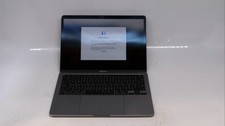
Apple Macbook Pro 13" M1 8-Core 16GB 512GB - Good
$464.99
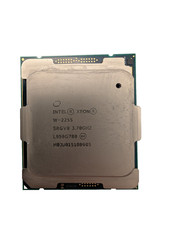
Used & Tested Intel Xeon W-2255 SRGV8 3.70GHz 19.25MB 10-Core CPU Processor
$194.99
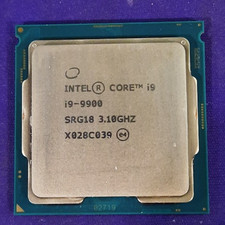
Intel Core i9-9900 SRG18 3.10GHz 8-Core Desktop CPU Prcoessor LGA1151
$165.00
Dell Latitude 5400 i5 8th Gen. 16 GB RAM No Storage 08B8 Grade C Locked No AC
$123.99

Dell Latitude 14" Laptop Computer Core i5 8GB RAM 128GB SSD Windows 11 WiFi HDMI
$195.31