-
Junior Member
registered user
I had same problem with a HD install with a UXGA screen. The solution was to do a CD session, and choose your resolution at startup, let the cd session boot, and then if this session runs with the desired resolution, copy the XF86Config and XF86Config-4 files from the ram disk of your successful CD-install to somewhere safe. Then reboot using your HD install and replace the two HD-install files mentioned with the CD-ones. On reboot the right resolution comes up. Worked for me. (I am sure this is not the quickest way!)
Similar Threads
-
By GCMartin in forum Hardware & Booting
Replies: 2
Last Post: 06-16-2005, 09:47 PM
-
By evilfry in forum Customising & Remastering
Replies: 8
Last Post: 11-17-2004, 05:13 PM
-
By Sartan4455 in forum Networking
Replies: 3
Last Post: 08-13-2004, 05:43 PM
-
By TechniK in forum General Support
Replies: 12
Last Post: 07-31-2004, 03:23 AM
-
By Cuddles in forum General Support
Replies: 2
Last Post: 12-13-2003, 02:32 PM
 Posting Permissions
- You may not post new threads
- You may not post replies
- You may not post attachments
- You may not edit your posts
-
Forum Rules

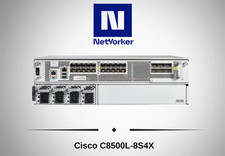
Cisco Catalyst 8500 C8500L-8S4X 4x SFP+ 8x SFP 4x10GE 8x1GE Router-Fast Ship
$6299.99

Cisco Acacia DP04QSDD-E25-840 400G QSFP-DD Coherent DCO Transceiver Module
$699.99

Qty 20 New Cisco QSFP-100G-FR-W2 10-3659-01 Module Hologram Brand New 20 Pack
$260.00

Cisco C9300-48UXM-A Switch 9300 Series 48-port UPoE Network
$874.99
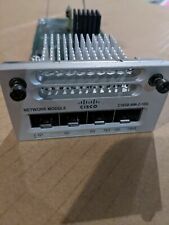
Cisco C3850-NM-2-10G 2 Port Network Exp.Module for 3850
$18.90
Cisco ISR4331 Intergrated Service Router K9 4300series
$45.99
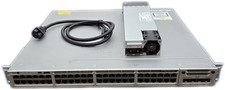
Cisco Catalyst 3850-48F-L 48-Port UPoE Gigabit Switch NM-4-1G
$59.99
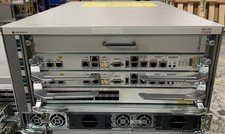
Cisco ASR-9904 w/ 2x A9K-RSP5-TR, 1x A9K-24X10GE-1G-TR , & 2x AC Power
$24995.00

Cisco Catalyst C9130AXI-B WiFi 6 802.11ax Wireless Access Point Brand New
$101.99

Cisco Catalyst 2960-48TT-L 48-Port Fast Ethernet Managed Rackmount Switch
$46.99



 Reply With Quote