-
Senior Member
registered user
you know what I just did for you? I booted up into my old knoppix 3.3 hd install.  Anyway, there are 2 (countem, two) Qtparted entries in the System submenu of Kmenu. I tried clicking on both in turn and both had the same result, throbby flashy, timeout whatever nothing happens. Not being one to stop at that I went into the kdmenu editor to see what they were pointing at and as whom:
1) qtparted = /usr/bin/X11/xterm /usr/sbin/qtparted
2) qtparted = sudo -H qtparted
Not helpful, so I ran in console as normal user self and inputted and the results:
1)nish@ecs:~$ /usr/bin/X11/xterm /usr/sbin/qtparted
/usr/bin/X11/xterm: bad command line option "/usr/sbin/qtparted"
usage: /usr/bin/X11/xterm [-/+132] [-C] [-Sccn] [-T string] [-/+ah] [-/+ai]
[-/+aw] [-b number] [-/+bc] [-bcf milliseconds] [-bcn milliseconds]
[-bd color] [-/+bdc] [-bg color] [-bw number] [-/+cb] [-cc classrange]
[-/+cjk_width] [-class string] [-/+cm] [-/+cn] [-cr color] [-/+cu] [-/+dc]
[-display displayname] [-e command args ...] [-fa pattern] [-fb fontname]
[-/+fbb] [-/+fbx] [-fg color] [-fi fontname] [-fn fontname] [-fs size]
[-fw fontname] [-fwb fontname] [-fx fontname] [%geom] [#geom]
[-geometry geom] [-hc color] [-help] [-/+hold] [-iconic] [-/+ie] [-/+im]
[-into windowId] [-/+j] [-/+k8] [-/+l] [-/+lc] [-lcc path] [-leftbar]
[-lf filename] [-/+ls] [-/+mb] [-mc milliseconds] [-/+mesg] [-ms color]
[-n string] [-name string] [-nb number] [-/+nul] [-/+pc] [-/+pob]
[-rightbar] [-/+rv] [-/+rvc] [-/+rw] [-/+s] [-/+samename] [-/+sb] [-/+sf]
[-/+si] [-/+sk] [-sl number] [-/+sm] [-/+sp] [-/+t] [-ti termid]
[-title string] [-tm string] [-tn name] [-/+u8] [-/+ulc] [-/+ut] [-/+vb]
[-version] [-/+wc] [-/+wf] [-xrm resourcestring] [-ziconbeep percent]
Type /usr/bin/X11/xterm -help for a full description.
yeah, even less helpful
2)sudo -H qtparted
nish@ecs:~$ sudo -H qtparted
nish is not in the sudoers file. This incident will be reported.
nish@ecs:~$
Still not helpful though it shocked me. I am (was) not a sudoer? But then again, I never sudoed after hd install, only su.
There IS (was) a known bug on a KDE version around 3.2.1with su. See two grave regressions: http://www.kde.org/info/3.2.2.php#binary. With that bug, you su something in the KDE menu and although in the dialog you input right password, it says wrong password...sounds like your prob. But, the fact is what you say works fine for you in knoppix 3.3 give the above results for me knpx 3.3. Maybe it is something like a security hole left by an inbetween update then closed afterward (in 3.4 knoppix and I think, it's 3.2.1 KDE)?
Anyway, what you are saying is dead-on about knoppix 3.4. But I think you had either customized or a hole on your 3.3 install...mine was the knoppix version 2.19.04. Maybe upgrade KDE what you can and see it it is fixed?
-
Senior Member
registered user
The answer to your question is really simple, assuming that you're running live from the CD. Just make an icon for QTParted on your desktop, and for the command, put in sudo qtparted. Or edit its entry on the K Menu so that the command is sudo qtparted.
Probably work for all those other apps, too.
If you're running off a hard disk install, then there's probably no way around putting in a root password (you really don't want there to be, do you?).
Really though, the problem I was writing about was not that I was being prompted for a password, but that THERE WAS NO PASSWORD I COULD TYPE THAT WOULD WORK. Certrainly I can use the console and log in, but that rather defeats the purpose of having a program listed in the K menu: it can never run from there.
Of course not! If you installed any distro without setting a root password, you'd have the exact same problem. Since there are no default passwords set in Knoppix, you have to create a root password before you can use those programs from the K menu, by design.
Klaus could have altered the menu settings so that all of the programs that require root privileges ran from the K menu without asking for a password, but that would have required a lot of work to solve a problem that doesn't really exist.
(And I could swear that I didn't see QTParted on the menu anywhere when I ran KNOPPIX_V3.3-2004-02-16-EN. Sigh. It was kind of late.)
-
Senior Member
registered user

Originally Posted by
wernst
First: Yes, it did
too prompt you for a root password when you tried to run any administrative utilities requiring root privileges on Knoppix v3.3. That's not a Knoppix feature; that's a KDE feature. (And a Gnome feature. And hopefully a feature of any properly configured X window manager.)
Sigh.
Fortunately for everyone concerned, it is easy to TEST this. I just booted from my Knoppix 3.3 CD (in other words, Live on CD) and chose QTParted from the System menu. I WAS NOT PROMPTED FOR A PASSWORD. It fired right up and I was able to reformat the ext3 partition onto which I has installed the 3.4 CD 10 minutes before.
So obviously, something changed.
-Warr
Hi,
to stop your war:
Yes, there has changed something and there will change more.
QTParted is now an official debian package (by me btw.) and you can't get an package into debian with knoppix hacks ...
Well so I had to add gksu and in the newer one su-to-root -X ...
cu
Fabian
PS: Use Alt+F2, "sudo qtparted" for now.
-
Senior Member
registered user
No war here, man! 
-
Senior Member
registered user
ahhh, so this is why upon upgrading my KDE on kanotix and guarddog started giving me the same trouble basically that wernst is having with qtparted was fixed when I upgraded gksu? (was afraid to post upgrade gksu for what seemed to be manifestation of a kde bug )
I love linux, rilly I do 
And nope, no war here either :P
Similar Threads
-
By Cuddles in forum General Support
Replies: 18
Last Post: 08-16-2013, 06:58 PM
-
By Cuddles in forum The Lounge
Replies: 13
Last Post: 06-18-2007, 10:43 AM
-
By kidsatacrux in forum General Support
Replies: 8
Last Post: 05-21-2004, 12:48 AM
-
By stol in forum General Support
Replies: 2
Last Post: 05-13-2004, 03:14 PM
-
By reubensant in forum General Support
Replies: 2
Last Post: 08-10-2003, 01:36 PM
 Posting Permissions
- You may not post new threads
- You may not post replies
- You may not post attachments
- You may not edit your posts
-
Forum Rules


1969 EAI TR-20 Analog Computer Programming PACE Philbrick Electronic Associates
$32.00

Vintage George A Philbrick Researches Tube Analog Computer Module Serial 005503
$109.99

Refurbished Working 1960's Heathkit EC-1 Educational Electronic Analog Computer
$2999.99
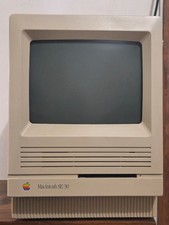
Apple MAC SE/30 Computer M5119, Vintage, Logic & Analog boards + PSU Recapped
$750.00

Vintage Early Week 12 1984 Apple Macintosh 128K Computer M0001 w/Analog Board+
$209.99
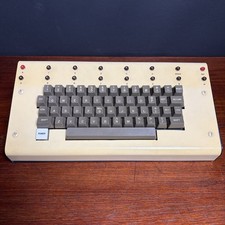
1979 vintage apple II 2 keyboard Mod CV Control Analog Synthesizer Paia Buchla
$500.00
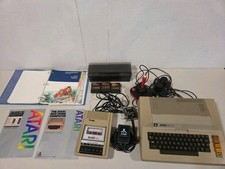
Vintage Atari 800 Computer System With Accessory And Games..
$299.99
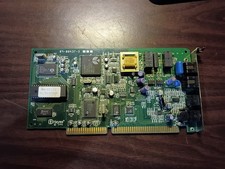
vintage internal ISA Dial-Up Modem from the Accura 28.8 series. 5617us
$29.99

Apple II V2 ANALOG VGA & Z80 PCPI Applicard Softcard PicoPal IIe
$56.99
Vintage HippoVision Video Digitizer Atari ST Hippopotamus Software Cartridge
$99.95



 Reply With Quote