-
Senior Member
registered user
Removing some of kde before upgrading to new version.
Hi,
I'm at a point where an upgrade is in order. Here's the thing, a while back I ran apt-get install kde which loaded an additional 100MB of files onto my installation. Now I see that kde is at 3.2.1 for testing and 3.2.2 for unstable, but what I wanted to do is remove all of kde and then reinstall 3.2.1 or 3.2.2 with just the kde-base or kde-core instead of the entire kde metapackage. Even better would be some way of removing some of kde components down to kde-base size. How does one tailor apt-get in such a way as to remove only certain components but keep others even though they may depend on the components being removed? For instance, if I apt-get remove kdelibs4, it will remove all of kde plus guarddog, arts, kdm, etc, but I want to keep kdm, guarddog, and remove everything else before reinstalling kde-base again.
-
Senior Member
registered user
Nevermind,
Found my old baseline file and used that to create a diff file, and then sorted and purged the unwanted kde apps that didn't come with knoppix.
-
what baseline - diff,
could you give me some details 
thanks
-
Senior Member
registered user
If you search the forum for my earlier posts, there is one which I explained how I baseline my system before adding/removing/upgrading software. The command I use is
Code:
dpkg --get-selections > todaysdate.txt
I keep them so I can revert my system to a particular date when I didn't have the additional software that were added/removed since then. Then I take the first file and then take the last file, for example: lastmonth.txt and todaysdate.txt, then I open a console as root and type
Code:
diff lastmonth.txt todaysdate.txt > packages.diff
and it will add plusses to packages that weren't in lastmonth.txt, or add minuses to packages that were in lastmonth.txt but not todaysdate.txt and output the whole thing to packages.diff. Then I edit the diff file and delete all packages that don't have a plus next to it, then remove the plusses and finally rename the file to kicklist. Then I run the command:
Code:
apt-get remove --purge `cat kicklist`
Viola! all the packages that were installed since lastmonths.txt would be gone and purged and the system is pretty much back to lastmonth's state with upgraded packages. Nice, no?
-
thanks for that  i could possibly be about to fuck up my system and that wi save me a lot of trouble... A LOT
Similar Threads
-
By kaplan71 in forum Hdd Install / Debian / Apt
Replies: 1
Last Post: 08-05-2005, 10:27 PM
-
By rozen in forum Hdd Install / Debian / Apt
Replies: 2
Last Post: 01-17-2005, 05:29 PM
-
By eric2 in forum Hdd Install / Debian / Apt
Replies: 0
Last Post: 01-25-2004, 11:36 AM
-
By bongski55 in forum General Support
Replies: 23
Last Post: 08-27-2003, 01:12 PM
-
By mrnobody in forum Hdd Install / Debian / Apt
Replies: 4
Last Post: 05-17-2003, 07:05 PM
 Posting Permissions
- You may not post new threads
- You may not post replies
- You may not post attachments
- You may not edit your posts
-
Forum Rules


Dell 6P85J 4TB ST4000NM0063 7.2k 6Gb/s 3.5” SAS SED Hard Drive with Tray
$39.99

Western Digital HUS726T4TAL5204 4TB 7.2K SAS 12Gb/s 3.5" 512e HDD NetApp X375A
$64.00

DELL 2TB Enterprise HDD (7200RPM, 3.5", SATA III, 128MB Cache) HUS722T2TALA600
$49.95
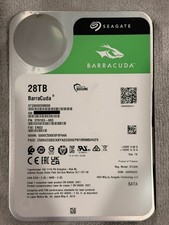
Seagate BarraCuda 28TB 7.2K SATA 6Gb/s 3.5in Internal HDD ST28000DM000 - Tested
$670.00

Seagate ST4000NM0034 Enterprise 4TB 7200RPM SAS 12Gb/s HDD v4
$39.00

Seagate ST500DM009 BarraCuda 500 GB 3.5" SATA III Desktop Hard Drive
$14.99

Dell ST6000NM0034 1HT27Z-150 NWCCG 6TB SAS 3.5 7.2K ENTERPRISE SERVER DRIVE
$68.99

HGST HUS724040ALA640 HDD 4TB SATA 6Gb/s 7.5K 3.5" 0F19459 512 b/s
$78.00

Seagate ST8000NM0075 Enterprise Capacity 3.5 HDD 8TB SAS Hard Drive 8TB EXOS
$184.99

Seagate ST12000NM0127 12TB 256MB 7200RPM 3.5" SATA 6.0Gb/s Enterprise Hard Drive
$318.99



 Reply With Quote