
Sorry about all the noob posts, but I just had a revelation, and I was wondering if Knoppix comes standard with installed KDE. I've installed Knoppix on my hard drive, but I'm not in KDE, just my normal FluxBox.


Sorry about all the noob posts, but I just had a revelation, and I was wondering if Knoppix comes standard with installed KDE. I've installed Knoppix on my hard drive, but I'm not in KDE, just my normal FluxBox.
When I was running v3.2, and now 3.3, it comes with KDE, not sure on v3.4 - but from what posts I have read, it appears v3.4 comes with KDE as well.
Hope this helps,
Cuddles
That's what I thought, too, when I was reading all of the topics on KDE. I am just confused, because when I boot into Knoppix, I get the fluxbox, not KDE. Is there something else I should do to boot KDE also?
Sorry, but this is getting pretty low on the page, and I still would like to know why I can't get KDE, so I'm going to bump this.
Hey! That's a great idea! I will bump my questions too!
Ok,
Lets see if I can get you running into KDE...
First, I am assume the reason you are running Flux is not due to memory, or being low on it, and the choice as all yours, because from what I hear, KDE can run pretty heavy on the memory, and again, from what I hear, Flux is more "conservative" in the memory usage...
During the "Login" screen, when you boot, or change users, I am going off Knoppix v3.3 here, so it may not look the same, nor may the menu screen be the same, if you are using a different version, but the jest should be the same... In the login screen, mine at least, you select the user you want to login, and then enter the password just below it, on that same screen, do you have a choice of "Window Desktops" ? (it will be a "drop-down" box, and may be showing "Fluxbox", or possibly "Default"....)
If you can locate that Window Desktop box, can you pull that down, and locate "KDE" in it? I had this problem of these "Desktop" environments, the last time I did a "apt-get upgrade", and X was being upgraded, it decided to make itself the "Default", which I have always used "KDE", I had to change the "Default" selection, to force it to run KDE.
Hope this helps,
Ms. Cuddles
The kdm login is different under KDE 3.2 if you have either upgraded from apt-get or from reinstalling knoppix 3.4 to the hard drive. In KDE 3.1.5, the choices of window managers were placed directly under the username and password box. You could choose by clicking on the arrow which dropped down a list of installed window mangers. In KDE 3.2 this is no longer visible, but it's still there under menu > servers > list of window managers, (I'm going off of memory so chime in and make corrections please).
If you want to make your preferred window manager the default, simply open a console window as root and type:To make your preferred session manager as default, you type:Code:update-alternatives --config x-window-managerHTH,Code:update-alternatives --config x-session-manager
Durand
 Posting Permissions

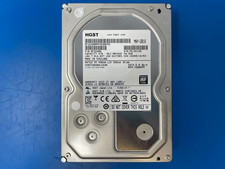
HGST 4TB 7200RPM 3.5" SATA 6Gb/s Internal HDD | HDN724040ALE640 0F22408
$75.00

Lot of 10 Toshiba MQ01ACF050 500GB 2.5" 7200RPM SATA III HDD Tested Working
$79.90

Seagate 14TB Exos X14 7200RPM SATA 6Gb/s 256MB 3.5" Enterprise HDD ST14000NM0408
$354.99
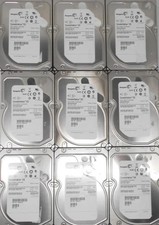
5 Used 3 TB SAS lot Mixed brands
$60.00

Dell 6P85J 4TB ST4000NM0063 7.2k 6Gb/s 3.5” SAS SED Hard Drive with Tray
$39.99

Seagate ST6000NM0115 6TB 256MB 7200RPM 3.5" SATA 6.0Gb/s Enterprise Hard Drive
$159.99

HGST HUS724040ALA640 4TB 7200 RPM SATA 3.5" Internal Desktop Drive 100% Health
$78.00
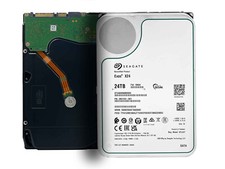
Seagate ST24000NM000H 24TB 7200RPM SATA 6Gb/s 256MB 3.5in Enterprise Hard Drive
$659.99

Seagate BarraCuda ST5000LM000 5TB 5400RPM SATA III 6Gb/s 2.5" Internal Hard
$169.99
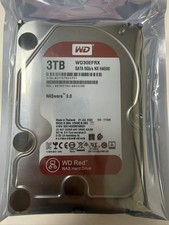
Western Digital WD30EFRX 3TB SATA 5400RPM 3.5" Internal NASware HDD Hard Drive
$94.69

 Reply With Quote