-
intel/xircom network card...almost there?
I found this post:
http://www.knoppix.net/forum/viewtopic.php?p=28827
That covers the xircom card that looks just like my intel one.
I have a Xircom Ethernet LAN/Modem 10/100 PCMCIA card installed on a Digital HiNote Ultra 2000 laptop, with Knoppix 3.3 installed on the hard disk, with kernel 2.4.22 and cardctl 3.2.5.
When I do "/etc/init.d/pcmcia start" I get a message telling me that I have 2 sockets, but I should have 4: 2 for the Texas Instruments 1131 PCMCIA bridge and 2 for the Cirrus PD672x PCMCIA bridge ->
http://inauspicious.org/hinote/#mode...tConfiguration
My /etc/default/pcmcia file contains this data:
PCMCIA='yes'
PCIC="i82365"
PCIC_OPTS=""
CORE_OPTS=""
CARDMGR_OPTS""
When I write lsmod I get the yenta_socket module loaded, instead of i82365. I see yenta_socket is loaded at boot time although I boot with the nopcmcia option
Can you tell me what is wrong with my configuration or where should I look? I've visited
http://pcmcia-cs.sourceforge.net/ftp...CIA-HOWTO.html but I can't solve my problem.
Thanks in advance.
I found the solution:
Knoppix loaded the yenta_socket module at boot time because it was in /etc/module. I replaced yenta_socket with i82365 and now I can use the pcmcia card!
I need more help about how to do this from just the CD...just to get it working!!!
Could I add to the knoppix.sh startup script to make those changes? Then save that to config/persistant home?
Mostly, I'm not following which versions of the files [/, Knoppix. or Ramdisk, ?] to change/modify to even make it work while it's runnining from the CD...even if I have to do it at every boot.
Similar Threads
-
By orez in forum Hardware & Booting
Replies: 0
Last Post: 03-07-2005, 09:57 AM
-
By mabhatter in forum Networking
Replies: 0
Last Post: 05-03-2004, 06:01 AM
-
Replies: 2
Last Post: 11-25-2003, 12:21 PM
-
By moose_knoppix in forum Hardware & Booting
Replies: 5
Last Post: 04-11-2003, 06:48 AM
-
By david in forum Hardware & Booting
Replies: 0
Last Post: 01-09-2003, 02:11 PM
 Posting Permissions
- You may not post new threads
- You may not post replies
- You may not post attachments
- You may not edit your posts
-
Forum Rules

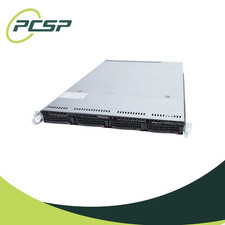
Supermicro CSE-815-5 4B LFF Xeon E3-1245v6 16GB DDR4 1x 9361-8i 4x 1TB SATA HDD
$483.99

HP ProLiant MicroServer Gen8 G1610T @2.3 GHz, 16GB, 712317-001 NO HDD/OS
$199.00

Supermicro 505-2 Server
$280.00

Supermicro 1U Network Server Appliance 16GB RAM 800GB SSD 6 LAN Ports Powers On
$450.00
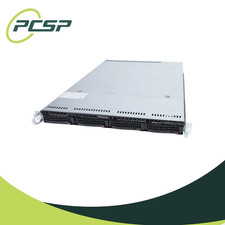
Supermicro CSE-815-5 4B LFF Xeon E3-1245v6 8GB DDR4 1x 9361-8i 4x 1TB SATA HDD
$452.99
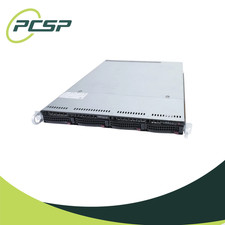
Supermicro CSE-815-5 4B LFF Xeon E3-1245v6 32GB DDR4 1x 9361-8i 4x 1TB SATA HDD
$545.99
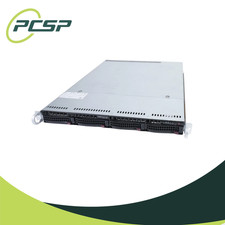
Supermicro CSE-815-5 4B LFF Xeon E3-1240v5 16GB DDR4 1x 9361-8i 4x 1TB SATA HDD
$484.00
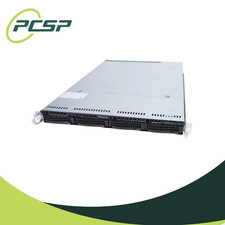
Supermicro CSE-815-5 4B LFF Xeon E3-1220v5 16GB DDR4 1x 9361-8i 4x 1TB SATA HDD
$477.00

Nasuni NF-50 Supermicro Server, Atom CPU C2558, @ 2.40GHz, 8GB RAM-No HDD/OS/AC
$250.00

Supermicro CSE-937 3U Storage Chassis No CPU No HDD No Ram Tested & Reset
$129.99



 Reply With Quote