-
Junior Member
registered user
specifying your resolution is also included in `my' howto/procedures:
knoppix26 screen=1280x1024
would do the job during installation.
if you wish to specify it after you have installed the thing, you could edit /etc/lilo.conf, look for the ``append'' parameter, and include `screen=1280x1024'.
save /etc/lilo.conf, run lilo (`sudo lilo`), and that's it 
cu, g.
Similar Threads
-
By mzilikazi in forum Customising & Remastering
Replies: 3
Last Post: 03-16-2005, 10:14 PM
-
By ZeroKun in forum The Lounge
Replies: 12
Last Post: 01-09-2005, 01:29 PM
-
By dou01553 in forum General Support
Replies: 1
Last Post: 06-14-2004, 02:21 AM
-
By linda in forum Hdd Install / Debian / Apt
Replies: 1
Last Post: 06-13-2004, 06:35 PM
-
By nrj in forum General Support
Replies: 3
Last Post: 12-17-2003, 06:23 AM
 Posting Permissions
- You may not post new threads
- You may not post replies
- You may not post attachments
- You may not edit your posts
-
Forum Rules


USB 3.0 Flash Drive 32GB 64GB 128GB Memory Stick Thumb Stick Lot Pack
$826.09

TF/SD Card Adapter Camera Reader Android Type-c For iPhone17 Pro Max Plusm lot
$573.98

24x Micron MT40A512M16LY-062E IT:E 8Gb DDR4-3200 96-FBGA Memory IC
$349.99
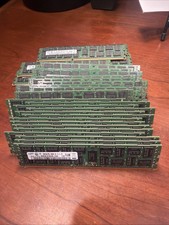
Samsung Planet First 8GB 2Rx4 PC3-10600R
$341.00

Kingston 32GB 64GB 128GB 256GB USB 3.0 Flash Drive Thumb Memory Stick Pen lot
$285.90

Samsung 32GB DDR4-2666V-2Rx4-RB2-12 RAM M393A4K40CB2-CTD6Q
$169.00
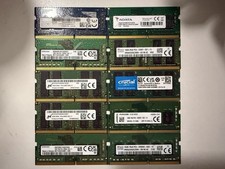
Lot of 10 /16GB DDR4 laptop RAM
$500.00

USB 3.0 Micro SD SDHC TF Card Reader Memory Adapter for PC Laptop Camera lot
$3.75

Dell 16GB PC4-21300 (DDR4-2666) Memory (SNPPWR5TC16G)
$89.99

Microsoft Office 2021 Pro Plus USB for 1PC Windows 10 & 11
$62.55



 Reply With Quote