

 Reply With Quote
Kelmo, does frozen bubble work on your system after you follow this method. I used another method on a remaster. All the open gL stuff works great but some of the games that don't use open GL crapped out


Here is a shortened howto taken from http://home.comcast.net/~andrex/Debian-nVidia/ with changes according to how I successfully completed this. You should not that the bleeding edge nvidia cards may not be supported by the linux driver package.
I used vanilla kernel soucre (linux-2.6.5) from kernel.org and applied the knoppix-kernel26.patch (probably not neccessary to apply patch). Kernel sources from apt are debian kernel sources with extra debian specific patches, they are not what Klaus used.
wget ftp://ftp.kernel.org/pub/linux/kerne...-2.6.5.tar.bz2
cp linux-2.6.5.tar.bz2 /usr/src
tar jxvf linux-2.6.5.tar.bz2
rm -f linux
ln -s linux-2.6.5 linux
cp /boot/config-2.6.5 linux/.config
cd linux/include
ln -s asm-i386 asm
cd ..
make oldconfig
patch -p1 <../knoppix-kernel26.patch
make include/linux/version.h (bug in cleaning process of linux-2.6.5)
cd /usr/bin
rm -f gcc (the kernel image was compiled with gcc-2.95 but symlink is to gcc-3.3)
ln -s gcc-2.95 gcc
cd /usr/src
apt-get update
apt-get install nvidia-kernel-common nvidia-kernel-source
tar zxvf nvidia-kernel-source
cd modules/nvidia-kernel
debian/rules KSRC=/usr/src/linux-2.6.5 KVERS=2.6.5 kdist_image
cd ..
dpkg -i nvidia-kernel-2.6.5_1.0.5336-9_i386.deb
apt-get install nvidia-glx
cd /usrbin
rm -f gcc
ln -s gcc-3.3 gcc
Thats the building and installation procedure done, now to let xserver know what driver to use. Edit /etc/X11/XF86Config-4 with your fav text editor and make the following mods:-
Drivers Section
Replace "nv" with "nvidia"
Modules Section
Remove or comment out lines including "dri" and "GLCore"
Ensure there is a line with Load "glx"
Done.
If you did this while running a 2.4 series kernel it is neccessary to boot up with the 2.6 kernel and do a "dpkg-reconfigure nvidia-glx". So maybe boot into linux 2.6.5 with the "single' boot option and do this and reboot and enjoy the 3d accellerated xserver.
If you get sick of the nvidia logo add this line to the device section of XF86config-4:-
Option "NoLogo" "true"
Kano provides an automated script for the installation of these drivers the 'nvidia way' on his scriptage page. Maybe this is easier to use than the 'debian way'.
Thanks to Andrew the author of the Debian-nVidia HOWTO
[/i]
Kelmo, does frozen bubble work on your system after you follow this method. I used another method on a remaster. All the open gL stuff works great but some of the games that don't use open GL crapped out
Thanks for the info!
However I don't appear to have been succesfull. I have followed the instructions you posted
however the glx module does not get loaded despite having load "glx" in the modules section, and dri and GLcore commented out.
From my /var/log/XFree86.0.log
(II) LoadModule: "glx"
(WW) Warning, couldn't open module glx
(II) UnloadModule: "glx"
(EE) Failed to load module "glx" (module does not exist, 0)
Any suggestions?
--
Brian
Frozen Bubble works fine.
As for the glx module problem, try a dpkg-reconfigure nvidia-glx after x refuses to start, and then start kdm. I don't know what is going on with your setup?
I belive that was a problem with the version of the older drivers (not sure, my bro had the same problem but I *unfortunately* have an ATI card, and the issue was on the NeverWinter Nights Board after people had upgraded in Linux).Originally Posted by kelmo
Oh, the nvidia X Server works - XFree86.0.log shows nvidia module loaded and running.
Just glx does not load!
--Edit -- Fromthe nvidia-glx documentation I ran the command
Now I have glx loaded, but I only get 5 fps in glx-gears! I'm sure I had this problem before in Fedora,Code:/etc/init.d/nvidia-glx start
I solved it by going back to an older driver.
-- Edit -- got nvidia & glx working perfectly by using Kanos install-nvidia-4496-debian.sh script.
--
Brian
 Posting Permissions


Kingston 32GB 64GB 128GB 256GB USB 3.0 Flash Drive Thumb Memory Stick Pen lot
$285.90
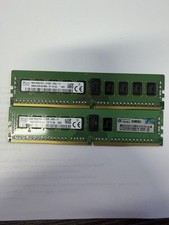
2X - SK Hynix 8GB (16GB) 2Rx8 PC4 2133P ECC HMA41GR7AFR8N-TF Server Memory RAM
$61.95
LOT OF 2 SK Hynix 8GB 1Rx8 PC4-3200AA ECC HMA81GR7CJR8N-XN
$89.95

Lot Of 8 Micron 8GB 2Rx8 PC4-2666V-RE2-11 ECC REG Server Ram MTA18ASF1G72PDZ-2G6
$210.00

USB 3.0 Flash Drive 32GB 64GB 128GB Memory Stick Thumb Stick Lot Pack
$826.09

USB 3.0 Micro SD SDHC TF Card Reader Memory Adapter for PC Laptop Camera lot
$3.75

128GB (4x32GB) SK hynix DDR4 PC4-2666V RDIMM ECC Server Ram HMA84GR7CJR4N-VK
$799.00
SET OF 8 (64GB) - Micron MTA9ASF1G72PZ 8GB 1RX8 PC4-2666V-RD1-11 Memory
$225.00
Lot Of 16Micron MTA36ASF2G72PZ-2G1A2IJ 16GB 2Rx4 PC4-2133P-RB0-10 ECC Server Ram
$960.00
32GB (2x16GB) SK Hynix PC4-2666V DDR4-21300 Desktop Memory HMA82GU6JJR8N-VK
$109.99