

 Reply With Quote
Link has changed to:
http://www.avasys.jp/english/linux_e/dl_ink.html


I have succesfully managed to get my Epson Stylus Photo R300 printer working with Knoppix HD Install.
First of all, you need to download the linux drivers for the printer, which are available here:
http://www.epkowa.co.jp/english/linux_e/dl_ink.html
Download the .rpm version, and convert it to a .deb using alien
Then install the .deb package usingCode:alien --to-deb pips-spr300-310-cups_2.6.2-2_i386.rpm
Now you can go to the KDE Printer Manager, and add printerCode:dpkg -i pips-spr300-310-cups_2.6.2-2_i386.deb
for Backend selection, select Local Printer
Select USB Printer #1 for Local Port Selection, the URI should be usb:/dev/usb/lp0
For Printer Model Selection, select Epson, then scroll down till you see the Stylus Photo R300/R310
Make sure you add your users to the Allowed Users page.
The only problem I have found is printing from Gimp prints out pages of text, rather than an image. But at least the printer works!

Hope this is of help,and stops anyone else having a few sleepless nights!
--
Brian
Link has changed to:
http://www.avasys.jp/english/linux_e/dl_ink.html
 Posting Permissions

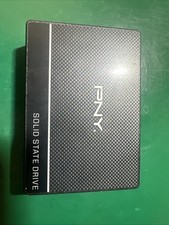
PNY 500GB |SSD7CS900-500-RB| Internal 2.5 Inch Solid State Drive
$29.99

SSD 880EVO SATA III 2.5 4TB INTERNAL STATE DRIVE
$214.99

Samsung 860 EVO 250GB SSD MZ-76E250 2.5" SATA III Solid State Drive
$39.99

M2 2280 PCIe 4.0 solid-state drive high-speed storage device 1080P RO 2TB NGFF
$99.00

M.2 SATA SSD 2280 128GB 256GB 512GB major brands | Very Good health
$35.99

Western Digital WD Blue 3D NAND 500GB 2.5in SATA III Internal SSD WDS500G2B0A
$41.99

Crucial BX500 1TB SATA III 2.5" Internal SSD (CT1000BX500SSD1)
$79.00

M.2 NVMe SSD 2280 Single Notch 128GB 256GB 512GB | Very Good health
$38.99

Samsung 970 EVO Plus 500GB M.2 NVMe Internal SSD
$79.99

128TB External SSD Solid State Drive Hard Drive Disk PC Phones Mac Games Videos
$97.60