

 Reply With Quote
Try typing in knoppix vga=normal xvrefresh=60 xmodule=ati screen=800x600 then enter enter key at the opening screen.Originally Posted by prophetikos


I am trying Knoppix on my second PC. Everything looks good at the first prompt. After hitting enter, the video output appears to be horizontally scrolling fast enough to create 5 or 6 columns of video. I have tried a few of the cheatcodes with no success. System info is below. Any ideas on what to do to fix this? If I can get it to work, I will make the hard disk install.
Thanks
Harold
128 Megabytes Memory
Board: Intel i440BX-W977TF
Bios: Award Software International, Inc. 4.51 PG 09/25/98
Processor:
350 megahertz Intel Pentium II
32 kilobyte primary memory cache
512 kilobyte secondary memory cache
Video:
ATI 3D Rage Pro (atir3) [Display adapter]
Standard VGA 800x600 [Monitor]
Try typing in knoppix vga=normal xvrefresh=60 xmodule=ati screen=800x600 then enter enter key at the opening screen.
That did the trick. I appreciate the quick response. I am new to the Linux platform so I've got a ways to go. Thanks again.
 Posting Permissions


Samsung DVI to DVI Cable 6 ft Digital Video Interface Audio Video NEW
$30.89
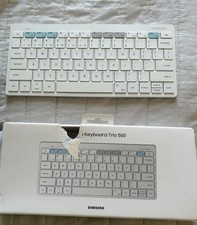
SAMSUNG Smart Bluetooth Wireless Keyboard Trio 500 Multi Pairing
$40.00
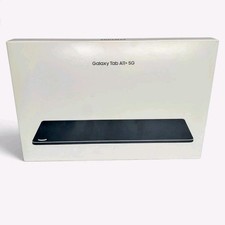
Samsung Galaxy Tab A11+ 5G 128GB SM-X238U Android Tablet New Sealed
$150.00

Samsung Galaxy View Tablet 18.4 SM-T670/677A Digitizer 100% Original Oem
$152.99

Kids Case for Samsung Galaxy Tab A9+/A9 plus 11 Inch 2023 Case, with Strap, Shoc
$27.99

Samsung JC95-01514A Cover-Side Roller T2 Compatible
$39.00

Samsung JC93-01078A Transfer Roller T2
$89.00
NEW, SAMSUNG Galaxy Tab Active3 Rugged Tablet, SM-T577U/DS, 8-Inch, 4G LTE
$269.95
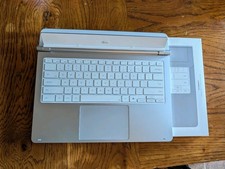
Samsung - Galaxy Tab S12 Ultra/S11 Ultra Pro Keyboard - Silver
$229.99

Samsung Galaxy Tab Active 3/ 64 gig/WIFI
$85.00