-
ADSL/PPPOE Configuration
Knoppix 3.1/KDE 3.0
I run the ADSL/PPPOE Configuration.
It finds my ethernet device(eth0)
I enter my username and password.
I finish the configuration tool.
I open Konquerer web Browser.
It can't find any pages(as though I don't have a connection)
How do test to make sure the DSL is connected and on?
Am I doing soemthing wrong?
I have tried launching the console and typing pon and sudo pon, but then when I open the Web Browser still no results.
Please help
-
Senior Member
registered user
<snip>
How do test to make sure the DSL is connected and on?
</snip>
More information would help. Which DSL service? Which ethernet card? Which DSL modem?
Does your modem have status-indicator lights? You can learn a lot from them. The blink-pattern of the "activity" and "ethernet" lights will indicate DSL activity; check for similarities or differences between these patterns under Windows and Knoppix.
-
VIA Rhine NIC(built into my EPOX motherboard)
Earthlink PPPOE DSL Dynamic username/password required
DNS 207.69.188.187, 207.217.120.83
Modem SpeedStream 5360
No router/switch/hub
The NIC is found as eth0, the configuration utility runs and finishes, but I don't think it works. Is there a way to test or configure manually?
-
dsl config
I have the same problem as ronin,same speedstream 5360.But here's whats funny.When I was just running Knoppix off the c.d. ,the dsl config. worked fine.same when I installed it on to hd.
When I reinstalled windows98 in a seperate partition,I couldn't get back online using knoppix,but booting from the c.d. i can.
When i ran plog,what i kept getting is this:
LCP:Timeout Config-Request
Any and all help is appreciated,
-
Forgot,am also using aD-link 530 ether card
-
LCP timeout sending config-requestes
an 15 17:41:04 box pppd[4288]: Connect: ppp1 <--> /dev/pts/3
Jan 15 17:41:35 box pppd[4288]: LCP: timeout sending Config-Requests
Jan 15 17:41:39 box pppd[4288]: Modem hangup
Jan 15 17:41:39 box pppd[4288]: Connection terminated.
Jan 15 17:41:39 box pppd[4288]: Exit.
You have new mail in /var/mail/root
Realtek card RTL-8139/8139 C
Subsytem Allied Telesys AT-2500 TX -ACPL
is a bug in the chip ?
any time the connection is ok. any time not
poff dsl-provoder..po dsl-provider or
ifconfig eth0 down or up
then is mozille in works????

-
defaultroute
sed: -e expression #1, char 36: Unknown option
defaultroute
sed: -e expression #1, char 36: Unknown option to 's'
sed: -e expression #1, char 36: Unknown option to 's'
root@box:~# plog
Jan 13 22:28:05 box pppd[3503]: secondary DNS address 194.25.2.129
script pppoeconf...........................
error on the end????
please help
Uwe
-
I solved my problem and I feel so stupid.
I never needed to edit DNS addresses or change anything special.
When I ran the ADSL/PPPOE utility it asks for a username and password. When I get to the part where I am suppose to enter my username, the line where I enter it has the word "username" already there, then when I type, my username follows(I checked the /etc/ppp/pap-secrets file and saw what it was doing). The trick was to clear the word "username" from the line, then enter my username, then continue utility like normal, and it works great...
-
username
you are not alone . I did the same and felt the same!
-
Hi there
i been cheek the past -post anda i have knoppix 3.3 installed in hd, i have all rigth in pap-secret and i have the same error ,
i configured my eth0 w/
ip 192.168.1.5
mask 255.255.255.0
pe 192.168.1.1
dns , ok, every think ok, but qhen i try to connect... the same i am stuck.
Similar Threads
-
By rickwinters in forum General Support
Replies: 0
Last Post: 09-03-2004, 08:57 PM
-
By funky in forum General Support
Replies: 2
Last Post: 02-09-2004, 05:55 AM
-
By funky in forum Networking
Replies: 0
Last Post: 02-08-2004, 11:26 PM
-
By Zapata in forum Networking
Replies: 3
Last Post: 08-31-2003, 08:39 PM
-
By Win95user in forum Hardware & Booting
Replies: 13
Last Post: 02-15-2003, 07:35 PM
 Posting Permissions
- You may not post new threads
- You may not post replies
- You may not post attachments
- You may not edit your posts
-
Forum Rules


Dell Poweredge R630 2x Xeon E5-2680 v3 2.5ghz 24-Cores / 64gb / Raid / 2x 1Tb
$374.99

Dell EMC PowerEdge R440 Xeon silver 4215 2.5GHz 16 GB ram 2x 550W PSU No HDD
$275.00

Dell PowerEdge R730XD 28 Core Server 2X Xeon E5-2680 V4 H730 32GB RAM No HDD
$378.93

Dell PowerEdge R530 2x E5-2630v4 H330 iDRAC8 Port Card Riser No PSU/RAM/HDD
$99.99

Dell Poweredge R630 2x Xeon E5-2680 v3 2.5ghz 24-Core | HBA330 | No RAM or HDD
$149.99

Dell Poweredge R730xd 12LFF 2*2660v4 4*1Gbe h730 2x 750W Server CTO
$248.00

Dell PowerEdge C4130 1U AI GPU Server | 2x E5-2690 v3 | 64gb Ram | 2x 1600W
$524.99

Dell PowerEdge R640 10SFF 2x Gold 6140 2.3GHz 36-Cores 64gb H730p 2x Trays
$599.99

Dell Poweredge R630 2x Xeon E5-2680 v3 2.5ghz 24-Cores | 32gb | HBA330 | 2x 1...
$324.99
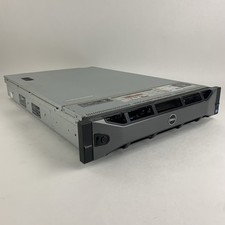
Dell PowerEdge R720 Server 2x Xeon E5-2670 2.6 GHz 64 GB RAM No OS No HDD Read-
$239.95



 Reply With Quote