

 Reply With Quote
Try this in a console **as root**:
ln -f /dev/ttyS4 /dev/modem
If that doesn't work, try the same thing except use /dev/ttyS0, 1, 2, or 3.


Hi! Today I was instaled Knoppix 3.4 on my HDD.
I have intel 537 modem. Drivers are downloaded & unpacked.
I have log in as root and compiled drivers:
make clean
make all
make inastall
I have set up KPPP and IT IS WORKING!!!!!!!!!!!!
Avaj, then I have loged in as User, opened KPPP and dial.
Then it says: "Unable to open modem". All settings are same, modem is in /dev/ but I can dial only in root user. HELP!!!!!!!
Try this in a console **as root**:
ln -f /dev/ttyS4 /dev/modem
If that doesn't work, try the same thing except use /dev/ttyS0, 1, 2, or 3.
After installing to my hard drive, all was well. Then I uninstalled a few packages I didn't need. The next time I tried to dial out I got the message, "unable to open modem." I found that the mode for /dev/ttyS0,1,and 2 had been reset to c _ _ _ _ _ _ _ _ _. I changed the mode back to crw-rw-rw-, and all was well again.
 Posting Permissions

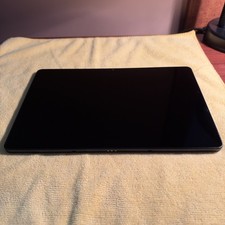
WiFi Only Samsung Galaxy A9 Plus 11.0" 64GB Navy SM-X210
$124.99
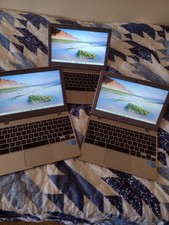
SAMSUNG XE310XBA Chromebook 4 11.6" Intel N4020 4GB 32GB CLEAN UP TO DATE X3 LOT
$89.00

Samsung Galaxy Tab S10 Lite 10.9" 128GB Silver Wi-Fi SM-X400NZSAXAR
$206.00
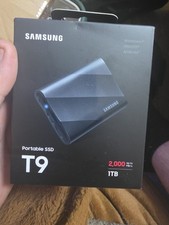
Samsung T9 1TB, External (MU-PG1T0B/AM) Solid Slate Drive
$188.99

RAM-HOL-SAM52CPU RAM USB-C Powered Dock Samsung Tab Active4 Pro & Tab Active Pro
$81.99

RAM-HOL-SAM60CPU RAM USB-C Powered Dock for Samsung Tab Active5 - 3 - 2
$81.99
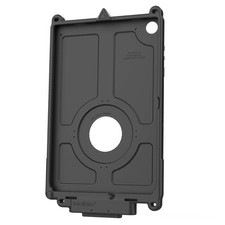
RAM-GDS-SKIN-SAM88-NG-1 RAM IntelliSkin® Next Gen for Samsung Tab A11+
$119.49

Cell Phone Smartphone Computer repair banner poster sign iphone Samsung
$89.99

Samsung Galaxy Tab Active 3/ 64 gig/WIFI
$85.00
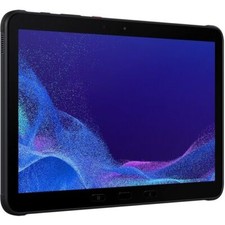
8/10 Samsung Galaxy Tab Active4 Pro SM-T638 128GB, Wi-Fi 5G Unlocked 10.1 BLACK
$339.00