

 Reply With Quote
Technically speaking, you can't mount a partition. But you CAN mount the filesystem and it sure seems like you don't have one.Code:mke2fs -j /dev/hda3
I dunno anything about automount.


have installed knoppix on hdd & now having trouble accessing one of the disk partitions. The automount does not work for one partition, and when I try to mount manually I get the following error:
root@eoaserver:~# mount -t ext3 /dev/hda3 /mnt/hda3
mount: wrong fs type, bad option, bad superblock on /dev/hda3,
or too many mounted file systems
I tried running fsck, and got this:
root@eoaserver:~# fsck /dev/hda3
fsck 1.35-WIP (21-Aug-2003)
e2fsck 1.35-WIP (21-Aug-2003)
Couldn't find ext2 superblock, trying backup blocks...
fsck.ext3: Bad magic number in super-block while trying to open /dev/hda3
The superblock could not be read or does not describe a correct ext2
filesystem. If the device is valid and it really contains an ext2
filesystem (and not swap or ufs or something else), then the superblock
is corrupt, and you might try running e2fsck with an alternate superblock:
e2fsck -b 8193 <device>
I tried e2fsck & got the following:
root@eoaserver:~# e2fsck -f -b 8193 /dev/hda3 e2fsck 1.35-WIP (21-Aug-2003)
e2fsck: Bad magic number in super-block while trying to open /dev/hda3
The superblock could not be read or does not describe a correct ext2
filesystem. If the device is valid and it really contains an ext2
filesystem (and not swap or ufs or something else), then the superblock
is corrupt, and you might try running e2fsck with an alternate superblock:
e2fsck -b 8193 <device>
The filesystem is ext3 (type 83). I tried deleting and remaking the partition with fdisk, but no improvement. Heres the info:
Disk /dev/hda: 20.4 GB, 20490559488 bytes
255 heads, 63 sectors/track, 2491 cylinders
Units = cylinders of 16065 * 512 = 8225280 bytes
Device Boot Start End Blocks Id System
/dev/hda1 * 1 305 2449881 83 Linux
/dev/hda2 306 396 730957+ 82 Linux swap
/dev/hda3 397 2491 16828087+ 83 Linux
Have also tried editing fstab to include filetype ext3 for hda3, but also no difference.... At end of tether here... :-[ Anyone got any suggestions...???
Wolfpeach X
Technically speaking, you can't mount a partition. But you CAN mount the filesystem and it sure seems like you don't have one.Code:mke2fs -j /dev/hda3
I dunno anything about automount.
OK.... doh.... have been silly here...
So I just needed to format the partition?
# mkfs /dev/hda3
etc...
[blush]
 Posting Permissions


INFO/soft Character Generator Manual for Atari 3000/5000/7000 NTSC
$40.00

Atari 130 XE/Atari 1050 Bundle W/ Cords And Extras (Powered On)
$300.00

DEFECTIVE Atari 810 Vintage Computer Disk Drive powers on Unit Only Boo G3D
$49.29

Atari 800 8-bit Computer System Fully Tested Great Condition 48k READ
$350.00

Fujinet 1.7.1 Atari 400 800 800XL 130XE 65XE XEGS Assembled, Tested, Working
$99.99

Atari XE 130XE Computer NTSC with Power Supply Powers On Untested
$159.95

ATARI Mouse with Adapter for ST, STE, Mega STE, TT Optical - USA Seller
$29.99
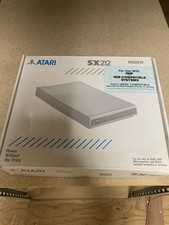
Atari SX212 Modem for IBM Systems w/ Box, Owner's Manual & Power Adapter NOS
$125.00

UNOCART-2600 SD card Multi Rom Cartridge for ATARI 2600 with CASE
$34.25

Vintage Atari SF354 Floppy Disk Drive & Power Supply FOR PARTS OR REPAIR AS IS
$120.00
