

 Reply With Quote
I get the same error....
Any solutions ??
Thanks in advance.


On my XP hd, I used partition magic to split it up and give myself an ex2 partition and a linux swap.. everything went great. The knoppix install noticed it fine, but after the configuration (and I begin to install), I am prompted with the following:
"Error: Formatting of failed. Some messages from mkfs.ex3: usage mkfs.ex3 [..." (etc..)
Well I read a bit more and then attempted to use qtparted in Knoppix to format the linux ex2 partition and make it ex3. All went well and I went to the console to again attempt to install. Same error.
I'm not quite sure whats wrong with my partitions. I've tried simply having no actual partition set and just have unallocated space, but Knoppix wont partition (gives some "cannot write" error). The partitions in both PM and qt seem to work just fine, except when it gets to the actual process of copying the files over. WHy is knoppix attempting to format anyway? It should already be up and ready for the files to just copy over, right?
I get the same error....
Any solutions ??
Thanks in advance.
I was getting the same error, and just want to note that I'm a noob, but that aside. And note that this is on a HDD that I am not using for anything else other than the knoppix install and was willing to wipe it clean.
so here's what I finally did, and it worked
booted from the CD
did the whole knoppix lang=us thing
waited for all to load
I hit CTRL-shft-f1
typed sudo cfdisk
deleted all the partitions
formatted the free space as primary (linux)
clicked write
(at this point I didn't even know how to get back to the desktop)
so I rebooted the CD
opened the terminal
typed sudo knoppix-installer
did step one
and step two in order
choosing all the defaults like beginner, etc
and then it formatted and installed without any problems.
oh thank god someone figured that out. I have been suffering through this forever. thank you thank you thank you.
If you run "knx2hd" or "knoppix-installer" (same thing), configure your installation, quit, and save your configuration, you can then edit your configuration file (".knofig") to:
- skip partitioning (e.g. if you've already done it with PartitionMagic)
- use ext2 instead of ext3
- tell it where your swap partition (and /home partition, if you've got a separate partition for /home) is
.knofig is very well commented.
You can then run "knx2hd" again, load the saved configuration file, and go.
 Posting Permissions


Vintage Cherry W. Germany G80-0486H/05 Mechanical 25-Pin D-Sub Keyboard M8
$170.99

Vintage HP Hewlett Packard 2112A 21MX 1000 M-Series 16-Bit Minicomputer
$419.99

Vintage Jetway J-620BF Socket 370 Celeron AT Motherboard SiS 620 Brand New
$75.00
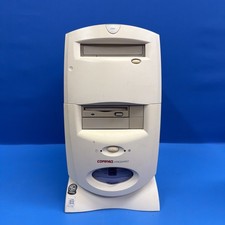
Compaq Presario 7594 Vintage Desktop PC Windows 98 SE 64MB Floppy CD-ROM
$129.00
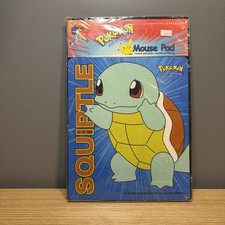
Vintage Pokemon 1999 Official Nintendo Squirtle Mouse Pad New In Factory Wrap
$35.00
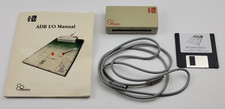
Vintage Motion Control AB Beehive Technologies ADB I/O Interface Apple Macintosh
$239.99

Vintage 5.25" Floppy Disk Drive Cleaning Kit Lot (1 Scotch 3M + 1 Verbatim) NOS
$49.00
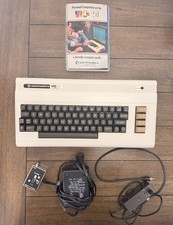
Commodore VIC-20 Vintage Computer w/ Original Box Manual Power Supply Tested
$164.99

Vintage 1986 Goldenrod Research Corp CP/M Desktop Computer Syste w/Keyboard
$350.00

Vintage ECS Micro-ATX Desktop Case | Beige/Dark Grey | *READ*
$80.00