

 Reply With Quote
I see a bunch of views but no replies
Could someone perhaps point me in the right direction to find the answer to my problems?
Thanks!


Hi,
I'm a bit of a linux n00b running knoppix 3.4 hdinstalled onto a Dell Inspiron 1100. When I try to mount my cdrom drive, I get this error:
root@laptop:/# mount /dev/cdrom
mount: special device /dev/cdrom does not exist
I'll post the output from /etc/fstab:
root@laptop:/# cat /etc/fstab
# /etc/fstab: filesystem table.
#
# filesystem mountpoint type options dump pass
/dev/hdc5 / ext3 defaults,errors=remount-ro 0 1
proc /proc proc defaults 0 0
/dev/fd0 /floppy vfat defaults,user,noauto,showexec,umask=022 0 0
usbdevfs /proc/bus/usb usbdevfs defaults 0 0
sysfs /sys sysfs defaults 0 0
/dev/dvd /dvd iso9660 defaults,ro,user,noexec,noauto 0 0
/dev/cdaudio /cdaudio iso9660 defaults,ro,user,noexec,noauto 0 0
# Added by KNOPPIX
/dev/hdc1 /mnt/hdc1 vfat noauto,users,exec,umask=000 0 0
# Added by KNOPPIX
/dev/hdc2 /mnt/hdc2 ntfs noauto,users,exec,ro,umask=000 0 0
# Added by KNOPPIX
/dev/hdc6 none swap defaults 0 0
/dev/cdrom /cdrom iso9660 defaults,ro,user,noexec,noauto
Anyone have any ideas?
Thanks,
I see a bunch of views but no replies
Could someone perhaps point me in the right direction to find the answer to my problems?
Thanks!
Well here's the deal. /dev/cdrom is a symlink to the actual device. Why use a symlink? So that all apps can look for the same drive no matter where or what type it really is. With kernels older than 2.6.* you need scsi emulation so the drive will apear on the SCSI bus as a SCSI device.
An external USB cdrom, kernel 2.5.25:
Internal cdrom, kernel 2.4.25Code:ls -al /dev/cdrom lrwxrwxrwx 1 root root 8 Apr 22 16:09 /dev/cdrom -> /dev/sr0
An internal cdrom, kernel 2.6.5:Code:ls -al /dev/cdrom lrwxrwxrwx 1 root root 9 Mar 26 05:51 /dev/cdrom -> /dev/scd0
SO you just have to create the link.Code:ls -al /dev/cdrom lrwxr-xr-x 1 root root 8 May 10 00:48 /dev/cdrom0 -> /dev/hdb
ORCode:ln -s /dev/sr0 /dev/cdrom
ORCode:ln -s /dev/scd0 /dev/cdrom
Don't know which drive is your cdrom drive? No problem.Code:ln -s /dev/hdb /dev/cdrom
For kernel 2.4.*
For 2.6.* kernel:Code:cdrecord -scanbus
If you make a symlink that's no good you can just remove it like so:Code:dmesg|grep CD
HTHCode:rm -f /dev/cdrom
Just check this out for an easy way of making it all happen, just look at my most recent post, and use the first one for reference to where the lines go...
http://tlug.dnho.net/node.php?id=91
if it's anything like my install you may need to use mount /dev/sr0 /mnt/cdrom
try entering in terminal window: dmesg
this should list all of the ongoings during your startup sequence.. take a look in there to find out what it used to reference your cdrom drive..
then maybe you need to update /etc/fstab and change the /dev/cdrom to /dev/sr0
I'm a noob myself but this worked for me..
gl!
 Posting Permissions


Lot of 3 VIntage Apple Computer Rainbow Logo Sticker Decal Macintosh 1980s NOS
$7.00

Vintage 1988 Apple Macintosh Plus 1MB M0001A Computer Keyboard WORKING See Video
$225.00
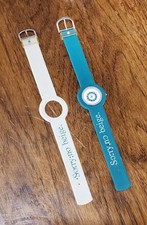
Vintage Apple iMac G3 “Sorry, no beige.” Wristwatch – Two Original Bands
$249.95
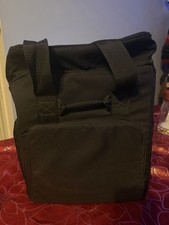
Vintage MacLuggage I/O Design Carrying Case Apple Macintosh Plus SE Classic Bag
$89.95
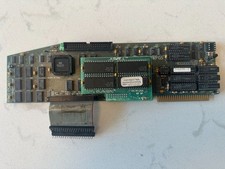
Retro Rare Vintage TransWarp GS Accelerator Card Apple IIGS Applied Engineering
$499.00
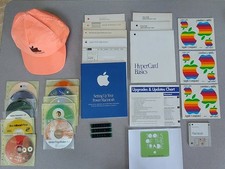
Assorted Vintage Lot of Apple Macintosh items
$100.00
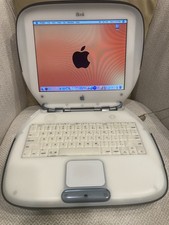
Vintage Apple iBook Clamshell Graphite 466MHz 60GB HD 128 Ram OS 9 & 10
$350.00
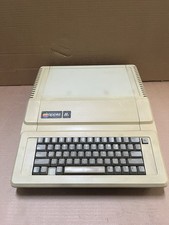
Apple IIe Vintage Home Computer A2S2064 Apple Computer Model IIe untested
$199.99
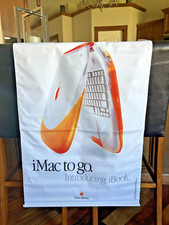
Vintage NOS Apple iBook Two Sided Cloth Banner Think Different
$99.99

Apple cloth fabric banner iBook tangerine orange New Old Stock Vintage
$99.00