-
extra partition
I created an extra partition when I installed knoppix hda5 to store documents that I would like to keep if I had to reinstall knoppix
but it does not show on my desktop I specified ext 3 in fdisk
how do I initialize it or mount it so I can use it?
-
Senior Member
registered user
Re: extra partition

Originally Posted by
dougvega
I created an extra partition when I installed knoppix hda5 to store documents that I would like to keep if I had to reinstall knoppix
but it does not show on my desktop I specified ext 3 in fdisk
how do I initialize it or mount it so I can use it?
Specifying a filesystem in a partitoning utility only provides a label. The partition must still be formatted afterall you can't actually mount a partition but rather you mount the filesystem. For ext3 do this:
mke2fs -j /dev/hda5
Then you can mount the partition.
mount /dev/hda /mnt/point
If you want it done automatically then you just need to add a line to /etc/fstab. Surely there is an example in that file already.
Similar Threads
-
Replies: 0
Last Post: 02-11-2005, 05:32 PM
-
Replies: 1
Last Post: 01-28-2005, 08:57 AM
-
By Edwin Glaser in forum General Support
Replies: 1
Last Post: 04-04-2004, 09:03 PM
-
By dougvega in forum Laptops
Replies: 1
Last Post: 11-24-2003, 12:14 AM
-
By anibal in forum Hdd Install / Debian / Apt
Replies: 5
Last Post: 06-06-2003, 05:35 PM
 Posting Permissions
- You may not post new threads
- You may not post replies
- You may not post attachments
- You may not edit your posts
-
Forum Rules


TP-LINK TL-SG108 8-Port Gigabit Unmanaged Desktop Switch RJ-45 New in Box
$23.99

5Ports Gigabit Network Switch w/ 4 PoE+ Ports Total 52W each port 30W Plug&Play
$31.99
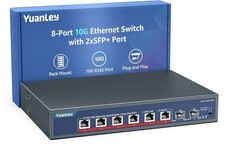
YuanLey 8-Port 10G Ethernet Switch, 6 x 10Gbps RJ45 Ports, 2X 10Gbe SFP+ Ports
$149.99

TP-Link 5-Port Gigabit Unmanaged Ethernet Switch Network Expansion TL-SG105
$19.95

Netgear PROSAFE 8-Port 10 Gigabit/Multi-Gigabit Ethernet Switch XS508M
$229.99

Linksys 8-Port Managed Gigabit PoE+ Switch 110W w/ 2 Uplink Gigabit - LGS310MPC
$49.02

NETGEAR 5-Port Gigabit Ethernet Unmanaged Switch (Gs305) - Desktop Quiet Fanless
$22.00

TP-Link TL-SG2210P 10-Port Gigabit Smart Switch w/ 8-Port PoE+ NO AC SKU 25597
$39.99
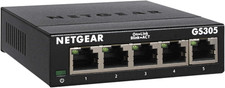
NETGEAR 5-Port Gigabit Ethernet Unmanaged Network Switch (GS305)
$19.73

Cisco Catalyst 2960-48TT-L 48-Port Fast Ethernet Managed Rackmount Switch
$46.99



 Reply With Quote