-
Question about using knoppix
I was wondering that when i boot knoppix from a cd and set my printers and etc, where do these things get saved and do i have to manually add them again once i boot from the cd next time ?
Thanks in advance
-
Junior Member
registered user
Use 'save knoppix configuration' under the knoppix button to save settings to a floppy, usb memory or whatever. Otherwise all the settings are saved in RAM which will be lost when you shut down.
Boot up again with 'knoppix config=scan' at the boot prompt to restore your settings.
-
that should be
knoppix myconfig=scan if you don't remember where you saved the configuration file.
You could also do knoppix myconfig=/dev/hda1 if hda1 is where your configuration is.
Once you have the configuration saved, you won't have to use the language cheat code, lang=us for example, it will be set by the configuration file. Also remember to check if you have dma devices, and test to see if dma works with your setup and knoppix. If you don't have problems, add the dma flag to the start line:
knoppix myconfig=scan dma
so that you turn dma on for your hard drives and cd drives. Leaving dma off is a huge hit (at least 10x better performance on my setup with dma on) on performance. If you have problems with dma on all devices, you can still turn on dma on your hard drives by using hdparm on the command line, but be very careful with hdparm, you can destroy your drive with it. Also, if you enable dma from the command line after start up, it "forgets" next time you boot, so you have to remember to do it after each boot, after the system starts up. It's easier to remember if you can do it from the startup command.
Use man hdparm for more info, and google it for more info if you need it. The -d flag is for dma, it should =1.
Similar Threads
-
By asmo in forum Knoppix DVD
Replies: 1
Last Post: 08-02-2005, 06:23 PM
-
Replies: 5
Last Post: 07-09-2005, 04:40 PM
-
By nikodemis in forum General Support
Replies: 2
Last Post: 05-11-2005, 08:37 AM
-
By boris90210 in forum Tips and Tricks
Replies: 1
Last Post: 02-20-2004, 08:50 AM
-
By mark1221 in forum Hdd Install / Debian / Apt
Replies: 2
Last Post: 11-01-2003, 10:32 PM
 Posting Permissions
- You may not post new threads
- You may not post replies
- You may not post attachments
- You may not edit your posts
-
Forum Rules


Lenovo - Yoga 7i 2-in-1 16" 2K Touchscreen Laptop - Intel Core Ultra 5 Proces...
$749.99

Lenovo ThinkPad T14 G2 14-Inch AMD Ryzen R5 5650U 16GB, 512GB SSD Win 11 Pro
$398.99

Lenovo ThinkPad L15 Gen 3 15.6" 16GB, Thunder Black
$241.50

Lenovo Thinkpad E15 Gen 2 8GB RAM 256GB SSD Intel Core [email protected] Laptop
$259.25

Lenovo ThinkPad T14 Gen 1 14" AMD Ryzen 5 16GB 256GB SSD
$219.99
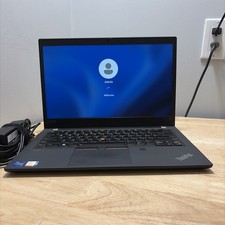
LENOVO THINKPAD T14 GEN 2i CORE I7-11165G7 2.8GHZ 16GB 256 SSD WCAM WI1 CORD
$235.00
Lenovo ThinkPad T14 Gen 2 i5-1145G7 16GB 512GB SSD Touch Win 11 Pro Good
$261.99
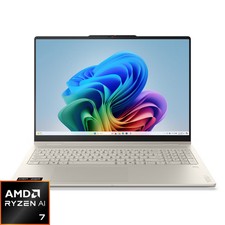
Lenovo - Yoga 7a 2-in-1 16" 2K LCD Touchscreen Laptop - AMD Ryzen AI 7 445 20...
$849.99

Lenovo ThinkPad L15 Gen 3 15.6" 16GB, Thunder Black
$241.50
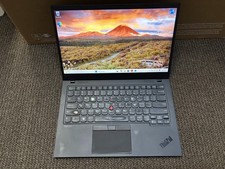
Lenovo Thinkpad X1 Carbon 8th Gen: Core i7-10510U, 16GB RAM, 1TB SSD, WIn 11 Pro
$299.99



 Reply With Quote