

 Reply With Quote
did you try pppoeconf?


I have to boot the knoppix 3.4 cd with knoppix no dhcp else it hangs when it times out trying to deal with dhcp.
I've tried everything I know (not much) to connect to the net.
On other distros/live cds I just need to activate the eth0 card as the router/modem takes care of eberything else.
how do i do this in knoppix?
Thanks in advance
did you try pppoeconf?
Thanks for the reply
ppoeconf is not necessary - nothing should need to be set up when connecting via a router/modem.
I just proved this after having an inspiration and plugging the router/modem directly into the PC's ethernet card and connecting to the 'Net immediately with no other action reqd.
When connected to the router/modem through my ethernet switch(home LAN), knoppix's DHCP Broadcast on boot times out.
Ant help re boot options to prevent this please?
Problem now fixed.
Had a moment of lucidity and disconnected cables from ethernet switch for 2nd and 3rd PC (not booted) . Lo and Behold, Knoppix 3.4 booted and gave me instant access to the 'Net.
Reconnected 2 cables and booted Knoppix again - All worked 100%.
Must have been a loosely connected cable at the switch for PC 2 or 3, and even if they were not switched on, Knoppix timed out trying to do a DHCP Broadcast. That's all I can think of given the circumstances.
 Posting Permissions


Fortinet FortiGate FortiWiFi 80F Network Security Firewall (FG-80F)
$83.99

Zero Trace Pen: All-in-one Tor Network Anonymous Drive + Cryptocurrency Wallet
$147.00
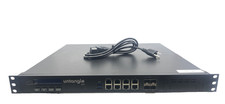
Untangle z12 NG Firewall Server Caswell CAR-3070
$329.99

Cisco ASA 5506-X Network Security Firewall Appliance- No Adapter
$50.00
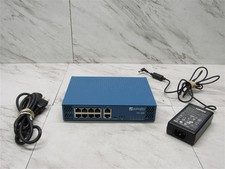
Palo Alto PA-220 Next-Gen Firewall 520-000309-00J
$40.00
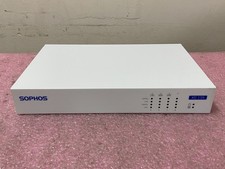
Sophos XG 135 Rev.2 Next-Gen Firewall | C1226*
$49.99
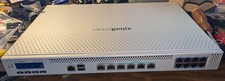
CloudGenix ION 3000 Firewall / Network Appliance
$100.00
Fortinet FortiGate FG-40F Network Security Firewall
$89.00
Palo Alto PA-440 Next-Gen Firewall PAN-PA-440 GREAT WORKING CONDITION
$274.99
SONICWALL TZ370 NETWORK SECURITY FIREWALL APPLIANCE VPN 8 PORT GIGABIT ROUTER
$95.50