

 Reply With Quote
Well that didn't work.
as soon as I rebooted the gears came back. Do I need to remeake my home?


anyway with this bnew release I thought I'd try it out again.
How ever when I load up my persistent home where the
home, konsole, konqueror, and mozilla icons should be their is a bunch of gears.
I figured that the icons probably changed so i updated them to the current ones.
But I want to know if there is anything else I would need to update?
Well that didn't work.
as soon as I rebooted the gears came back. Do I need to remeake my home?
what would be nice is if someone created a program to update the needed files. Or has someone already done that.
Because I'd rather not try to back up my home and then recreat it because I dn't know what files I will need/want to back up.
Sigh.
Also does anyone else have the problem of lock up when knoppix loads the kernel?
anyone?
I'm not real smart with Linux/Knoppix much but I'm learning.
I've been moving and backing up and restoring my persistant directory onto a 512MB memory chip (USB) for a month or so now. Just mostly playing about and seeing how things tie together. So far I haven't lost any day yet (that I know of).
I've been playing with the aes256 loopback setups for encrypting the drive and so forth. I'll give you some of the info that I've learned by doing this.
To upgrade your persistant directory isn't a good idea just by copying the entire drive and then running Knoppix 3.4. It doesn't get all the files that need to be upgraded and I guess there are a few files that are in different locations.
So here's what I have and what I did.
1st I was not logged onto my home directory. In other words, the system was not booted with a home=... command. It was started with the "knoppix 2" command.
I have two actual hard drives in a computer that were formatted with ext2 fs. Mostly interested in the second drive. So I put my data backup on it. So here is what I did...
mkdir /mnt/xx
mkdir /mnt/yy
losetup -e aes256 /dev/loop1 /dev/sda1
...(needed if you used encryption)
mount /dev/loop1 /mnt/yy
...(change loop1 to /dev/sda1 or whatever your drive is if you didn't use encryption)
mount /dev/hdb2 /mnt/xx
...(this is a second partition on the second HD)
tar -cvvzf /mnt/xx/k33.tar.gz /mnt/yy
...(this backs up your home dir)
now you need to reboot without any command parameters
once in the KDE make a new persistant directory
it will format that chip/drive again and make all new directories
then reboot again with the knoppix home=/dev/sda1 (or whatever you use) to get back into your persist mode.
then open the Utilities>Ark program and open your saved file (k33.tar.gz) (after mounting that drive of course)
You will need to select ranges of files to copy back to your chip/drive like all your personal files and the .mozilla directory. they will be placed into a directory under your home directory like /mnt/yy/../../
you will then need to move these directories to their proper location with the file manager. You can erase the newly created .mozilla directory before you start. Once your old .mozilla and other directories are where they need to be, just reboot and operate as normal. You'll have to re-setup printers and color schemes and so forth but the mozilla email and newsgroups and bookmarks are the killers for me. Plus any document's that I created.
Just in case you didn't know... in conquerer you can see hidden files and folders by going to "view>show hidden files".
Thanks for the help, I guess i'll have to recreat by home.
But the only thing that bothers me is I don't know what files to bring over. The one i created are in for sure but what do I need to do to transfer my added fonts or scores and settings. But I don't know what files they are or where they are. S
Sigh...
 Posting Permissions

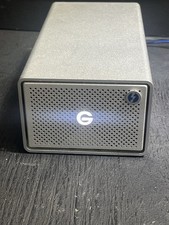
G-Technology G-RAID 24TB Dual-Drive External HDD TB3 USB 3.1 7200RPM Silver
$299.99

EMC KTN-SL3 15-Bay Disk Array Enclosure w/2x 303-108-000E Cards, Dual PSU,No HDD
$239.99

Intel VROC Premium RAID Controller Card PCIe Add-On Module VROCPREMMOD
$265.00

Areca ARC-1882IX-24 (16i4e)24-Port RAID Controller Card w/BBU /HDD Monitor Board
$300.00

MegaRAID 9580-8i8e 16-port 12G SAS/SATA/NVMe 8GB PCIe RAID - 05-50076-00
$1619.19
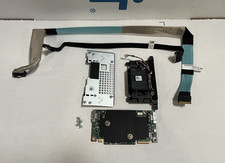
Dell PERC H755 3KDWX 8GB 12Gb SAS RAID Controller With Battery & Cables
$949.99

Dell PowerEdge HBA330 LP PCI-E 12GBs RAID SAS Controller Adapter J7TNV
$18.95

Broadcom LSI 9305-16i 12Gbps SAS-3 PCIe x8 HBA 16-Ports Raid Controller
$64.99

OWC Mercury Elite Pro 2 Bay RAID Enclosure with USB 3.2 for Dual 3.5 inch HDDs
$87.99
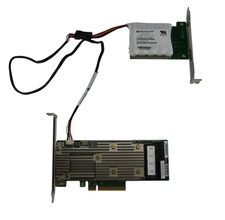
Broadcom MegaRAID 9461-16i SAS/SATA/NVME Tri-Mode PCIe RAID Controller
$295.00