

 Reply With Quote
...and which knoppix are you talking about?
CD knoppix?
CD knoppix copied to hard disk (vfat, ext2)?
knoppix installed into an ext2 partition, much like a ´normal´ linux through knx-hdinstall tool?


Hello !
I want to boot Knoppix from my harddisk and I want to use Lilo for this.I already have Slackware linux with Lilo in my computer . Is it possible ? And do I accomplish this ?
Thank you
...and which knoppix are you talking about?
CD knoppix?
CD knoppix copied to hard disk (vfat, ext2)?
knoppix installed into an ext2 partition, much like a ´normal´ linux through knx-hdinstall tool?
Hello oscar !
I want to copy Knoppix cd in vfat harddisk and then boot knoppix from there using Lilo. Can it be done ?

http://www.knoppix.net/docs/index.php/FaqHdBasedOriginally Posted by fm78
Of course
I'm still working on this wiki page, especialy the lilo description
is not ready, give me 12 hours to complete this.
With lilo you can't boot the iso file directly, you have
to copy the contents of the iso to hd. The iso and boot.images
have a special boot-skript to choose options before booting KNOPPIX
(The "F2"-menu). I don't know how to start this skipt at boot time,
so the "F2"-menus options must be added to appends= in lilo.
If you have ideas, corrections, questions about
http://www.knoppix.net/docs/index.php/FaqHdBased
please feel free to correct and add them.
Greetings,
rob
PS: I think it is possible to store Knoppix in the same partition
as your normal-Linux-installations. BUT I have to find out how to
be able to mount, read the whole partition when Knoppix is booted
from it.
yes, this works:
copy cdrom folder KNOPPIX to C:\
Now C:\KNOPPIX is your cdrom
extract 2 files from boot.img - vmlinux and miniroot.gz - to for ex. C:\knxboot
then add to your slackware /etc/lilo.conf the following paragraph
image=/mnt/hda1/knxboot/vmlinuz
label=knx-vfat
read-only
initrd=/mnt/hda1/knxboot/miniroot.gz
append="lang=es floppyconfig ramdisk_size=100000 init=/etc/init apm=power-off hda=scsi hdb=scsi hdc=scsi hdd=scsi hde=scsi hdf=scsi hdg=scsi hdh=scsi vga=791 nomce quiet BOOT_IMAGE=knoppix"
in a console terminal run
lilo -v
reboot
there would be a new line in your lilo boot menu (knx-vfat)
I have no idea how to extract those files in Linux or Windows.Please some more help ?
Normaly you can find lilo.conf in /etc/lilo.conf
But you should know what you are doing
See:
http://en.tldp.org/HOWTO/mini/LILO.html
or on your PC /src/usr/doc/HOWTO/mini/LILO....
(or so..)
Don't make a new lilo.conf, you must use your existing
one and add Knoppix. After this start lilo.
rob
I meant extracting these files boot.img - vmlinux and miniroot.gz in the hardisk using Linux or Windows.Any help in how to accomplish extracting these files ? Is there any special command in Linux or any program in Windows to do this ?
Thanks
2 posibilities:
- you create a boot floppy and copy them from fd
- you mount boot.img -o loopback
see:
http://www.knoppix.net/docs/index.php/FaqHdBased
or
http://www.knoppix.net/docs/index.php/HdBasedHowTo
rob
hi,
The boot.img is a floppy image
Look into the cdrom. There is a folder with the rawrite tool.
run
rawrite a:\ boot.img (to create a floopy)
Then grab files from floppy.
In windows you may use winimage.

 Posting Permissions


INTEL XEON E5-2680V4 SR2N7 2.40GHZ CPU
$11.00

Dell Precision Tower 7810 Xeon E5-2630 v3 @ 2.40GHz , 32GB Ram, NO HDD, NO OS
$239.99

Dell EMC PowerEdge R440 Xeon silver 4215 2.5GHz 16 GB ram 2x 550W PSU No HDD
$275.00
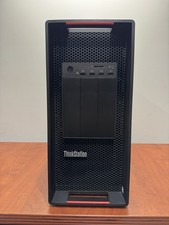
LENOVO THINKSTATION P920 XEON GOLD 6128 3.4GHz 32GB RAM 1TB SSD Windows 11 Pro
$1550.00

Dell Precision T5820 Workstation 3.70GHz W-2135 No RAM/ GPU/ HDD/ OS
$179.98

Dell Precision T7820 2x Xeon Silver 4114 2.20GHz 950W No RAM GPU HDD 4x SATA
$350.48

Intel Xeon E5-2699 V4 2.20GHz 55M 22-CORES LGA2011-3 Server Processor 145W SR2JS
$84.49

Intel Xeon E3-1230 v3 SR153 3.3GHz Quad Core LGA 1150 CPU Processor
$14.49

Lenovo ThinkStation P520c Intel Xeon W-2133 6-Core 3.60GHz -NO RAM/ HDD/ GPU/ OS
$127.54

Intel Xeon Phi 5110P 60-Core 1.053GHz Coprocessor
$50.00
