

 Reply With Quote
First of all, you have to insert a cd into the drive. It has to be a data-cd, no audio-cd.
Did you do that?


Just install Knoppix 3.4 and everything works except the CDROM.
Here is my current fstab
# /etc/fstab: filesystem table.
#
# filesystem mountpoint type options dump pass
/dev/hdb3 / ext3 defaults,errors=remount-ro 0 1
proc /proc proc defaults 0 0
/dev/fd0 /floppy vfat defaults,user,noauto,showexec,umask=022 0 0
usbdevfs /proc/bus/usb usbdevfs defaults 0 0
sysfs /sys sysfs defaults 0 0
/dev/cdrom /cdrom iso9660 defaults,ro,user,noexec,noauto 0 0
/dev/cdrom1 /cdrom1 iso9660 defaults,ro,user,noexec,noauto 0 0
/dev/dvd /dvd iso9660 defaults,ro,user,noexec,noauto 0 0
/dev/cdaudio /cdaudio iso9660 defaults,ro,user,noexec,noauto 0 0
# Added by KNOPPIX
/dev/hda1 /mnt/hda1 vfat noauto,users,exec,umask=000 0 0
# Added by KNOPPIX
/dev/hdb1 /mnt/hdb1 vfat noauto,users,exec,umask=000 0 0
# Added by KNOPPIX
/dev/hdb5 /mnt/hdb5 ext2 noauto,users,exec 0 0
# Added by KNOPPIX
/dev/hdb6 none swap defaults 0 0
# Added by KNOPPIX
/dev/hdb7 /mnt/hdb7 ext3 noauto,users,exec 0 0
# Added by KNOPPIX
/dev/cdrom /mnt/hdc iso9660 auto,users,exec 0 0
Here is grep CD
dmesg|grep CD
hdc: ASUS CD-S520/A4, ATAPI CD/DVD-ROM drive
hdd: ZIPCD 4x650, ATAPI CD/DVD-ROM drive
Vendor: ASUS Model: CD-S520/A4 Rev: 1.2
Type: CD-ROM ANSI SCSI revision: 02
Vendor: IOMEGA Model: ZIPCD 4x650 Rev: 1.04
Type: CD-ROM ANSI SCSI revision: 02
Attached scsi CD-ROM sr0 at scsi0, channel 0, id 0, lun 0
Attached scsi CD-ROM sr1 at scsi0, channel 0, id 1, lun 0
Uniform CD-ROM driver Revision: 3.12
What do I have to edit to mount the CDROM?
First of all, you have to insert a cd into the drive. It has to be a data-cd, no audio-cd.
Did you do that?
Hi Ed!
I had the very same problem (1 IDE CDRW + 1 IDE DVDRW insalled but not mounted) and here is my workaround (I think this has to do with the drives beeing treated as SCSI drives or so):
I changed the following lines:
toOriginally Posted by NewbieEd
/dev/sr0 /cdrom iso9660 defaults,ro,user,noexec 0 0
/dev/sr1 /dvd iso9660 defaults,ro,user,noexec 0 0
Note: The modified part is written in bold letters and I deleted the "noauto". As the IDE drives are treaded as SCSI drives (true?) the correct /dev/ is not "cdrom" or "dvd" but "sr0" and "sr1" (and so forth if you have more drives).
At least this fix works like a charm for me
BTW: Before changing your fstab you may want to try to mount them manually with these parameters.
Linuxshark
i would edit the links /dvd and /dev/cdrom to point to those, it will reduce the work needed to get audio, films... going (xmms, mplayer, xine... are mostly pointed to /dev/cdrom, dvd...), for you Linuxshark it would be.
the devices may vary but.Code:sudo su ln -s /dev/sr0 /dev/cdrom ln -s /dev/sr1 /dev/dvd exit
will give more infoCode:dmesg|grep sr
oh and /etc/fstab can be as you had it, as (u)mount /cdrom is enough to mount/unmount
 Posting Permissions


🔀 Juniper Networks EX2300-C-12P 12× Gigabit PoE+ • 2× 10G SFP+ Compact Switch ⚡
$109.99

Juniper Networks EX2300-48P 48-Port PoE Gigabit Switch (Renewed)
$361.91

Juniper EX2300 12-Port Gigabit PoE+ Managed Network Switch P/N: EX2300-C-12P
$149.99
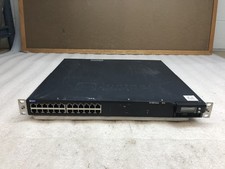
Juniper EX4300-32F 32-Port SFP Gigabit Switch EX 4300 w/ Rack Ears
$89.99

Juniper MX204 +JUNOS and Dual Power Supply
$7299.99

Juniper EX2300-C 12 Port Compact Gigabit Switch EX2300-C-12p Discounted Cosmetic
$79.86

Juniper EX2300-C-12P 12 Port Gigabit PoE+ 2x10G SFP+ Managed Compact Switch
$179.99

Juniper QFX5120-48Y-AFO 48 x 1/10/25GB SFP28 + 8 x 40/100GB Switch w/Dual AC
$10499.99

Juniper QFX5100-48S-3AFI 48-Port SFP+ 6 QSFP+ 2x SFP/RJ-45 Management
$249.97

Juniper EX3400-24P 24-Port PoE+ GbE + 4-Port 1/10Gb SFP Switch
$245.00