-
connection to a printer server via lp ethernet
Hi everybody,
I tried to connect to my network printer over ethernet (compushack printserver with an HP Laserjet attached to it).
I entered the IP-address of the printer together with port 515 (lp port, any other port number produces an error message).
Then I was asked for my printer etc. Everything worked fine, but when I tried to print a testpage, nothing happend.
You even cannot see the printjob in the queue.
I use knoppix 3.4, german version, rel. date may 10th.
Similar Threads
-
By Lachinger in forum Networking
Replies: 7
Last Post: 06-24-2005, 11:41 AM
-
By babelbrennt in forum Networking
Replies: 4
Last Post: 06-14-2005, 05:09 PM
-
By pterandon in forum Networking
Replies: 1
Last Post: 05-02-2005, 05:57 PM
-
By vip in forum Networking
Replies: 1
Last Post: 11-03-2004, 05:33 AM
-
By rec9140 in forum General Support
Replies: 0
Last Post: 02-27-2004, 05:24 PM
 Posting Permissions
- You may not post new threads
- You may not post replies
- You may not post attachments
- You may not edit your posts
-
Forum Rules


OPNsense pfSense 8-Core Atom C3758 2.2GHz 8GB DDR4 64GB SSD 8x NIC QAT AES VPN
$155.00

pfSense Firewall 16-Core Atom C3958 8GB DDR4 RAM 64GB SSD 8x 1Gbe QAT AES-NI VPN
$184.99

OPNsense pfSense 16-Core Atom C3958 16GB ECC RAM 512GB SSD 8-Port QAT AES-NI VPN
$288.00

SonicWall TZ280 Firewall 03-SSC-6933 Advanced Edition 3YR NEW SEALED
$999.99
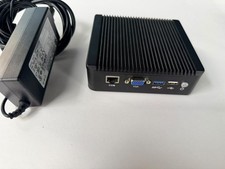
Protectli Vault FW4A 4-Port Firewall Intel E3845 AES-NI 4GB RAM 120GB mSATA
$169.99

Fortinet FortiGate 60F FG-60F P24286-03-13 Network Firewall Security Appliance
$155.75

Firewalla Gold Pro - 10 Gbps Cyber Security Firewall
$680.00

Fortinet FortiGate 60F FG-60F UTM UTP License Until 2027 Network Security FW VPN
$199.99

Cisco Meraki MX67-HW Security Appliance Firewall NEW Unused Unclaimed
$202.50

Zero Trace Pen: All-in-one Tor Network Anonymous Drive + Cryptocurrency Wallet
$147.00



 Reply With Quote