-
connection to a printer server via lp ethernet
Hi everybody,
I tried to connect to my network printer over ethernet (compushack printserver with an HP Laserjet attached to it).
I entered the IP-address of the printer together with port 515 (lp port, any other port number produces an error message).
Then I was asked for my printer etc. Everything worked fine, but when I tried to print a testpage, nothing happend.
You even cannot see the printjob in the queue.
I use knoppix 3.4, german version, rel. date may 10th.
-
Senior Member
registered user
How did you print, with lpr?
Do you use cups as printserver?
Did you start the printserver (cupsd)?
Is it running (ps ax | grep cupsd)?
Did you look into /var/log/cups/ ?
-
thanks for your quick help:
A look in the log-directory showed an error file, which told me, that the file system is read only: "Dateisystem ist nur lesbar".
I [15/May/2004:10:55:18 +0200] Listening to 0:631
I [15/May/2004:10:55:18 +0200] Loaded configuration file "/etc/cups/cupsd.conf"
I [15/May/2004:10:55:18 +0200] Configured for up to 100 clients.
I [15/May/2004:10:55:18 +0200] Allowing up to 100 client connections per host.
I [15/May/2004:10:55:18 +0200] Full reload is required.
I [15/May/2004:10:55:21 +0200] LoadPPDs: Read "/etc/cups/ppds.dat", 14 PPDs...
E [15/May/2004:10:55:21 +0200] LoadPPDs: Unable to write "/etc/cups/ppds.dat" - Das Dateisystem ist nur lesbar
I [15/May/2004:10:55:21 +0200] Full reload complete.
I run knoppix from a CD and do not want to install it on my hard drive.
What I have is a permanent home dir which is mapped to a USB-Stick (dev/sda1). Is there a way to write the file to that device?
When I try to print a text file, the log shows the following:
I [15/May/2004:13:01:36 +0200] Job 2 queued on 'Netzdrucker' by 'knoppix'.
I [15/May/2004:13:01:36 +0200] Started filter /usr/lib/cups/filter/pstops (PID 14800) for job 2.
I [15/May/2004:13:01:36 +0200] Started filter /usr/lib/cups/filter/foomatic-rip (PID 14801) for job 2.
I [15/May/2004:13:01:36 +0200] Started backend /usr/lib/cups/backend/socket (PID 14802) for job 2.
E [15/May/2004:13:01:43 +0200] [Job 2] Unable to send print file to printer: Broken pipe
E [15/May/2004:13:01:47 +0200] PID 14801 stopped with status 9!
I [15/May/2004:13:01:47 +0200] Hint: Try setting the LogLevel to "debug" to find out more.
any Ideas??
Regards
Rigas
-
Senior Member
registered user
a dirty hack would be: move the /etc/cups directory to your usb-stick.
Then create a symbolic link to the stick:
ln -s /mnt/usb/cups /etc/cups
(replace /mnt/usb by the name you use for it, but NOT /dev/... )
But this might get an issue of space on the stick, and maybee the next errormessage is waiting...
Similar Threads
-
By Lachinger in forum Networking
Replies: 7
Last Post: 06-24-2005, 11:41 AM
-
By babelbrennt in forum Networking
Replies: 4
Last Post: 06-14-2005, 05:09 PM
-
By pterandon in forum Networking
Replies: 1
Last Post: 05-02-2005, 05:57 PM
-
By vip in forum Networking
Replies: 1
Last Post: 11-03-2004, 05:33 AM
-
By rec9140 in forum General Support
Replies: 0
Last Post: 02-27-2004, 05:24 PM
 Posting Permissions
- You may not post new threads
- You may not post replies
- You may not post attachments
- You may not edit your posts
-
Forum Rules


HP PROLIANT TPS-W003 MICRO- SERVER TOWER Gen 8, 16G RAM
$195.00

Supermicro CSE-937 3U Storage Chassis No CPU No HDD No Ram Tested & Reset
$129.99

Supermicro 1U Network Server Appliance 16GB RAM 800GB SSD 6 LAN Ports Powers On
$450.00

Supermicro 505-2 Server
$280.00

HP ProLiant MicroServer Gen8 G1610T @2.3 GHz, 16GB, 712317-001 NO HDD/OS
$199.00

Supermicro 1027GR-TSF 1U Rackmount Server 2x Xeon 2.3GHz 128GB DDR3
$219.99

Supermicro 2U X10DRU-i 2x E5-2680 v3 2.5ghz 32gb Ram 240gb SSD 2x GPU *READ*
$369.99
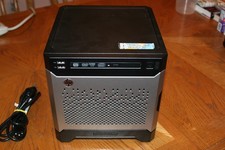
HP Proliant MicroServer Gen8, 4.5TB, (4) HDD, EXCELLENT COND.
$625.00

Nasuni NF-50 Supermicro Server, Atom CPU C2558, @ 2.40GHz, 8GB RAM-No HDD/OS/AC
$187.50

Supermicro CSE-216 No CPU No Ram No HDD Tested & Reset
$149.99



 Reply With Quote