

 Reply With Quote
How did you print, with lpr?
Do you use cups as printserver?
Did you start the printserver (cupsd)?
Is it running (ps ax | grep cupsd)?
Did you look into /var/log/cups/ ?


Hi everybody,
I tried to connect to my network printer over ethernet (compushack printserver with an HP Laserjet attached to it).
I entered the IP-address of the printer together with port 515 (lp port, any other port number produces an error message).
Then I was asked for my printer etc. Everything worked fine, but when I tried to print a testpage, nothing happend.
You even cannot see the printjob in the queue.
I use knoppix 3.4, german version, rel. date may 10th.
How did you print, with lpr?
Do you use cups as printserver?
Did you start the printserver (cupsd)?
Is it running (ps ax | grep cupsd)?
Did you look into /var/log/cups/ ?
thanks for your quick help:
A look in the log-directory showed an error file, which told me, that the file system is read only: "Dateisystem ist nur lesbar".
I [15/May/2004:10:55:18 +0200] Listening to 0:631
I [15/May/2004:10:55:18 +0200] Loaded configuration file "/etc/cups/cupsd.conf"
I [15/May/2004:10:55:18 +0200] Configured for up to 100 clients.
I [15/May/2004:10:55:18 +0200] Allowing up to 100 client connections per host.
I [15/May/2004:10:55:18 +0200] Full reload is required.
I [15/May/2004:10:55:21 +0200] LoadPPDs: Read "/etc/cups/ppds.dat", 14 PPDs...
E [15/May/2004:10:55:21 +0200] LoadPPDs: Unable to write "/etc/cups/ppds.dat" - Das Dateisystem ist nur lesbar
I [15/May/2004:10:55:21 +0200] Full reload complete.
I run knoppix from a CD and do not want to install it on my hard drive.
What I have is a permanent home dir which is mapped to a USB-Stick (dev/sda1). Is there a way to write the file to that device?
When I try to print a text file, the log shows the following:
I [15/May/2004:13:01:36 +0200] Job 2 queued on 'Netzdrucker' by 'knoppix'.
I [15/May/2004:13:01:36 +0200] Started filter /usr/lib/cups/filter/pstops (PID 14800) for job 2.
I [15/May/2004:13:01:36 +0200] Started filter /usr/lib/cups/filter/foomatic-rip (PID 14801) for job 2.
I [15/May/2004:13:01:36 +0200] Started backend /usr/lib/cups/backend/socket (PID 14802) for job 2.
E [15/May/2004:13:01:43 +0200] [Job 2] Unable to send print file to printer: Broken pipe
E [15/May/2004:13:01:47 +0200] PID 14801 stopped with status 9!
I [15/May/2004:13:01:47 +0200] Hint: Try setting the LogLevel to "debug" to find out more.
any Ideas??
Regards
Rigas
a dirty hack would be: move the /etc/cups directory to your usb-stick.
Then create a symbolic link to the stick:
ln -s /mnt/usb/cups /etc/cups
(replace /mnt/usb by the name you use for it, but NOT /dev/... )
But this might get an issue of space on the stick, and maybee the next errormessage is waiting...
 Posting Permissions


GIGABYTE B365 HD3 LGA1151 Intel 9th Gen motherboard
$59.99
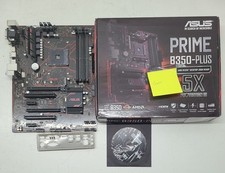
Asus prime b350-plus AM4 ATX AMD DDR4 Motherboard (FL)
$49.99
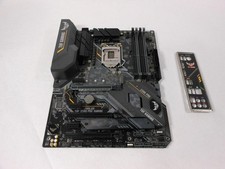
ASUS TUF Z390-PRO GAMING LGA1151 DDR4 ATX Motherboard With IO Inlucded
$100.00
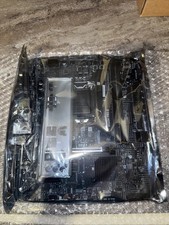
MSI B560M Pro-E LGA 1200 Intel B560 M-ATX Intel Motherboard Intel 10th 11th gen
$69.99
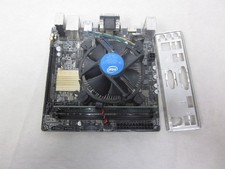
ASUS H110I-PLUS Motherboard LGA1151 w/ I5-7400 CPU, 8GB, Heatsink & I/O Shield
$60.00

ASUS PRIME Z370-A II LGA 1151 Intel Z370 DDR4 DIMM USB3.1 DVI ATX RGB
$69.99

ASRock B550M Phantom Gaming 4 AM4 AMD B550 SATA 6Gb/s Micro ATX AMD Motherboard
$81.99

Intel H81 Motherboard M.2 NVMe LGA 1150 mATX w/ IO Shield (Random Slot Color)
$29.99
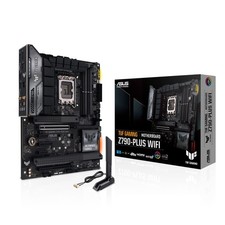
TUF Gaming Desktop Motherboard - Intel Z790 Chipset - Socket LGA-1700 - ATX
$143.00

ASUS PRIME H410M-K LGA 1200 Intel 10th Gen H410 DDR4 USB3.2 Motherboard M-ATX
$59.99