-
Will apt-get upgrade break it?
Just wondering.....will using default apt.sources list break Knoppix?
Can I use Debian default sources.list? I was thinking of doing a apt-get upgrade and wasn't sure if I'd screw it up. I really don't have any time to fix a broken system. Want to start using it instead of playing around!
-
Senior Member
registered user
Sidsarge,
Good question...
The answer, on the other hand, is harder to determine, and I would say, yes.
First of all, before you attempt anything with apt-get, you better do a apt-get update before you do anything else. If you are going to install, or do a upgrade, always do a apt-get update before - that way you always have the most "up-to-date" package lists, dependancies, etc... for apt-get to work with.
Second, reasoning behind my answer yes: I don't think apt-get will break your system, but, not having information about your "current" system, leads me to thinking you have "older" versions installed. This is also a "bad" time to be upgrading things, considering the "roll out" of v3.4
If you are running Knoppix v3.3, or earlier, which I am running v3.3 myself, doing an apt-get upgrade is going to try and "upgrade" many of my "system" parts to the "new" versions, hence, v3.4 components. Apt-get is very powerfull, and it does do a lot of hard work. Some of which is to ensure that one "package" doesn't trash another "package" if dependancies are similar. But, apt-get will "stomp" on a dependancy of a package, if it feels that one package is more important than another package. Here is an example:
Package A
Title: Kernel module
Dependancies: Requires version X of library 111, and version Y of library 222
Package B
Title: Game
Dependancies: Requires version D of library 333, and version X of library 111
If, in the above example, you do an apt-get upgrade, and a newer version of Package A is available, and nothing new for Package B, apt-get will probably determine that a "kernel module" is way more important that a game, and will upgrade the kernel module on you. What would this end up doing? Breaking your game, probably, because the game depends on something that the kernel module has.
Right now, with the new Knoppix v3.4 coming out, this new version is not only updated on the kernel, but also a host of other things, like KDE, which is the window manager. So, if you are running v3.3, you will most likely be "upgrading" not only kernel packages, but also KDE. With two main things, which your system is very dependant on, being updated, at the same time, this can lead to a host of problems, and yes, broken dependancies of many "other" things. These "other" things could be packages that are your games, or something more important like your internet connecting package, or system utilities, or whatever.
For me, I am loosing the "apt-get upgrade" route, at least until I can get more current, say, re-install with v3.4 - When I can get the Knoppix v3.4 CD, figure out what I need to retain from this version, copy it, then "gut" this version, re-install with the new v3.4, and regain my configurations from my previous version, then, and only then, will I think about doing an apt-get upgrade again. Because, on my system, it would not be safe thing to do at this time.
Just my thoughts,
Ms. Cuddles
-
Senior Member
registered user
I have never had a good experiemce with apt-get upgrade. Whenerver there's a new ISO I reinstall all my hdds. Then I'll do an apt-get update. And finally tweak my system the way I want it including certain favorite things I can only get thru apt-get install.
Good Luck,
AJG
-
Maybe I'd be better off with kanotix? I heard it installs a debian sid? Maybe what I need to do is do a debian install and forget about debian 'spinoffs'?
I am just wondering about hardware detection in debian. I installed Woody many months ago but was disappointed with hardware detection.
Thank you for your thoughts!
-
Senior Member
registered user
Apt-get is not that hard, once you get the hang of it. I've done apt-get upgrades and apt-get dist-upgrades with no problems. Thing is, your sources.list from knoppix contains several branches which can cause problems if you don't know how to apt-pin your system to set one branch above the others. I find that the best results are obtained by commenting out all but one branch of your choice, be it stable, testing, or unstable. Once you do that, then do an apt-get update followed by apt-get -s dist-upgrade to make sure the entire upgrade process with upgrade without a problem. If the output looks good, i.e., no errors reported, then remove the -s and let the dist-upgrade go thru. This is basically what I do once a week. Every now and then a package will have a problem, or bug, or whatever that needs to be fixed and most of them are usually resolved if you know what to look for. I get the feeling that a lot of folks are afraid of apt-get but to me, it's really good. The only time I'm afraid of it, is when it wants to install additional programs that I want held back.
-
Thanks, Durand:
I've done updates/upgrades on Debian installs before, but I wondered how a normal human being is supposed to know what Deb packages will break a debian "spinoff" distro like knoppix, kanotix, damn small, puppy, etc.
I didn't touch the default sources.list in knoppix 3.3 so I wondered what I would break if I left them alone OR if I used the standard Debian.org sources.list.
-
Senior Member
registered user
Where do I find the file sources.list and what can I modify without borking my whole hdinstall?
TIA,
AJG
-
Senior Member
registered user
Here's a link to help you sort out the apt-get issues. http://jaqque.sbih.org/kplug/apt-pinning.html
I've always found that document to be helpful and when I tried it, it worked pretty much the way I wanted it to. Because Knoppix used multiple branches for all of the packages used, I used this method for pinning to testing with unstable as a fallback if testing is unable to resolve dependencies. But whichever branch you choose, using only one branch is obviously the best way to go, but if you really have to mix and match then pinning helps keep it reasonable.
BTW, you can find sources.list in /etc/apt.
HTH,
Durand
Similar Threads
-
By DunkyB in forum Customising & Remastering
Replies: 0
Last Post: 04-15-2005, 03:17 PM
-
By chris-harry in forum The Lounge
Replies: 39
Last Post: 02-11-2005, 09:52 AM
-
By Harry Kuhman in forum Networking
Replies: 84
Last Post: 04-15-2004, 01:02 PM
-
By anduril in forum Hdd Install / Debian / Apt
Replies: 26
Last Post: 03-22-2004, 01:09 AM
-
By vesselinpeev in forum General Support
Replies: 0
Last Post: 05-26-2003, 09:03 PM
 Posting Permissions
- You may not post new threads
- You may not post replies
- You may not post attachments
- You may not edit your posts
-
Forum Rules


Kingston 32GB 64GB 128GB 256GB USB 3.0 Flash Drive Thumb Memory Stick Pen lot
$285.90

MICRON MTA36ASF4G72PZ-2G6D1 32GB PC4-21300R DDR4-2666V RDIMM 2RX4 MEMORY DIMM
$139.99

Microsoft Office 2021 Pro Plus USB for 1PC Windows 10 & 11
$62.55

1/ 10/ 100pcs USB 2.0 2GB, 4GB ,8GB ,16GB ,32GB ,64GB 128GB USB Flash Drives Lot
$202.50

USB 3.0 Flash Drive 32GB 64GB 128GB Memory Stick Thumb Stick Lot Pack
$826.09

Samsung 128GB (4x32GB) DDR4 PC4-2666V ECC Server RAM 288-Pin M393A4K40CB2-CTD6Y
$699.99
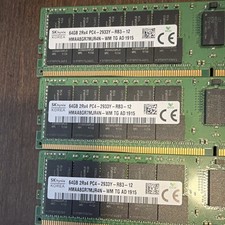
(Lot of 3) SK hynix 192GB (3x64GB) DDR4 PC4-2933Y ECC
$1050.00
Micron 384GB (6x64GB) DDR4-2400 LRDIMM ECC Registered RAM MTA72ASS8G72LZ-2G3B2PG
$2000.00

TF/SD Card Adapter Camera Reader Android Type-c For iPhone17 Pro Max Plusm lot
$573.98
Samsung 16GB DDR4 PC4-2933Y 1Rx4 ECC REG DIMM (PC4-21300) M393A2K40DB2-CVF
$120.00



 Reply With Quote