

 Reply With Quote
You can try:
press Ctrl+Alt + (+on the num. pad). So you can go through the available resolution options.


Hi !
I have problems with my monitor in version 3.4, I always use this parameter:
knoppix screen=800x600
because I have an old monitor (Samsung Sync Master 3), but with this version of Knoppix I can use only the monitor in 640x480 resolution.
I tried with kernel 2.6 and 2.4 but in both cases is the same, I can't use resolutions upper to 640x480.
I don't have this problem in version 3.3.
Someone can help me please !
You can try:
press Ctrl+Alt + (+on the num. pad). So you can go through the available resolution options.
hello!
I have a Samsung Sync Master 3 monitor too, you try this parameter:
knoppix screen=800x600 vsync=60.
they should really add this to the faq.
knoppix screen=800x600 noddc
when ddc can't detect your monitor, it defaults to low res. It's a new feature since 3.3.
 Posting Permissions

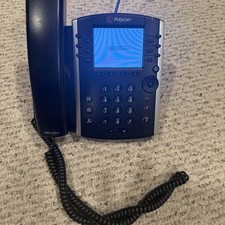
Polycom VVX 411 12-Lines Desktop VoIP Phone (2200-48450-025)
$20.00
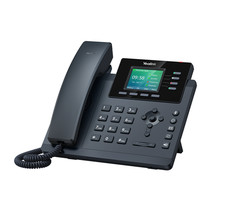
YEALINK T34W PHONE & 2 MONTHS OF PHONE SERVICE
$65.00

NEW Cisco IP Phone 7841-K9 4-Line VoIP Gigabit PoE CP-7841-K9
$49.95

Grandstream WP810 Portable Cordless Wi-Fi IP Phone
$54.99

Cisco/Linksys SPA2102 VoIP Phone Adapter Router 2FXS (Unlocked)
$17.99

Cisco / Linksys SPA2102 VoIP 2FXS Phone Adapter with Router (unlocked)
$18.99
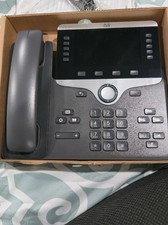
Cisco CP-8861-K9 8861 VoIP IP Corded Phone Charcoal New 9 available
$118.00
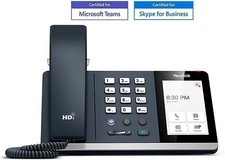
*New* Yealink MP54-Teams Smart Business IP Phone, PoE, Touch Screen
$75.00
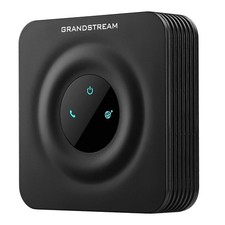
Grandstream HT801 v2 1 FXS, 1 Fast Ethernet New Version
$34.99
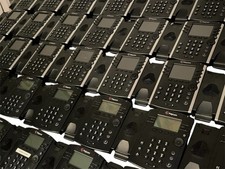
Lot of 35 Polycom VVX 300 & VVX400 IP Phones
$150.00
