-
Senior Member
registered user

Originally Posted by
jshah329
Kernel version: 2.6 (uname -a responds: "Linux box 2.6.5 #1 SMP Sat May 1 22:31:22 CEST 2004 i686 GNU/Linux")
OK. I wish there was a mandatory 'Learn this first' when it comes to mounting drives. (Don't worry not your fault). We use so many symlinks and such that the user often doesn't know what the REAL name of the drive is. SO I'll tell you. 
Primary Master- /dev/hda
Primary Slave- /dev/hdb
Secondary Master- /dev/hdc
Secondary Slave- /dev/hdd
So your cdrom drive is one of those. Try this:
Code:
mount /dev/hdb /cdrom
Of course you'll need to have a data disc in the drive to mount it!
Realize that the mount point is trivial. It really doesn't matter. You could do this:
Code:
mkdir /stupid
mount /dev/hdb /stupid
As long as you're accessing a REAL device and utilizing a mount point that actually exists you can mount pretty much any drive to any mount point.
I'm assuming that my drives are mounted in /dev/dvd and /dev/cdrom
Let's find out.
Code:
ls -al /dev/dvd
ls -al /dev/cdrom
That tells you what the symlinks (/dev/dvd & /dev/cdrom) are actually pointing to. Why do we use symlinks? Well.....most apps expect your cdrom or dvd-rom or cd-rw or whatever to be called /dev/cdrom or /dev/dvd and this way we have uniformity. How to create a symlink?
ln -s (real device) to (symbolic name)
Code:
ln -s /dev/hdb /dev/dvd
Lol about the archos, I suppose the info you ask for would help...
Its a USB connection. I know it works when I have it plugged in at startup, but can I make it work if I just plug it in (I know this worked in other distros, like Xandros)
Thanks again!
OK someone else will have to help out w/ that one as I really dislike automount and simply don't use it.
Similar Threads
-
By SNK88 in forum MS Windows & New to Linux
Replies: 0
Last Post: 06-03-2005, 08:24 PM
-
By ichi in forum General Support
Replies: 3
Last Post: 11-17-2004, 11:58 PM
-
By c_programmer in forum General Support
Replies: 9
Last Post: 10-15-2004, 03:09 AM
-
By Enigma in forum General Support
Replies: 6
Last Post: 10-12-2004, 06:35 PM
-
By tycapel7 in forum Hdd Install / Debian / Apt
Replies: 2
Last Post: 05-25-2004, 07:42 AM
 Posting Permissions
- You may not post new threads
- You may not post replies
- You may not post attachments
- You may not edit your posts
-
Forum Rules


🔀 Juniper Networks EX2300-C-12P 12× Gigabit PoE+ • 2× 10G SFP+ Compact Switch ⚡
$119.00

Juniper EX2300 12-Port Gigabit PoE+ Managed Network Switch P/N: EX2300-C-12P
$149.99

Juniper Networks EX2300-48P 48-Port Gigabit PoE Managed Ethernet Switch
$79.99
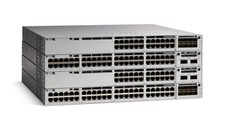
Juniper EX Series EX2300-C-12P - switch - 12 ports - managed
$304.00

Juniper SRX320 8-Port Security Services Gateway Appliance w/ AC Adapter
$59.99

Juniper EX2300-C 12 Port Compact Gigabit Switch EX2300-C-12p
$99.99

Juniper EX2300-C-12P POE+ Switch 12 x 1GbE & 2 SFP+ 10G uplinks
$149.99
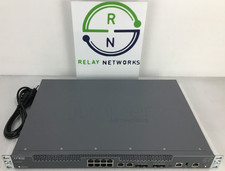
Juniper NFX250-S2 Network Services Platform
$199.89

Juniper Networks EX3400-24T 24-Port Ethernet Switch w/Power Cord
$174.99
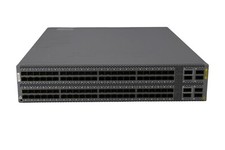
Juniper QFX5100-96S-AFI FP+/SFP PORTS 8QSFP+ PORTS REDUNDANT FANS 2x PS
$249.95



 Reply With Quote