

 Reply With Quote
Perhaps image and initrd need to point to /dev/hda1 too?
I don't use initrd - what is it good for? - so I don't know, whether /mnt or /dev should be the prefix.Code:image=/mnt/hda1/boot/vmlinuz-2.4.24 initrd=/mnt/hda1/boot/initrd-2.4.24


Hi,
Initially I had a Linspire (used to be called Lindows) version of linux on my hda1. (Its the first Linux I loaded) .
The I loaded Knoppix onto hda3. I've been trying to get Lilo to have a Linspire option in the boot menu so I can boot either but every time I try modding lilo.conf I am told that "hda1 does not contain a valid boot signature'.
I have tried reading the various dual boot posts and procedures but either I don't understand them or I am getting the instructions wrong. (One of the joys of noob-iness!!)
The machine has only one actual hard drive. Here's how it's partitioned and used;
hda1 >>>> Linspire (used to be Lindows)
hda3 >>>> Knoppix
hda5 >>>> a FAT32 partition for file and data storage
hda6 >>>> my Linux swap partition.
Here is the portion of the standard LILO.CONF file from Knoppix. (The rest of it is totally unchanged so I haven't pasted it to save space) You can see where I pasted entried from the other OS.
# If you have another OS on this machine to boot, you can uncomment the
# following lines, changing the device name on the 'other' line to
# where your other OS' partition is.
#
# other=/dev/hda4
# label=HURD
# restricted
# alias=3
other=/dev/hda1
image=/boot/vmlinuz-2.4.24
label=Linspire
vga=0xf04
root=/dev/hda1
initrd=/boot/initrd-2.4.24.gz
append="mem=nopentium resume=/dev/hda1 resume_block=0x2014"
Can anyone help? If I have to reload either OS I don't mind.
Thanks
Jim
Perhaps image and initrd need to point to /dev/hda1 too?
I don't use initrd - what is it good for? - so I don't know, whether /mnt or /dev should be the prefix.Code:image=/mnt/hda1/boot/vmlinuz-2.4.24 initrd=/mnt/hda1/boot/initrd-2.4.24
Since you don't appear to have a dedicated /boot partition, what you're seeing under /boot when running lindows is not the same directory as /boot under knoppix. Assuming you want to add lindows to your knoppix lilo, you need to refer to /mnt/hda1/boot/somekernel (and similarly for initrd).
When you've adapted your /etc/lilo.conf, run "lilo -v" and pay attention to possible error messages. Lilo will complain if you refer to unreachable files.
Initrd stands for "initial root disk" (or somesuch) and is only necessary if your system needs modules that have not been statically included in the kernel in order to boot (eg scsi drivers or reiserfs support...) For most IDE-only systems sticking to ext2/ext3 FS, one can dispense with it.
Thanks guys.
I got it wworking.
Jim
 Posting Permissions


Genuine OEM Apple MagSafe 2 45W AC Adapter Charger for Macbook Air 2015 11" 13"
$14.24

Genuine Apple Power Adapter Extension Cable 6FT White OEM MacBook MK122LL/A
$10.99

OEM Apple Data Migration Toolkit for A1706 A1707 MacBook Pro PN 076-00236
$549.99

Genuine Apple OEM A2164 30W USB-C AC Power Adapter with USB-C Cable, Very Good
$21.05

OEM 45w T-Tip Power Adapter charger for Apple macbook air 2012-2017 A1436 A1466
$19.99

OEM Apple 45W A1436 Power Charger AC Adapter for MacBook Air MagSafe 2
$12.99
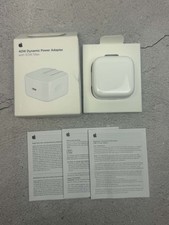
Apple 40W Dynamic Power Adapter 60W Max for iPhone/iPad/AirPods/MacBooks OEM
$18.99

Genuine OEM Apple 60W MagSafe Power Adapter A1344 ~ FREE S/H
$12.99
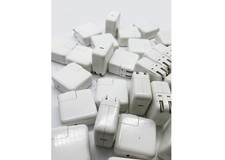
Lot of 30 Genuine OEM Apple 30W USB-C Power Adapter for iPhone iPad MacBook Air
$419.59
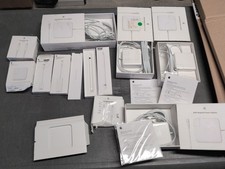
Lot Of Apple Cords And Accessories All OEM Genuine Apple Pencil, Magsafe Power
$109.99