

 Reply With Quote
Try selecting K-->Settings-->Desktop Settings Wizard. This wizard includes a simple low...high guage for setting how much "eye candy" stuff like transparency and animated icons and antialiasing to use.


Hi
I'm kinda a bit of a newb when it comes to linux. Currently running Knoppix hd install on a friend's computer.
The problem is that the computer is too slow for the transparencies and lags. (k6-2 333) Specificly the mouse and shadow.
I was just wondering how to disable this, I've tried searching, but I can't find anything.
Thx
Cam
Try selecting K-->Settings-->Desktop Settings Wizard. This wizard includes a simple low...high guage for setting how much "eye candy" stuff like transparency and animated icons and antialiasing to use.
I tried that. It got rid of most of it. But the mouse cursor is still transparent and has a shadow.
Cam
Open a console as root and type the following command to change the mouse theme to a less stressfull color:HTH,Code:update-alternatives --config x-cursor-themes
Durand
 Posting Permissions


185--Sonnet Crescendo G3 PPCG3-375-5-K-06 G3 Add-On Card for Vintage Mac
$90.00

VINTAGE Apple Mac OS X Computer Monitor
$250.00

Vintage Apple iMac G4 15" Lamp 700MHz 512MB Mac OS X 10.4.6 W/ Pro Speakers
$300.00

Vintage 1998 iMac G3 M4984 Mac OS + Keyboard Working but Needs Some Repair Read
$295.00

Apple Macintosh Plus 1MB M0001A Vintage Computer **TURNS ON **
$99.99
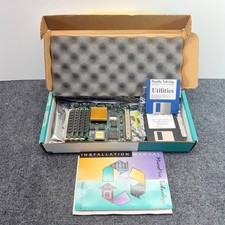
MicroMac Technology ThunderCachePro 50MHz Accelerator FPU Vintage Mac Boxed
$750.00

Apple Macintosh Plus 1MB M0001A Vintage Computer Boots Up / Floppy Disk Stuck
$99.99
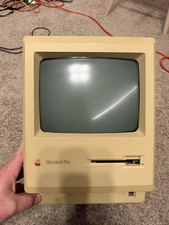
Apple Macintosh Plus 1MB M0001A Vintage Computer - Works
$169.99

Vintage Apple PowerBook 15” G4 “Aluminum” (1.25GHz/2gb/150gb/Tiger) 2
$109.99
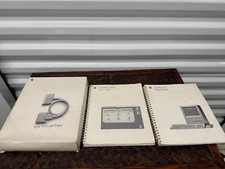
Vintage Apple Macintosh SE SCSI System Manuals Lot
$26.99