-
Senior Member
registered user

Originally Posted by
tycapel7
Do i load the Grub Bootloader to the computer before i install the Knoppix O/S.
I don't think this should be necessary. Personally I use the lilo bootloader & let it install as part of the install process. Choose 'Install on the MBR' option when you come to it.
The instructions i intend to use are as follows, i hope they are right for the CD i have.
There are a couple of changes starting with version 3.3:
This part is OK:
When the boot prompt comes up, choose your language.
Most of us speak English, so we'll type:
boot: knoppix lang=en
then press ENTER (you don't type the 'boot:' part, of course)
Wait till the system is fully launched, including the KDE desktop
Press CTRL-ALT-F1, to get a root console. You should see a shell prompt
>>Type: knx-hdinstall
You would actually have to type : sudo knx-hdinstall
but Knoppix 3.3 has a new improved install script
The new command is : sudo knoppix-installer
this is OK
Follow the guided installation menus. This will include:
Creating a Linux partition (at least 2.5GB
Creating a Linux Swap partition (at least 256MB)
'Mounting' the Linux partition as root
Initialising the swap partition
Copying all the required files (automatically)
Setting up networking
Setting passwords
>>Setting up the bootloader (Note: take care with this stage - it could render your system incapable of booting into Windows. If you really need Windows, then it might be a good idea to set up GRUB Bootloader with a 'chainloader' entry, so that you can dual boot. Working this out is an exercise left to the reader - there are too many possible scenarios for me to cover in this short guide. Also see man grub and the files in /usr/share/doc/grub)
As mentioned, I would just let the Lilo bootloader install as part of the install process.
Then reboot. You are now installed on HD. The rest is just setting up & personalizing your system. (Some stuff may still start in German.)
 Posting Permissions
- You may not post new threads
- You may not post replies
- You may not post attachments
- You may not edit your posts
-
Forum Rules


GIGABYTE A520M DS3H AC AMD AM4 Motherboard mATX
$59.99

Intel H310 LGA1151 8-9th Gen DDR4 M.2 NVMe mATX Motherboard IO Shield Battery
$54.99
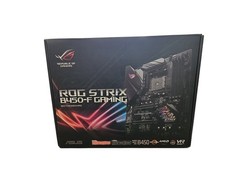
Asus ROG STRIX B450-F GAMING II AMD AM4 Socket ATX Computer Motherboard NIB
$125.00

ASUS PRIME Z490-P LGA 1200 Intel Z490 SATA 6Gb/s ATX Intel Motherboard NEW
$121.45

GIGABYTE B365 HD3 LGA1151 Intel 9th Gen motherboard
$59.99

ASUS PRIME Z370-A II LGA 1151 Intel Z370 DDR4 DIMM USB3.1 DVI ATX RGB
$69.99

Intel H81 Motherboard M.2 NVMe LGA 1150 mATX w/ IO Shield (Random Slot Color)
$29.99

ASRock B550M Phantom Gaming 4 AM4 AMD B550 SATA 6Gb/s Micro ATX AMD Motherboard
$71.49
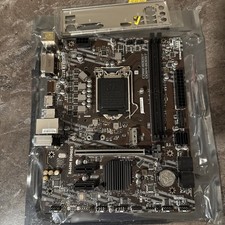
MSI B460m-Bomber LGA 1200 Intel 10th Gen B460 M-ATX Intel Motherboard
$59.99

ASUS PRIME H410M-K LGA 1200 Intel 10th Gen H410 DDR4 USB3.2 Motherboard M-ATX
$59.99



 Reply With Quote