-
Can't get past first base.
The installer says "The installer detected that the installation requirements are not fullfilled yet" and pushes me back to cfdisk.
I am trying to install on a 13.6 Gig Maxtor.
I did intend to split this up to a /home directory and a root directory, but the installer will not accept this.
I am now trying to install to 13 odd gig with 3 swap partitions of 131Meg each.
Installer won't let me proceed.
Any ideas?
-
Junior Member
registered user
3 swap partitions? There's no point in having more than one swap partition.
What version of Knoppix are you using and what are you using to install with, anyway? The prefered hard drive install script in 3.3-3.4 is knoppix-installer, which uses QTParted for partitioning.
Anyway, you need one swap patition--1 Gig would be good--and one ext3 or ext2 partition. This Linux partition should be at least 2Gigs in size; make it 3 Gigs for good measure. Partition the rest of the disc with your future /home partition. (Don't worry about it until later.)
With QTParted, you may find yourself unable to write to the disc if you accidentally have a swap partition but still need to make an ext2/3 partition. In that case, one thing you can do is reboot and use the cheatcode "knoppix noswap" so that Knoppix doesn't interfere with repartitioning. Then use QTParted to create the other partitions. Depending on how much RAM you have, you may need to reboot again in order to run knoppix-installer (it needs a total of 512megs of RAM+swap, IIRC, so you may need the swap).
-
Senior Member
registered user
Re: Can't get past first base.

Originally Posted by
Rink
The installer says "The installer detected that the installation requirements are not fullfilled yet" and pushes me back to cfdisk.
I am trying to install on a 13.6 Gig Maxtor.
I did intend to split this up to a /home directory and a root directory, but the installer will not accept this.
I am now trying to install to 13 odd gig with 3 swap partitions of 131Meg each.
Installer won't let me proceed.
Any ideas?
Isaac is right- you need 512M ram (system ram/swap combined). You can put /home on a seperate partition quite easily.
sudo knoppix-installer
configure installation
Quit
'YES' (to save config)
xedit .knofig
Then just add your partition to HD_MAP="" Like so:
HD_MAP="/dev/hda5:/home"
-
Hmmm.
I was alway informed that it was pointless having a swap partition over 128 Meg.
And, if you think you need more, to add partitions rather than increase the size of the swap.
But if you guys are telling me this isn't so....
-
KNOPPIX_V3.4-2004-05-04-EN.iso knoppix-installer doesn't use QTParted.
Okay, dropped the 3 swaps thing, installing to 13193.35M Bootable linux (83), swap 419.5M(82), installer still doesn't like it. Impasse. Currently downloading V3.3.
-
Okay, I get it now.
I've been using the console installer from CONTROL-ALT-F2.
Using the installer from within X did produce QTParted.
Similar Threads
-
By JPsDad in forum Hdd Install / Debian / Apt
Replies: 2
Last Post: 03-12-2005, 12:23 AM
-
By sammiantha in forum Hdd Install / Debian / Apt
Replies: 9
Last Post: 02-22-2005, 06:53 PM
-
By kornface13 in forum General Support
Replies: 13
Last Post: 04-17-2004, 01:46 AM
-
By flexyjerkov in forum General Support
Replies: 2
Last Post: 09-17-2003, 07:02 PM
-
By Dr Snark in forum General Support
Replies: 0
Last Post: 09-05-2003, 01:51 AM
 Posting Permissions
- You may not post new threads
- You may not post replies
- You may not post attachments
- You may not edit your posts
-
Forum Rules

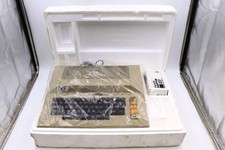
Atari 800 Home Computer Later Variant In Original Styro W/ BASIC CLEAN Untested
$224.99

ATARI XF551 DISK DRIVE WITH AC POWER ADAPTER AND PARALLEL PORT ADAPTER, UNTESTED
$250.00
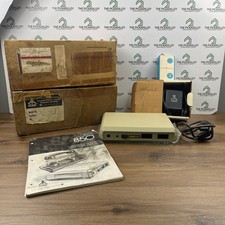
Atari 850 Interface Module Vintage 8-Bit Computer Expansion Serial Parallel Box
$159.95

Happy 1050 Upgrade for Atari 1050 Disk Drive - Solderless Installation - HS/DD
$49.97

Fujinet 1.7.1 Atari 400 800 800XL 130XE 65XE XEGS Assembled, Tested, Working
$99.99
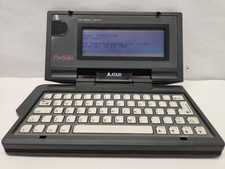
Vintage Atari Portfolio
$89.99
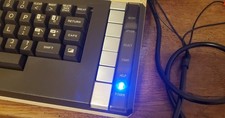
Atari 800 XL 8-Bit Computer W/ Blue LED And S Video A/V Cable
$155.00

A8PicoCart Multicart for Atari 800xl /65xe / 130xe / XEGS
$16.95
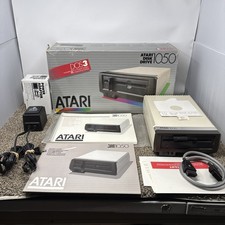
Atari 1050 Floppy Disk Drive Tested With All Cables Power And Data SIO In Box
$200.00
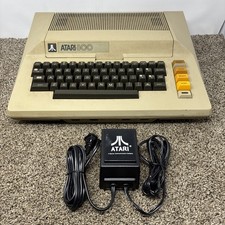
Atari 800 8-bit Computer System Fully Tested 48k READ
$370.00



 Reply With Quote