-
Yep. Another HD Install question. HELP!!!
I am a complete newbie to the Linux realm. I have toyed around with several distros but found Knoppix 3.3 to be the most appealing with ease of use in the GUI. I want to install Knoppix on my HD (like 8 billion other posts here) , but when I run "sudo knoppix-installer" from the shell and the script comes up, what the heck do I do? The tutorials and posts I've read say to follow the instructions, but they dont look like instructions. It just looks like a dictionary for what the commands/options do. Can somebody help or at least direct me where to find a COMPLETE walkthrough "from start to finish" of how to do a complete install. Please keep in mind, I have no knowledge of anything other than the GUI. I'm sick and tired of Windowz and I'm desperate to get the real deal on my HD..... KNOPPIX BABY!!! Please help me fix this so I can say goodbye to Windowz FOREVER!!!
Thanks for any info ya'll can provide.
-
Senior Member
registered user
If you're going for a dual boot, I'd run QTParted first. Then I run knoppix-installer. I run both from a root shell you get from the KNOPPIX menu.
Good Luck,
AJG
-
Mate,
First of all, welcome to the world of Linux.
It's not always easy, sometimes it is frustrating, but, in my experience, it is always rewarding if you stick with it.
After you type 'sudo knoppix-installer' you get a couple of screens. Press 'Return' untill you are shown a list of your hard drive(s). This will have a description of the drive and some letters, something like 'hda' or 'hdb' with an empty pair of brackets in front. Use the space bar to toggle the selected hard drive. Use the 'up' 'down' keys to move between the drives (if you have more than one).
Press 'return' and this will take you to a programme called 'cfdisk'.
This is similar to the DOS fdisk.
Use the up down keys to move between partitions. Use the left right keys to select a menu option.
basically you want to create enough space on your hard drive to install debian, and you also want a swap partition (the swap partition should be available to store volatile memory to the hard drive, should your RAM get a little short.
Remember that when you do this you will nuke the existing partition; you may want to look at tools that resize your existing partitions if you want to keep them and install Linux on a seperate partition.
Anyway, you nuke the existing partition by moving the up down keys to the partition to be nuked and use the menu (left/right keys) to delete. The select the 'new' menu, select the 'type' menu (83 for linux partition 82 for a swap partition).
Once you're happy select 'write' (no way back now!)
And select 'exit'
(You remembered to make the partition 'bootable', right?)
I think it's a matter of 'follow the instruction' from there on.
-
I did as you stated and I get something a little different. When I run sudo knoppix-installer i get a small screen window that says that says: "This script will install Knoppix on your system blah blah blah. There is a button that says OK. I click it and I get a larger screen that comes up with all the options and commands. Nothing related to actually installing anything. Kinda like a command list for general stuff. There are 3 button along the bottom that say back, next and cancel. Per the last reply I hit return and it loads that large list of commands into the shell window. Again, nothing related to installation. I'm getting very confused. What do I do. This seems to be different than what I have read is supposed to happen. Anymore suggestions?
-
Senior Member
registered user

Originally Posted by
knoppix-newbie
I did as you stated and I get something a little different. When I run sudo knoppix-installer i get a small screen window that says that says: "This script will install Knoppix on your system blah blah blah. There is a button that says OK. I click it and I get a larger screen that comes up with all the options and commands.
Configure an installation
-
maybe you're using a different installer script to me....
But you definately get the ( ) hda select hard drive option, right?
-
Yeah, look, when you get the dialog with the 4 buttons ('Next', 'Quit', 'Previous' and 'Help') try pushing the <space> bar.
I should give you a little 'X' against your hard drive. (The one you are about to nuke! )
)
-
hi i'm a newbie too just trying to do a hdinstall I havent got it running yet but I tried it once and noticed instead of doing sudo knoppix-installer i did
Code:
su
knoppix-installer
and i got commandline installer
then i did
Code:
su -
knoppix-installer
and i got a GUI KDE installer , hmmm am i not supposed to be running installer while still into KDE?
Also someone please help me with nvidia drivers  thats the reason i reformatted but im gonna give it a go again. I have a philips 107S and I run it at 1152x864 but knoppix will only let me go upto 1024x768 and to make it worse my screen is not even centered, its 2 cm shifted to right (from windows to linux) and half of the clock on the taskbar is missing! i badly need nvidia drivers (which is what fixes and centers my screen correctly as i did that on fedora before and it worked). I'm downloading 2004-05-17 ISO now and will re try a hdinstall in a few days when I can find some time, hoping to get the nvidia drivers installed next time!
thanks in advance
-
Junior Member
registered user
Dual Boot Solution
Here's a post that I found in this forum to address your concern. I tried it and it "mostly" worked. I caution you, though, that if you go through with this, you could mess up your windows OS or do worse. Beware!
http://www.knoppix.net/forum/viewtopic.php?t=4174
nicorelli
Similar Threads
-
By rniles in forum General Support
Replies: 0
Last Post: 12-22-2004, 02:55 AM
-
By agilley007 in forum Hdd Install / Debian / Apt
Replies: 0
Last Post: 09-30-2004, 10:50 PM
-
By Mustang64 in forum General Support
Replies: 2
Last Post: 06-14-2004, 03:11 AM
-
By Cuddles in forum General Support
Replies: 9
Last Post: 12-23-2003, 07:20 PM
-
By binarybum in forum The Lounge
Replies: 21
Last Post: 06-07-2003, 05:17 AM
 Posting Permissions
- You may not post new threads
- You may not post replies
- You may not post attachments
- You may not edit your posts
-
Forum Rules


9300-8i LSI SAS3008 8-Port 12Gb PCIe IT mode ZFS FreeNAS unRAID 2*SFF-8643 US
$49.50

Broadcom 9600-24i Tri-Mode RAID Controller 4.0 NVMe SAS SATA NEW 05-50111-01003
$639.69
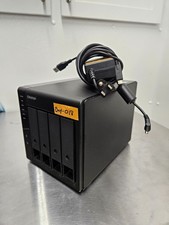
QNAP TR-004 4 Bay USB-C Hardware RAID Enclosure DAS 3.5 2.5 SATA Tested Working
$149.99
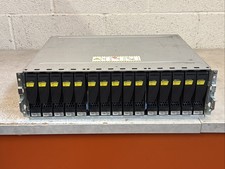
Dell EMC 15-Bay 3.5" SAS Disk Array Enclosure 12Gbps Dual LCC - 2x Power Supply
$249.00
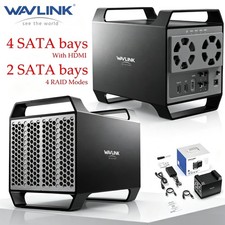
WAVLINK RAID 2 Bay Hard Drive Docking Station SATA 2.5''3.5'' SSD HDD USB C 4Bay
$68.39

Broadcom LSI 9305-16i 12Gbps SAS-3 PCIe x8 HBA 16-Ports Raid Controller
$64.99

2-Bay/4-Bay Hard Drive Enclosure for 3.5"/2.5'' SATA HDD/SSD 10Gbps USB-C 3.2
$75.99
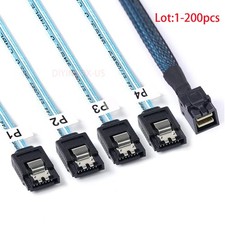
Lot Mini SAS SFF-8643 To 4 SATA 7pin Hard Disk 6Gbps Data Server Raid Cable 1M
$580.00

Vintage Promise EIDEMAX Enhanced IDE Disk Controller ISA Non-RAID Card Boxed
$34.99
Lacie 2big Quadra RAID 2 x 2 TB 4 TB Only 158 hours
$199.00



 Reply With Quote