

 Reply With Quote
What procedure are you using to change the icons? If you are using 'r-click on the icon, select properties, click on the icon, select a new one' it seems really strange that it would change anything except the selected desktop link (icon).


I managed to change the desktop icons OK, but when I changed the Opera one, the Thunderbird and Firefox both changed to the big-O, too, presumably because they are classed as executable browser types? Curious. What am I doing wrong, please?
OG.
What procedure are you using to change the icons? If you are using 'r-click on the icon, select properties, click on the icon, select a new one' it seems really strange that it would change anything except the selected desktop link (icon).
To me too.
BTW, is this the CrashedAgain from LFX? (Seem to remember oldgeezer from somewhere, too.......)
yep, same CrashedAgain. I'm CrashedAgain everywhere I can be as I'm also enough of an old geezer to not want to have to remember too many handles.
Yes - right click to change the icon. I can change any one of these to the correct icon from the apps list but all of them are changed upon restarting. There must be some way of pinning a specific icon to a specific application rather than a type of app to which the icon defaults??
OG.
This is not the same as :Originally Posted by oldgeezer
For the former, (..all are changed on restarting), what mode is your HDinstall (Debian style or Knoppix style). Knoppix style resets a lot of stuff to default settings with each restart, not sure if it resets desktop icons but maybe it does.
For the latter, (...change one & it changes others), I still don't understand how this could occur. Each desktop 'link' is it's own separate file & they are not related in any way. You can view the actual file...rt-click, open with a text editor (Kwrite or whatever). You can also edit the settings this way.
They were intended to mean the same thing!
I used the knx-hdinstall routine since I experienced endless difficulties with the knoppix-installer script.
I don't understand what is going on here, hence my enquiry!
Any more suggestions, please?
OG.
I remember having the same thing happen when I've dragged icons from the menu to the desktop and choosing copy. If I created the desktopicons from scratch they didn't change. This was with 3.3 september something.
I have a somewhat similar problem. Changed icons as wel as changed icon-names are not saved. After the next boot the original icons and names return.
Have you checked ~/.kde/Autostart/ for something like sorticons?
Not sure about the folder or filename??? (I'm in windows)
 Posting Permissions


OPNsense pfSense 8-Core Atom C3758 2.2GHz 8GB DDR4 64GB SSD 8x NIC QAT AES VPN
$145.00

KTN-STL3 EMC VNX 15-slot Disk Array Expansion, full 15 x 2tb drives 100% health
$360.00

Ubuntu Server 26.04.1 LTS Bootable USB Flash Drive – Latest September 2026
$12.99
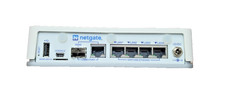
Netgate 2100 pfSense Firewall Appliance w/ Power Adapter w/Storage Upgrade
$187.50

ULTIMATE ARCH LINUX BOOTABLE USB/DVD INSTALLER 64-BIT - CHOOSE BUILD - PC/MAC
$4.49

Start9 Server Pure 32GB 4TB Intel i7 Node StartOS — Box + PSU
$599.00

Ubuntu 26.04 LTS – 3 DVD Set Desktop - Server - Studio Edition - Grade AAA+
$13.99

Microsoft SQL Server 2025 Standard 32 Core Unlimited CAL Retail License Package
$299.00

Microsoft SQL Server 2025 Standard 16-Core Perpetual License | Factory Sealed
$724.63

HP ProLiant DL360P G8 Server 2.60Ghz 16-Core 96GB 2X 300GB Enterprise (Renewed)
$140.00