-
how do I update the output of dpkg -l?
I have made quite a few modifications to my Knoppix Hard Drive install, yet dpkg -l still lists packages that I know I removed
(I try apt-get remove and it tells me the package is already gone), how do I update the output of dpkg -l to reflect the removed packages?
note: dpkg -l is the same as dpkg --list
-
I don't know the answer to your question but I've noticed that when I use "apt-get --purge remove package" dpkg doesn't list it anymore. Omitting --purge, dpkg will list the package as removed with an "rc" instead of "ii" at the left. Usually when I know I don't want a package back I use --purge to remove all config files for it as they're not needed anymore.
-
Hmm, just tested with COLUMNS=150 dpkg -l|grep -w rc and found one I hadn't purged.
rc libmagick6.0.1 6.0.0.2-1 Image manipulation library (free version)
Doing dpkg --purge libmagick6.0.1 removed all configuration files for it and it doesn't show anymore. A bit of work if you have a lot of packages removed but not purged so hopefully someone else knows a handier solution.
-
Senior Member
registered user
I use a variant of dpkg to list installed files. I use:
Code:
dpkg --get-selections
to output a list of installed files. It tells me if some were removed but not purged; look for any line that says deinstall next to the package name.
HTH,
Durand
-
Senior Member
registered user
Re: how do I update the output of dpkg -l?

Originally Posted by
andymadigan
I have made quite a few modifications to my Knoppix Hard Drive install, yet dpkg -l still lists packages that I know I removed
(I try apt-get remove and it tells me the package is already gone), how do I update the output of dpkg -l to reflect the removed packages?
note: dpkg -l is the same as dpkg --list
Have you used dselect update to update the dpkg/dselect database with the changes?
-
Re: how do I update the output of dpkg -l?
Originally Posted by
Stephen
Have you used dselect update to update the dpkg/dselect database with the changes?
It reads installed files as well? 
I always use it instead of apt-get update but I thought dselect update only reads what's on the web and overwrites apts available list as a bonus.
Similar Threads
-
By wham in forum MS Windows & New to Linux
Replies: 1
Last Post: 03-31-2005, 02:58 PM
-
By wham in forum Hardware & Booting
Replies: 0
Last Post: 03-30-2005, 04:55 AM
-
By Nitromethane1261 in forum General Support
Replies: 2
Last Post: 09-15-2004, 12:09 AM
-
By Eradicator in forum Hardware & Booting
Replies: 2
Last Post: 10-28-2003, 04:21 PM
-
By thaselecta in forum General Support
Replies: 1
Last Post: 07-09-2003, 03:35 PM
 Posting Permissions
- You may not post new threads
- You may not post replies
- You may not post attachments
- You may not edit your posts
-
Forum Rules


🔀 Juniper Networks EX2300-C-12P 12× Gigabit PoE+ • 2× 10G SFP+ Compact Switch ⚡
$119.00

Juniper EX2300 12-Port Gigabit PoE+ Managed Network Switch P/N: EX2300-C-12P
$149.99

JUNIPER NETWORKS MIST AI AP63-US HIGH PERFORMANCE OUTDOOR ACCESS POINT - WHITE
$59.99

Juniper Network QFX5100-48S-AFO 48x SFP/SFP+ 6x 40GbE QSFP+ Switch w/ Dual power
$223.20

Juniper SRX320 8-Port Security Services Gateway Appliance w/ AC Adapter
$59.99
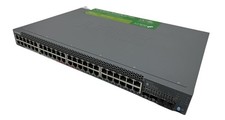
Juniper Networks EX2300 (EX2300-48P) 48 Ports Ethernet Switch
$249.99
New Juniper SRX345-SYS-JB-2AC Junos Router Firewall Services Gateway 16GbE SFP
$560.15

Juniper AP47 Mist Wi-Fi 7 802.11 6GHz 4x4 Wireless Access Point (NEW)
$999.99

Juniper QFX5100-48S-3AFI 48-Port SFP+ 6 QSFP+ 2x SFP/RJ-45 Management
$249.97

Juniper Networks EX2300-48P 48-Port Gigabit PoE Managed Ethernet Switch
$79.99



 Reply With Quote