

 Reply With Quote
I believe it's an or, not an and. I was able to create a 3.4 remaster that way.


I am having similar problems as described in this thread. What confuses me is whether or not to execute both of these commands or just the one for 3.4?
* now, copy everything in /cdrom/KNOPPIX/ to /mnt/hda1/knx/master/KNOPPIX/ except the ~700 Mb KNOPPIX file. ( cd /cdrom/KNOPPIX;find . -size -10000k -type f -exec cp -p --parents {} /mnt/hda1/knx/master/KNOPPIX/ \; )
* (For Knoppix 3.4), copy everything in /cdrom/ to /mnt/hda1/knx/master/KNOPPIX/ except the ~700 Mb KNOPPIX file. ( cd /cdrom;find . -size -10000k -type f -exec cp -p --parents {} /mnt/hda1/knx/master/KNOPPIX/ \; )
My natural inclination is to just try the Knoppix 3.4 specific line.
Guess I'll try it both ways and see which way works! If anyone can enlighten me it could save me a little trial and error.
Thanks,
I believe it's an or, not an and. I was able to create a 3.4 remaster that way.
GUYS GUYS GUYS.....or GALS... whatever, it is an OR ! Like it states (For Knoppix 3.4 Do this NOT BOTH! If you have an older version than Knoppix 3.4 than use the first command ....Have fun and good luck
 Posting Permissions

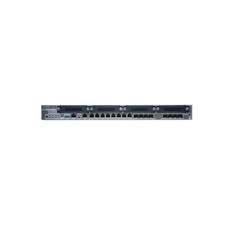
New Juniper SRX345-SYS-JB-2AC Junos Router Firewall Services Gateway 16GbE SFP
$570.65

Juniper EX2300 12-Port Gigabit PoE+ Managed Network Switch P/N: EX2300-C-12P
$149.99
Juniper QFX5100-48T-AFO 48-port 1G/10G RJ-45 ports 6 QSFP ports
$519.99

Juniper Networks EX2200-C 12T-2G 12 Port Gigabit Switch Compact + Cord Tested
$64.99

Juniper EX3400-48T-AFI Ethernet Network Switch 48x1GbE 4x10GbE SFP+ 2x40GbE QSFP
$139.00

Juniper EX2300-C-12P 12 Port Gigabit PoE+ 2x10G SFP+ Managed Compact Switch
$179.99

Juniper EX4100-F-12P Switch 12x 1GbE PoE 2x 10GbE Uplinks 4x 10GbE Stack Ports
$900.00

Juniper EX2300-C 12 Port Compact Gigabit Switch EX2300-C-12p Discounted Cosmetic
$71.87

Juniper EX3400-24P 24-Port PoE+ GbE + 4-Port 1/10Gb SFP Switch
$245.00

Juniper Networks EX2300-48P 48-Port Gigabit PoE Managed Ethernet Switch
$79.99