-
Having problems starting Knoppix...
I've never tried Linux before, but I would really like to do so. However, I'm having problems getting this OS started.
---
Computer 1
When I get past the boot prompt, I get this message:
You have passed an undefined mode number. Press <RETURN> to see video modes available, <SPACE> to continue or wait 30 secs
I try all the options for the video numbers (0 through 6, i think it is), and I try the scan. I also tried skipping the video mode list.... but no matter what, the OS won't start. It gives me a blank screen.
I've checked the md5 checksums, and everything's fine there. Also, I did burned the disc as an ISO image file. I didn't extract.
---
Computer 2
Here's what happens... I get the message about the undefined mode number. When I get past that, this is what happens..............
Can't find KNOPPIX filesystem, sorry. Dropping you to a (very limited) shell. Press reset button to quit.
Additional builtin commands available
cat mount unmount
insmod rmmod lsmod
Knoppix#
I get a prompt right after "Knoppix#".
---
Computer 3
Cloop errors. Knoppix does not start.
---
I verified the md5s, which were identical. Also, I burned it three different times, but neither cd seems to work. I even made the third burn on computer 2, but I'm still having the same exact problems. =/
Anyone have some help to offer? thanks in advance!
-
I got Knoppix-STD and Damn Small Linux working, but I still can't get 3.4 to work.
maybe I should post some info on my system... (Computer 1)
Gateway Solo 1450 Laptop
1.2 ghz Pentium III
256 mb RAM
64mb video - Intel Graphics Controller
wireless network connection
-
-
I'm guessing it doesn't like the VGA text mode.
So, try stuff like
knoppix vga=1
or 2 or 3 or 4 etc.
Also, does it support standard modes, such as 1024x768 800x600
then you could do a
knoppix screen=800x600 noddc
(noddc turns off monitor detection)
I remember seeing a lookup table for VGA modes which would force the linux kernel to use certain resolutions color depths by using vga=xxx where xxx is a number like 792
found it
http://portal.suse.com/sdb/en/2002/1...bdev_grub.html
-
Thanks, I shall try your suggestions then report my results. Hopefully it will work. >_>
-
-

Originally Posted by
grayfox777
No luck.... -_-
did you boot up with
knoppix testcd
to make sure the disk was good?
On my home systems, I find that my laptop doesn't like media burned on Memorex disks, but is happy with knoppix cd's burned to noname disks.(even if I burn the memorex disks slow, doesn't help)
so, maybe try a different brand of media.
-
k.... I'll try tomorrow... well later today, rather.
Similar Threads
-
By KIRAN in forum MS Windows & New to Linux
Replies: 1
Last Post: 04-13-2005, 11:26 PM
-
By wurm in forum Networking
Replies: 1
Last Post: 11-12-2004, 03:04 PM
-
By Garibaldi in forum General Support
Replies: 1
Last Post: 09-11-2004, 04:27 PM
-
By robamler in forum Customising & Remastering
Replies: 2
Last Post: 02-02-2004, 07:57 PM
-
By garrettvm in forum General Support
Replies: 2
Last Post: 04-17-2003, 04:10 AM
 Posting Permissions
- You may not post new threads
- You may not post replies
- You may not post attachments
- You may not edit your posts
-
Forum Rules


16GB KIT (2x8GB) DDR3 Gamer Desktop RAM PC3 MIXED BRANDS VIPER VENGEANCE FURY
$10.00

Netac DDR4 32GB 16GB DDR4 3200MHz UDIMM C16 Desktop Internal Memory RAM Kit
$99.99
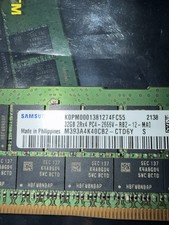
Samsung 128GB (4x32GB) DDR4 PC4-2666V ECC Server RAM 288-Pin M393A4K40CB2-CTD6Y
$699.99

Major Brand 16GB (2x8GB) PC3-12800U DDR3-1600MHz DDR3-12800 DESKTOP RAM NON-ECC
$29.99

A-Tech 8GB DDR3 1600 PC3-12800 Laptop SODIMM 204-Pin Memory RAM PC3L DDR3L 1x 8G
$21.68

DDR4 Laptop RAM 4GB 8GB 16GB 32GB 2400 2666 3200 Samsung Hynix
$66.00

G.SKILL FLARE X5 64GB (2 x 32GB) 6000 MT/s DDR5 (AMD EXPO + INTEL XMP) *CL30*
$785.00

RAMAXEL Lenovo 32GB LPDDR5X CAMM2 7500MHz Laptop RAM | UNTESTED
$445.00
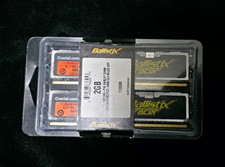
Crucial Ballistix Tracer 2GB (2x1GB) DDR2-800 PC2-6400 240-Pin DIMM
$145.00

Dell 16GB PC4-21300 (DDR4-2666) Memory (SNPPWR5TC16G)
$89.99



 Reply With Quote