-
What does your fstab say (with hda1 mounted)?
I can't answer specifically for NTFS partitions, but partitions are mounted read only on purpose. In order to write to a partition, you need to unmount it, then remount it so its writeable.
umount hda1 should unmount it.
First, make sure you have everything closed that was accessing the partition. If you have konqueror open, for example, and were browsing the partition, you'll get an error message that says that the partition can't be unmounted, its in use. Close konqueror (or just the tab that you were browsing the partition with), and you should then be able to unmount. If you still can't unmount, type:
fuser -m /dev/hda1
and that will tell you the process numbers of the applications that are still using the partition. If there aren't any, then try typing:
umount -l hda1
and that should work in a just a couple of seconds.
Once the partition is unmounted, then you mount it, with the writeable flag,
mount -o rw hda1
or
mount -w hda1
may work, or
mount -w -t ntfs hda1
may work.
After trying one of the above, you may be able to write to the partition only while logged on as root. If that is the case, then you need to change the uid, gid, and umask settings in fstab. You can google for the correct settings if that is the case. And if this is the case, your partition is correctly mounted as writeable, you just need to change permissions as indicated in the previous sentence.
I don't have any ntfs partitions, so the above is without warranty, and I'm not responsible if you damage your system. You should wait for someone else to post their solution, as I know there are issues with writing to ntfs (it wasn't even possible in earlier versions of knoppix, or any earlier Linux distros). Always backup first.
Also look at man mount, man unmount. Also, if there are other users on the system, it is possible to change the flag to writeable on a partition without unmounting it, man mount should have that info, I don't know how reliable/safe it is to do so.
Similar Threads
-
By harry66 in forum General Support
Replies: 1
Last Post: 03-30-2005, 05:03 PM
-
By alex52 in forum General Support
Replies: 0
Last Post: 02-01-2005, 08:08 AM
-
By David Ormsby-Gore in forum MS Windows & New to Linux
Replies: 4
Last Post: 07-08-2004, 09:45 AM
-
By terminator in forum General Support
Replies: 0
Last Post: 05-12-2004, 10:52 PM
-
By rrolsbe in forum Tips and Tricks
Replies: 3
Last Post: 11-22-2003, 06:53 PM
 Posting Permissions
- You may not post new threads
- You may not post replies
- You may not post attachments
- You may not edit your posts
-
Forum Rules


MegaRAID 9580-8i8e 16-port 12G SAS/SATA/NVMe 8GB PCIe RAID - 05-50076-00
$1619.30
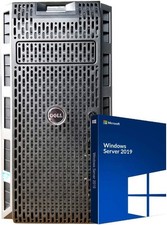
Dell PowerEdge T430 8 x 3.5 Hot Plug 2X E5-2680 V3 Twelve Core 2.5Ghz 192GB 3X 2
$949.99

Broadcom 9600-24i Tri-Mode RAID Controller 4.0 NVMe SAS SATA NEW 05-50111-01003
$639.69

G-Technology G-SPEED Studio XL 48TB Thunderbolt 2 Storage - Housing Only
$200.00

Broadcom LSI 9305-16i 12Gbps SAS-3 PCIe x8 HBA 16-Ports Raid Controller
$64.99

LSI 9260-8i 512MB SAS SATA 8-port PCI-E 6Gb RAID Controller Card US
$29.88

OWC Mercury Elite Pro Quad 4 Bay RAID Storage Enclosure USB 3.1 Gen 2 No Drives
$149.95

Inspur LSI YZCA-00424-101 12Gbps SAS 3.0 RAID Controller CARD HBA HDD
$14.99
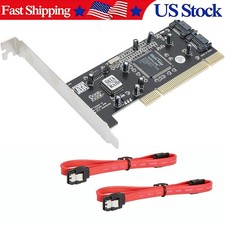
Serial ATA two-port SATA PCI card (SiI3112 sil3112 chipset)
$18.99

KTN-STL3 EMC VNX 15-slot Disk Array Expansion, full 15 x 2tb drives 100% health
$360.00



 Reply With Quote