-
Senior Member
registered user
Don't try mounting your NTFS partition read-write and writing to it using the NTFS drivers that come with the kernel. Data corruption could result. Mounting your NTFS partition read-only is perfectly safe, however.
In order to write to it, you can use the Captive project's software, to which there's a handy link in the Knoppix menu on the K menu (Knoppix > Utilities > Captive NTFS) or on the panel. It uses binaries from Windows XP in order to (safely) mount NTFS partitions in read-write mode.
Clicking the "Captive NTFS" menu entry will bring up a GUI-based installer, named "captive-install-acquire," that will allow you to a) scan a local partition for the needed files; b) specify where the files are, including network shares; or c) download them from Microsoft. It will then copy the files (cdfs.sys, fastfat.sys, ntfs.sys and ntoskrnl.exe) to /var/lib/captive and set up the program. At the end, it will give you a short explanation of how to mount your NTFS partition; e.g. as root, type the command
mount captive-ntfs /dev/hda1 /mnt/hda1
(use whatever mountpoint you desire).
You should read the man page for captive-install-acquire for information on how to run it from the bash prompt (i.e. without the GUI).
And you should definitely browse through the Captive user support/bug list mailing list archives before you start using it. It'll provide answers to quite a few questions.
My experience with it is that a) it's better to use partitions mounted with it from the bash prompt, because using it with graphical file managers like Konqueror eats up a ton of memory; b) it's somewhat flaky; and c) it's much more reliable at creating files than it is at editing existing files. Plus, the data isn't permanently saved until you unmount the partition.
Similar Threads
-
By harry66 in forum General Support
Replies: 1
Last Post: 03-30-2005, 05:03 PM
-
By alex52 in forum General Support
Replies: 0
Last Post: 02-01-2005, 08:08 AM
-
By David Ormsby-Gore in forum MS Windows & New to Linux
Replies: 4
Last Post: 07-08-2004, 09:45 AM
-
By terminator in forum General Support
Replies: 0
Last Post: 05-12-2004, 10:52 PM
-
By rrolsbe in forum Tips and Tricks
Replies: 3
Last Post: 11-22-2003, 06:53 PM
 Posting Permissions
- You may not post new threads
- You may not post replies
- You may not post attachments
- You may not edit your posts
-
Forum Rules


MegaRAID 9580-8i8e 16-port 12G SAS/SATA/NVMe 8GB PCIe RAID - 05-50076-00
$1619.30
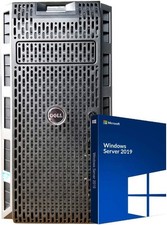
Dell PowerEdge T430 8 x 3.5 Hot Plug 2X E5-2680 V3 Twelve Core 2.5Ghz 192GB 3X 2
$949.99

Broadcom 9600-24i Tri-Mode RAID Controller 4.0 NVMe SAS SATA NEW 05-50111-01003
$639.69

G-Technology G-SPEED Studio XL 48TB Thunderbolt 2 Storage - Housing Only
$200.00

Broadcom LSI 9305-16i 12Gbps SAS-3 PCIe x8 HBA 16-Ports Raid Controller
$64.99

LSI 9260-8i 512MB SAS SATA 8-port PCI-E 6Gb RAID Controller Card US
$29.88

OWC Mercury Elite Pro Quad 4 Bay RAID Storage Enclosure USB 3.1 Gen 2 No Drives
$149.95

Inspur LSI YZCA-00424-101 12Gbps SAS 3.0 RAID Controller CARD HBA HDD
$14.99
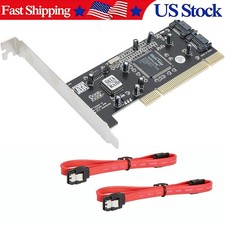
Serial ATA two-port SATA PCI card (SiI3112 sil3112 chipset)
$18.99

KTN-STL3 EMC VNX 15-slot Disk Array Expansion, full 15 x 2tb drives 100% health
$360.00



 Reply With Quote