-
Senior Member
registered user
Add this to your sources.list.
Then apt-get update and apt-get install newpg libgpgme6 libksba0 cryptplug pinentry-common pinentry-qt should get you everything you need. Then you can go into the Settings -> Configure Kmail -> Security -> Crypto Plugins tab and add the /usr/lib/cryptplug/gpgme-openpgp.so in the location and name it OpenGPG and apply the changes, the warning should now go away and you will get a different message like this when the email is signed.
Code:
Message was signed with unknown key 0x79F1BCE38DE4D38E.
The validity of the signature cannot be verified.
Status: No public key to verify the signature.
This is telling you the plugin works but you have not imported the public key of the person sending the mail into your keyring. If you import the key it looks like this.
Code:
Message was signed by [email protected] (Key ID: 0x79F1BCE38DE4D38E).
The signature is valid, but the key's validity is unknown.
Sign it with your own key and it looks like this and the colour of the message changes to green from yellow.
Code:
Message was signed by [email protected] (Key ID: 0x79F1BCE38DE4D38E).
The signature is valid and the key is fully trusted.
If you want to use GPG signing for your out going messages then you need to create a key with KGpg then edit the file /home/user_name/.gnupg/gpg.conf and uncomment the use-agent line then create a /home/user_name/.gnupg/gpg-agent.conf with the following contents:
Code:
pinentry-program /usr/bin/pinentry-qt
no-grab
default-cache-ttl 1800
Now you edit the /etc/X11/Xsession.d/90newpg_gpg-agent and change to this line at the top of the file.
Then you have to return to the Configure Kmail -> Manage Identities and choose the email account for the GPG key you created and select the Modify option, in the Advanced tab of the configuration dialog that pops up use the Change button in the OpenGPG key selection and in the dialog select the key to use then apply the changes. You have to log out of KDE and restart the X server then log back in and every time you send a mail with the account you should have an encryption option to choose too use.
Similar Threads
-
By Ezor in forum Hdd Install / Debian / Apt
Replies: 2
Last Post: 12-22-2004, 09:29 PM
-
By nicorellius in forum General Support
Replies: 3
Last Post: 10-30-2004, 01:22 PM
-
Replies: 2
Last Post: 03-15-2004, 05:07 AM
-
By Cuddles in forum General Support
Replies: 0
Last Post: 01-18-2004, 02:16 PM
-
By willywalker in forum General Support
Replies: 0
Last Post: 01-04-2004, 11:24 AM
 Posting Permissions
- You may not post new threads
- You may not post replies
- You may not post attachments
- You may not edit your posts
-
Forum Rules


Kingston 32GB 64GB 128GB 256GB USB 3.0 Flash Drive Thumb Memory Stick Pen lot
$285.90

Microsoft Windows 11 Pro 64-Bit USB Flash Drive (HAV-00162)
$36.99

Microsoft Windows 11 Pro 64bit - New Sealed – Flash USB 1 PC
$49.99

1/ 10/ 100pcs USB 2.0 2GB, 4GB ,8GB ,16GB ,32GB ,64GB 128GB USB Flash Drives Lot
$269.10

USB 3.0 Flash Drive 32GB 64GB 128GB Memory Stick Thumb Stick Lot Pack
$826.09

USB Type-A Flash Drive Metal Memory Stick High Speed USB Drive 128GB 256GB 512GB
$8.47

LOT 10x SanDisk 32GB ULTRA USB 3.0 flash drive SDCZ48-032G 32 GB read 100 MB/s
$39.80
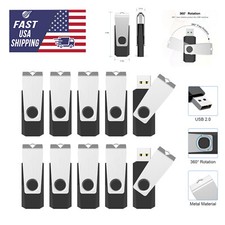
USB 2.0 Flash Drive 16GB 32GB 64GB 128GB Thumb Memory Stick Multi Pack Bulk Lot
$1082.99

Zero Trace Pen: All-in-one Tor Network Anonymous Drive + Cryptocurrency Wallet
$147.00

SanDisk Ultra Luxe USB 3.1 Flash Drive – 5 Pack | Premium Metal USB Flash Drives
$59.99



 Reply With Quote