

 Reply With Quote
I am working on my own knx-hdinstall guide. www.phpcad.com/knoppix-install.html
It would be nice to have one, but there is always the problem of someone not thinking it is being done right so they start another.


Salve,
the wiki pages here under Docs/ are very usfull.
By trying to discribe how to start Knoppix from hd, I wrote
more a chapter for a HowTo then a FAQ. Why not start
now to write together here one Knoppix-Howto?
What do you think about this Contents:
http://www.knoppix.net/docs/index.php/HowTo ?
Greetings
Rob
I am working on my own knx-hdinstall guide. www.phpcad.com/knoppix-install.html
It would be nice to have one, but there is always the problem of someone not thinking it is being done right so they start another.
Originally Posted by zzyzx
Do you think that someone can write everything?
Multiple descriptions for the same problem is not so bad,
but they must be linked together AND must be better then
FAQs or short postings in this forum.
If there realy were 2 or more people which don't like each other
text, other people can write a fusion and the publicity can
desside which text is better.
Do you have linked your text to this wiki?
For the beguinning it is important what we make with our resources.
The wheel and tricks with Knoppix haven't to develop two times.
What do you thing would happend, if Klaus would like to do everythink
himself in hisway?
I think it is big problem who write on the HowTo,
it is more the question, for whom will it be written.
If we have one big knowledge base HowTo for us, it is more easier
to write a short HowTo for beginners.
Isn't it good, that you care more about the first stepps of Newbes
and I think about one compendium?
One example, when we write about how to burn cds with GNU/Linux Knoppix "cdrecord dev=0,0,0" and the user has a scsi hd........
Documentation and education is very important, that the users
know what they are doing.
I would like to see an animated tutor, too. You boot the Knoppix
and on the start window you have an animation that speaks with you
and show you interactivily how knoppix (and GNU/Linux) can be used.
So I agree "Yes and No".
Greetings
rob
i am more than willing to pound out a HDD installed guide for remastering.... when I have time.
and you have this subheader: "Hard drive? who needs a hard drive?"
Salve god,
I found a way to boot Knoppix form CD copy /cdrom to hd and install
lilo with a running Knoppix. Isn't this what you are looking for?
Testing a new remasterd Knoppix without burning CDs?
See 1.2 of: http://www.knoppix.net/docs/index.php/HdBasedHowTo
This night I tryd to find a way runing Knoppix and burning itself
bootable on one cd - but I faild. OK, but this is OT.
The more people write a bit, the more we share our knowledge
wiki is
rob
PS: is the aberation HDD more correct for hard disk then hd?
if you copy the files off os an iso to /KNOPPIX(on any partion) and use a boot floppy you can test without burning. Personally, I use a RW....
I think HDD=Hard Disk Drive....
floppy? Who needs a floppy
Good night,
rob
floppy=easy....
lilo=hard (for newbies)
 Posting Permissions


16GB KIT (2x8GB) DDR3 Gamer Desktop RAM PC3 MIXED BRANDS VIPER VENGEANCE FURY
$10.00

Netac DDR4 32GB 16GB DDR4 3200MHz UDIMM C16 Desktop Internal Memory RAM Kit
$99.99

Samsung 32GB DDR4-2666V-2Rx4-RB2-12 RAM M393A4K40CB2-CTD6Q
$169.00

Crucial 32GB(4 x 8GB) CT8G4DFS824A.C8FDD1 DDR4-2400 UDIMM Desktop RAM - CR352A
$89.95

Dell Wyse 5070 Thin Client Pentium J5005 8GB RAM 128GB SSD w/Power Win 10 LTSC
$62.00

RAMAXEL Lenovo 32GB LPDDR5X CAMM2 7500MHz Laptop RAM | UNTESTED
$445.00

DDR4 Laptop RAM 4GB 8GB 16GB 32GB 2400 2666 3200 Samsung Hynix
$66.00

Major Brand 16GB (2x8GB) PC3-12800U DDR3-1600MHz DDR3-12800 DESKTOP RAM NON-ECC
$29.99

Samsung 32GB DDR4-2666 PC4-21300 288-Pin DIMM RAM M393A4K40CB1CRC0Q
$185.00
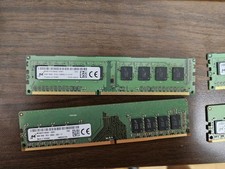
Micron and SK hynix RAM 56GB (4x8GB) (2x4GB) see description
$135.00


