


 Reply With Quote
do
and report.Code:ping localhost ping 127.0.0.1 ifconfig
do you have a firewall running?


Hi people! Sorry wasting your time but... i am kinda newbie and i am having this problem.
I installed the knoppix 3.4 on my hard disk and i tried to configure my eth0 with "netcardconfig". The problem is after setting-up everything with the correct values (and i am pretty that these values are correct) i can't reach my router or another computer in my lan.
Here is the whole thing: I have Fedora Core1 and Windows 2000 in my machine, i have 1 hub and my computer is connected directly to it and i have 1 adsl-modem working as router there, the router's ip is static 192.168.254.254, so any computer in the hub can use this ip as DNS and Gateway and have access to internet. Windows and Fedora are working fine on internet, i am in my Fedora now posting this. The knoppix 3.3 works very nice too, i just need to use "netcardconfig" and give the numbers and ta da!
When i finish the "netcardconfig" there is no error but i can't ping in the router and in another machine. I thought it could be some firewall blocking me but i couldnt find anything like this running in knoppix. When i tried to use the dhcp configuration it didnt work too, and my router have a dchp server working, i tested it in both windows and linux different distros. I have no problems with hardware here because all other systems are working perfectly, i tried many times to make this work in knoppix 3.4 using the "netcardconfig" so i think i am not typing the numbers wrong EVERYTIME.
I am posting this because i couldnt find on internet any information about this, i just dont know what to do, i mean... it recgnize my netcard and accept the configuration but just doesn't work, i dunno if it is a bug or a problem in the driver... i have no clue o_O. If anyone have any idea please tell me
I had another problem with knoppix that i dont think it is related but... i will post here. When i use the knoppix 3.4 in live cd mode it recognizes my emuk001 audio adapter but the sound in the kde opening have problems, it is like "inti... inti... init... init... init... inti... init...." instead of the normal "intiating starting squence". I dont have this problem with the Knoppix 3.3 and i tried 2 different CD's, so.. it is possible that both cd had the same problem in the same track but... hmmm... i don think so. Plus... the ISO i download have an "ok" in md5sum.
Thanks everyone and sorry for my english and your time.
Knoppix-user,
do
and report.Code:ping localhost ping 127.0.0.1 ifconfig
do you have a firewall running?
 Posting Permissions


Juniper EX2300-C 12 Port Compact Gigabit Switch EX2300-C-12p Discounted Cosmetic
$71.87

Juniper EX2300 12-Port Gigabit PoE+ Managed Network Switch P/N: EX2300-C-12P
$149.99

Juniper Network QFX5100-48S-AFO 48x SFP/SFP+ 6x 40GbE QSFP+ Switch w/ Dual power
$253.30
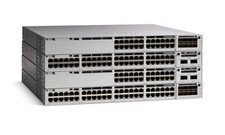
Juniper EX Series EX2300-C-12P - switch - 12 ports - managed
$311.95

Juniper EX4100-F-12P Switch 12x 1GbE PoE 2x 10GbE Uplinks 4x 10GbE Stack Ports
$900.00

Juniper EX2300-C-12P 12 Port Gigabit PoE+ 2x10G SFP+ Managed Compact Switch
$179.99
Juniper EX2300-C 12 Port Compact Gigabit Switch EX2300-C-12p
$89.99

NEW JUNIPER QFX5120-48Y-AFO-T 48x 10/25GbE SFP28 8x 40/100GbE Switch Dual AC PS
$12750.00

Juniper EX3400-24P 24-Port PoE+ GbE + 4-Port 1/10Gb SFP Switch
$245.00

Juniper Networks EX2300-48P 48-Port Gigabit PoE Managed Ethernet Switch
$79.99