-
Junior Member
registered user
in to deep
ok so i'm new to linux....... ok so i want it do work straight away............ ok I've learnt that it aint gonna happen. just a couple of points i put to myself today while trying to work everything out at once.
why did i choose this OS?
answer: easy i got sick of windows or windoze I'm more orientated to the the later why beacuse it's so damn user and un user friendly. Why did i choose knoppix the challenge i guess. I consider myself an expert in computing or my friends do but when i look it's seems i know less than 1% of whats going on so i guess it's an easy question or maybe not (pesemist or optamist) oh excuse the spelling i fell asleep in engilsh.
I'll tell you a story about my dream job.
For years, and I'm talkin 25 +, i wanted to drive trucks. I'd go to truck show go to work with my old man anything to get out on the black top and be free. I finally got there and you know what i noticed???????? i was never more than 3 feet from my computer. sad yes..... addicted yes..... courious..................... every second.
so what am i getting at.......... knowledge ( i want it you want it we want it)
I've read the FAQ's i've read the posts in the forum but it's all bit here bit there. No doubt in a few weeks time i'll be askin the same questions posted here. No doubt I'll be trying to find out the password for root cause it won't let me modify files.... no doubt i'll wanna know how to get my alcatel speedtouch connected to the net... what i really want to know is where should i start???????????? at the moment it seems to be get it booted up then stop.
go to the middle then stop.
start again then stop
( i guess you get the picture)
so i guess there is no Knoppix for dummies?
or teach yourself Knoppix in 24 hours.
but where do i start when i've never seen anything like this before????
if you've taken the time to read this and thought what a load of Bo**ox then sorry. then sorry but we all have to start some where. plus i don't really care what you think.
if you've read this and reaplied with HELP then thanks very much and know doubt you'll hear from me again and maybe some time in the futre I might be able to help you .
Liquid
Lost and confused 
-
Whoa, just settle down there, mister. 
Take a deep breath. It helps to take lots of deep breaths when you are new to linux. I find that the only times I ever use the breathing techniques they taught us in kung fu class are while dealing with a problem on linux. It's ok. It won't be easy, but it will be worth it, I promise.
1. If you are booting from the cd, you will not be able to change any files. The cd is read-only, so nothing can be written to it. You can save new files to a hard drive partition (which should appear on your desktop as an icon labeled something like "hda1" or "hda3". You can click on that icon to mount the drive and save files to it.
2. As a matter of fact, there IS "Linux for Dummies". You can get it at many large booksellers, or online. Amazon.com has it. It's not Knoppix specific, but it will get you going with the basics.
3. I don't know about your modem. Do a search in the forums for "alcatel" and you should find something to help you out. If you are booting from the cd, you may run into trouble compiling new modems. You may have to check the alcatel posts for a while to find an answer.
4. When things don't work or you can't figure it out, just remember that if anyone else ever got it working, you can too. After all, you are just as bright as most of them. (Some are frighteningly knowledgeable about linux).
5. It's ok to not care what people think, but when you tell them that it may cause them to not answer your questions. :P
6. On that note, if nobody answers your questions, try searching the forums for an answer. The question may have been asked so many times that noone can stand to answer it anymore. I can't bring myself to reply to any more damn posts about winmodems.
7. You are going to have to give us more detail on where the system is "stopping". Which version (and date) Knoppix are you using? Is it reaching the desktop and locking up? Going black? Going "boop" and emitting smoke? Do you see any error messages while booting? I was having to boot with one of the "cheatcodes" when using the cd. I was having to boot by typing "knoppix noscsi" at the boot prompt, but it sounds like that may not be your problem. The cheatcodes are here: http://knoppix.net/docs/index.php/CheatCodes. Sometimes if you search for your make and model of computer (if you have a brand name computer) will help find an answer.
So yeah, man, sometimes linux is a pain in the ass. It is SO worth the effort, tho.
O, one last thing. Spellchecker! It's built right in...
-
Re: in to deep

Originally Posted by
Liquidant
what i really want to know is where should i start????????????
You have tried the CD, you have read the FAQ, you have read the forum posts and you are asking questions. Looks like a good starting point.
-
Junior Member
registered user
Ok i took a deep breath...... about 40 i think went a bit dizzy but it felt good 
As i want to change and edit the files plus i have a spare 12gig hard drive i've decided to set up a HD install.
just one question If i install the cd to my HD (which i'm gonna start looking how to do) but i don't want it to boot directly to there ie cd / windoze / Floppy boot sequence can i use the cd to boot knoppix up and tell it to run straight from the hd i guess the code is knoppix home=/dev/hdd1 which is my free 12 gig hard drive but seeing as it's installed there instead of it running of the cd it will mount that drive and run straight from there ?????? hope I got that right.
anyway a nudge in the right direction would be great second thouhgts make it a shove
oh and sorry for the earlier post I was getting a bit frustrated and i had just got in from the pub don't think the 2 are a good combination not yet at anyway.
-
Senior Member
registered user
Liquidant,
First of all, you are right -=- Friends don't let friends Linux and drink... I would guess that anyone on any depressants shouldn't be working with problems in Linux, I think it could just "push" them over the edge too easily... I've had my time in Knoppix, from the hard drive install, and before that, from the CD, and I have a whole lot of posts here about the problems I have had, along the way.
It is a learning thing, possibly even, a "tackle" a problem to get it resolved thing too. Probably why Linux has been "dubbed" for "techies", because most techies will "tinker", and try to fix things when they break. Techies are the ones who will rip open a PC to get to what is failing, and replace it, without concern of the cables in the way, to that HUGE electrostatically corruptable processor that "most" people would never touch, they handle them.
I was never the "techie" in the sense of having to constantly tinker with my PC to get it working, or keep tinkering with it to keep it working - until - I got to Knoppix. But, I must say, the reason I made the "switch" to this OS is, by far, what "most" are doing the switch for - because it looks good, really good, (compared to the other OS's on the market), its FREE, and when it is running, its "rock solid" and secure (not true in those other OS's).
I was intrigued when I booted Knoppix the first time, and got "suckered" in to seeing just how good it is over the other OS's I have owned. I thought of all the problems I have tackled in the other OS's, and figured - Heck, this can't be any worse than those... ( In many ways, I am correct in this thinking, and in other ways, I am so "way off mark". )
But, funny thing is, even when I have had to deal with, what I think at the time, is the worst thing that could ever happen to me, my system, in Linux - I strive to get it solved, and working - Instead of reaching for my old Win98 Install CD. In Windows, I could do anything, in Linux, barely able to understand what I am doing. But, I am still learning as well. Not a day goes by, that I don't learn something new in this OS - and, in a way, I like that, it feels good to be learning again. The challenge is deffinately a rush, and when it gets working, its even more of a rush - never really had that in Windows, just the fixing problems, again, and again, and again, stuff - but no rush. Having to do a security patch every week, and update antivirus signatures on a daily basis, in Windows, was about the excitement. In Knoppix, its not so much these things, but the challenge of installing a new package, and trying to resolve things if they break. The system has been stable all along though.
Well, Liquidant, just keep in there, you'll get it, its not that hard, its just one fire to the other, or something new to learn,
Ms. Cuddles
-
Senior Member
registered user
true, linux is a bit fiddly to get going well. but when finaly upp it is a fairly smooth ride, you must mess things upp as root before anything much bad will happen to your linux, in linux root = GOD! as root you can even damage the hardware if you have the knowlege.
ok you might be hacked or somehow install a trojan... but most likely you have "minor" troubles like getting the modem working, the network not setup properly by default or the screen is not 100% as you like it... but linux is most likely humming along just fine under the surafce. even if things get messed up i mostly get things working ok again in a while, and that even witout rebooting in most cases...
-
Junior Member
registered user
LMAO got a feeling i was to full of myself here just finished a hd install and it works...... boots up sweet as a nut. i have noticed one thing though the hotplug (i think thats it) that auto detects all your hardware dosn't seem to find my mouse. this is only on the HD install though cd is fine so i guess i have to config it to auto detect now. so am i goin in the right direction.
oh by the way thanks for the replies calmed me down a treat

-
Junior Member
registered user
tell ya what i'm lovin this stuff forgot what it was like not knowing how to get things running feel like a new man :P anyone for a date lol
-
No thanks, all booked up here! Anyone else?
Similar Threads
-
By BillS in forum General Support
Replies: 0
Last Post: 01-13-2004, 04:24 PM
 Posting Permissions
- You may not post new threads
- You may not post replies
- You may not post attachments
- You may not edit your posts
-
Forum Rules


Lenovo ThinkStation P520c Intel Xeon W-2133 6-Core 3.60GHz -NO RAM/ HDD/ GPU/ OS
$127.54

Intel Xeon Phi 5110P 60-Core 1.053GHz Coprocessor
$50.00

Dell EMC PowerEdge R440 Xeon silver 4215 2.5GHz 16 GB ram 2x 550W PSU No HDD
$275.00

Dell Precision Tower 7810 Xeon E5-2630 v3 @ 2.40GHz , 32GB Ram, NO HDD, NO OS
$239.99

Intel Xeon E5-2699 V4 2.20GHz 55M 22-CORES LGA2011-3 Server Processor 145W SR2JS
$84.49

Intel Xeon E5-2680 V2 2.8GHz 10-Core 25MB 8GT/s SR1A6 LGA2011 B Grade Server CPU
$7.95

Dell Precision T5820 Workstation 3.70GHz W-2135 No RAM/ GPU/ HDD/ OS
$179.98

Dell Precision T7820 2x Xeon Gold 6130 2.10GHz 950W No RAM GPU HDD 4x SATA
$374.48
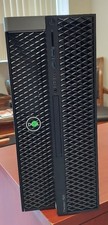
Dell Precision T7820 Dual Xeon 4214R 48GB RAM 512GB + 1TB Quadro P400 Win 11
$699.00

Dell Precision T1700 Workstation Intel Xeon 16G Ram 256GG SSD Nvidia 600 Win 10
$109.99



 Reply With Quote