-
Junior Member
registered user
Need help with setting up LAMP enviroment.
Knoppix 3.4 installed on my hard-drive.
Hi,
I'm very new to Linux and want to setup a learning enviroment for PHP/MySQL/Apache.
Scrounging around these forums for bits of info, I've managed to start Apache and check my version of Perl.
But I am having no luck with PHP. I've tried "apt-get install PHP" but get errors. Then tried "apt-get update" first then "apt-get install PHP" . Same errors. (Couldn't stat source package list http://ftp.us.debian.....) Maybe apt-get isn't the best approach, but I don't know any other.
Also any hints at where/how to install MySQL? I'm pretty sure I can config it with phpmyadmin. Just finding and installing this stuff is a problem for me.
Any help is greatly appreciated 
Obs
-
Senior Member
registered user
If you've got Knoppix 3.4 installed, then you've already got some of PHP by default:
Code:
root@knoppixbox:/home/andrew# dpkg -l "php*"
Desired=Unknown/Install/Remove/Purge/Hold
| Status=Not/Installed/Config-files/Unpacked/Failed-config/Half-installed
|/ Err?=(none)/Hold/Reinst-required/X=both-problems (Status,Err: uppercase=bad)
||/ Name           Version        Description
+++-==============-==============-============================================
pn  php3           <none>         (no description available)
pn  php3-imap      <none>         (no description available)
pn  php3-ldap      <none>         (no description available)
pn  php3-mysql     <none>         (no description available)
pn  php3-pgsql     <none>         (no description available)
ii  php4           4.3.4-4        A server-side, HTML-embedded scripting langu
un  php4-cgi       <none>         (no description available)
un  php4-cgi-curl  <none>         (no description available)
un  php4-cgi-domxm <none>         (no description available)
un  php4-cgi-gd    <none>         (no description available)
un  php4-cgi-imap  <none>         (no description available)
un  php4-cgi-ldap  <none>         (no description available)
un  php4-cgi-mhash <none>         (no description available)
un  php4-cgi-mysql <none>         (no description available)
un  php4-cgi-pgsql <none>         (no description available)
un  php4-cgi-snmp  <none>         (no description available)
un  php4-cgi-xml   <none>         (no description available)
un  php4-dev       <none>         (no description available)
pn  php4-imap      <none>         (no description available)
pn  php4-ldap      <none>         (no description available)
ii  php4-mysql     4.3.4-4        MySQL module for php4
un  php4-pear      <none>         (no description available)
pn  php4-pgsql     <none>         (no description available)
un  php4-sablot    <none>         (no description available)
un  php4-xml       <none>         (no description available)
un  phpapi-2002091 <none>         (no description available)
un  phpdoc         <none>         (no description available)
Likewise, you've got some of MySQL:
Code:
root@knoppixbox:/home/andrew# dpkg -l "mysql*"
Desired=Unknown/Install/Remove/Purge/Hold
| Status=Not/Installed/Config-files/Unpacked/Failed-config/Half-installed
|/ Err?=(none)/Hold/Reinst-required/X=both-problems (Status,Err: uppercase=bad)
||/ Name           Version        Description
+++-==============-==============-============================================
un  mysql          <none>         (no description available)
un  mysql-base     <none>         (no description available)
ii  mysql-client   4.0.18-8       mysql database client binaries
ii  mysql-common   4.0.18-8       mysql database common files (e.g. /etc/mysql
un  mysql-dev      <none>         (no description available)
un  mysql-devel    <none>         (no description available)
un  mysql-doc      <none>         (no description available)
un  mysql-gpl-clie <none>         (no description available)
ii  mysql-server   4.0.18-8       mysql database server binaries
I don't know anything about using them, but hopefully that gives you an idea of the packages that are available.
-
Junior Member
registered user
Thanks,
Apache and PHP are working. I've got MySQL installed and running too but my start up is very wierd.
mysql -h localhost -u root -p results in an error of: ERROR 2002: Can't connect to local MySQL server through socket '/var/run/mysqld/mysqld.sock' (2)
but this apparently starts the service....
root@laptop:~# mysqld version
mysqld: ready for connections.
Version: '4.0.18-log' socket: '/var/run/mysqld/mysqld.sock' port: 0
Then "mysql -h localhost -u root -p" works fine.
"service mysql start" does nothing either. (service is an unknown command).
I should probably be posting these question in a MySQL forum. But someone else might find usefull.
Obs
-
Junior Member
registered user
Hi again,
I'll post this for the next noobie 
This assumes you have installed Knoppix to your hard drive.
1. Start Apache (already installed)
a) From shell run sudo /etc/init.d/apache start (as root)
should see...
Starting web server: apache[Sat May 22 10:23:22 2004] [warn] module ssl_module is already loaded skipping
b) Test by pointing browser to http://127.0.0.1/, should see a default web page for apache/debian.
2. Test PHP (already installed)
a) Create a text file (i used kwrite) with just <?php phpinfo(); ?> in it.
b) Save it to /var/www/
c) Test by pointing browser to http://127.0.0.1/test.php, should see PHP info page.
3. Install MySQL (not installed)
a) From shell run the following commands to download and install MySQL
apt-get update
apt-get install mysql-common mysql-client mysql-server
apt-get install php4-mysql
b) Run 'mysql_install_db'from shell to create system tables, etc.
c) Run 'safe_mysqld'
d) Start server "/etc/init.d/mysql start" (logged in a root)
e) mysql -h localhost -u root -p to connect.
f) see mysql doc for actually choosing/creating a db.
Obs
Similar Threads
-
By Josh83 in forum Hdd Install / Debian / Apt
Replies: 5
Last Post: 04-15-2005, 08:14 PM
-
By tcollinson in forum Customising & Remastering
Replies: 3
Last Post: 08-12-2004, 11:45 PM
-
By pau in forum General Support
Replies: 3
Last Post: 02-10-2004, 06:33 PM
-
By Braz_Man in forum General Support
Replies: 2
Last Post: 01-23-2004, 11:04 PM
-
Replies: 8
Last Post: 07-22-2003, 02:41 PM
 Posting Permissions
- You may not post new threads
- You may not post replies
- You may not post attachments
- You may not edit your posts
-
Forum Rules


Netac DDR4 32GB 16GB DDR4 3200MHz UDIMM C16 Desktop Internal Memory RAM Kit
$99.99

128GB (4x32GB) SK hynix DDR4 PC4-2666V RDIMM ECC Server Ram HMA84GR7CJR4N-VK
$799.00
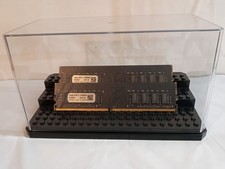
32GB KIT (2x16GB) DDR4 2666MHz PC4-21300 - 288 pin DESKTOP Non ECC - Black/Gold
$121.00

A-Tech 8GB DDR3 1600 PC3-12800 Laptop SODIMM 204-Pin Memory RAM PC3L DDR3L 1x 8G
$21.68

Major Brand 16GB (2x8GB) PC3-12800U DDR3-1600MHz DDR3-12800 DESKTOP RAM NON-ECC
$29.99
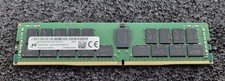
32GB Micron PC4 – 3200AA DDR4 ECC Registered Server RAM - MTA36ASF4G72PZ-3G2J3
$200.00
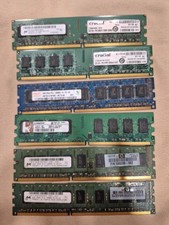
crucial memory ram and parts
$400.00

Samsung 16GB LPCAMM2 PC5 7500 DDR5 LPDDR5X CAMM2 M561K1LC4DM0-CCTGM RAM Memory
$189.00
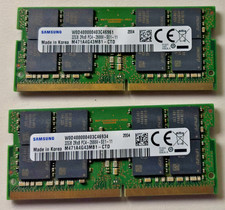
64 (32x2 GB) Memory for laptop Samsung PC4 2Rx8 2666V.
$260.00
64 GB Ram (32x2) Memory for laptop: Samsung PC4 2Rx8 2666V.
$280.00



 Reply With Quote